EasyManua.ls Logo

Superchips Flashcal - CLEAR DTC

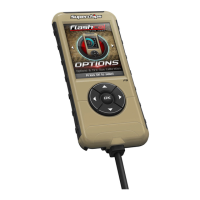
Superchips Flashcal
24 pages
Print Icon
To Next Page IconTo Next Page
To Previous Page IconTo Previous Page
Loading...
13
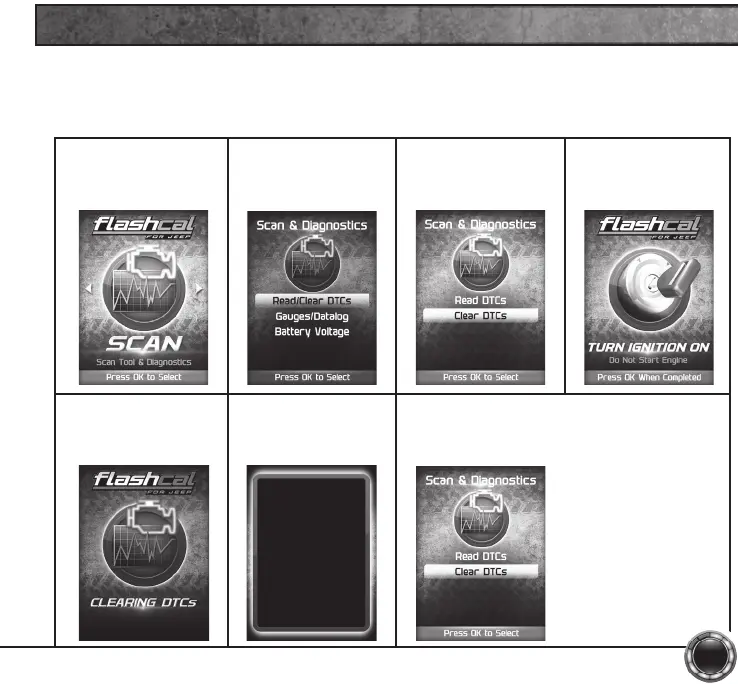
CLEAR DTC
This feature allows you to clear the DTC and turns off the check engine light.
NOTE: If a DTC persists, this could indicate a vehicle malfunction. We recommend seeking a
qualied professional in resolving the issue. Program the vehicle back to stock prior to service.
STEP 1 - Enter the
Scan Menu.
STEP 2 - Select
Read/Clear DTCs.
STEP 3 - Select
Clear DTCs.
STEP 4 - If asked,
turn ignition on,
but do not start.
STEP 5 - Allow the
device to search for
DTCs to clear.
STEP 6 - Read and
follow the on-screen
instructions.
Vehicle DTCs
Successfully Cleared
Press OK to Continue
STEP 8 - Press OK to return to the DTC
menu.

Related product manuals