15
DATA LOGGING
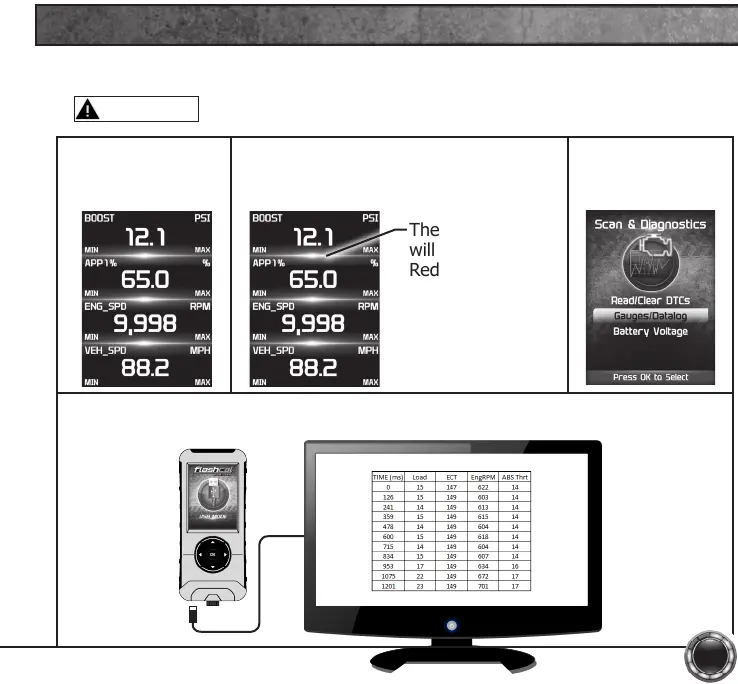
STEP 1 - Refer to
the previous section
and follow the steps.
STEP 2 - Press the OK button to begin
recording the PID data. Press the OK
button again, to stop the recording.
The separator lines
will change from
Red to Green,
which indicates
that the device is
actively recording
(datalogging).
STEP 3 - Press the
left arrow to return
to the menu.
The information will be stored on the device and may be retrieved using a
computer. For more information continue to the next section.
Data logging allows you to record specic vehicle information while driving. Follow these
instructions to nd out how to datalog, and how it may be helpful to your particular needs.
WARNING
Do not exceed legal speed limits on public roadways.


 To Next Page