Software Installation Procedure
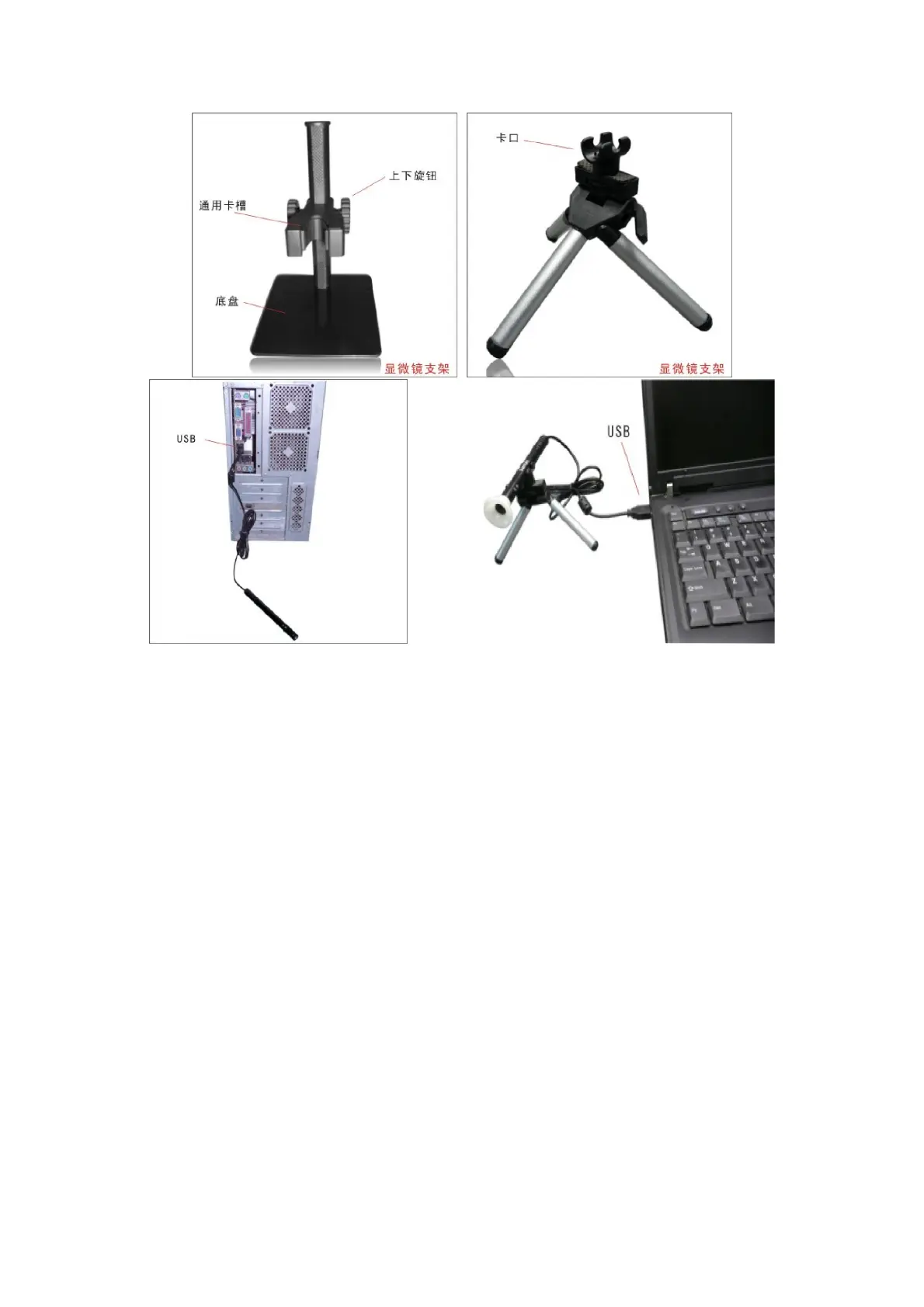
1. Plug USB Cable into PC( or put the AV into the AV of monitor after
power on )
2. If need fix, please fix the body of microscope into the clip of the
tri-pod (accurately operation please choose professional
microscope-stand when accurately operation is needed), adjust the
lens to the goods inspection.
3. Choose the suitable distance between the stage and the objects, adjust
the focus.
SUPEREYES Handheld Digital Microscope (End-scope) User's Manual
Generated by Foxit PDF Creator © Foxit Software
http://www.foxitsoftware.com For evaluation only.


 To Next Page