Software Installation Procedure
1. Installation
Installation should follow the bellow SUPEREYES setup installation
instruction
2. How to review the microscope
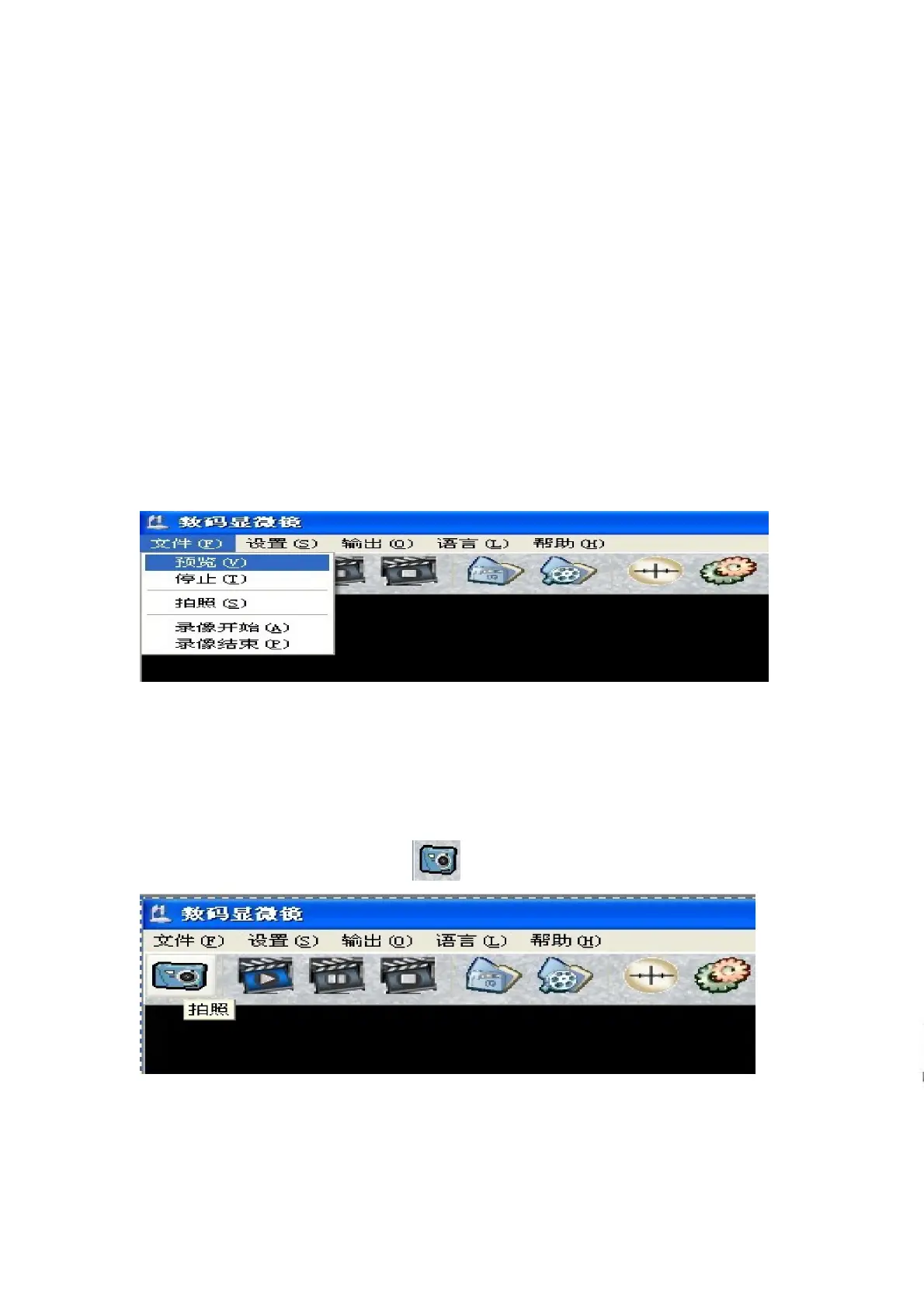
After plug into USB port ,the machine will show “new device USB
microscope ”on right bottom corner, that mean the machine find the
microscope ,than you can select “preview” to view item your are testing.
3. How to make picture capture.
There is two ways that you can able to picture capture:
A. Click “shoot” in” File” menu.
B. Select “Camera” icon .
SUPEREYES Handheld Digital Microscope (End-scope) User's Manual
Generated by Foxit PDF Creator © Foxit Software
http://www.foxitsoftware.com For evaluation only.


 To Next Page