28
5.0 Operation
Test Pressure and/or Flow Pressure Calibration Steps:
Calibration
1. Make sure there is no pressure source
connected to the pressure transducer being
check and verify zero (0) pressure is being
read.
2. Enable write access to calibration register for
the pressure transducer being calibrated by
pressing the UNLOCK button.
3. Zero the pressure transducer being calibrated
by pressing the ZERO button.
4. Remove the Low port vinyl hose from the
pressure transducer being calibrated and
connect a calibrated vacuum pressure source
to the Low port and then apply a pressure of
25 inH
2
O.
5. Enter the applied pressure value from the
calibrated vacuum pressure source by writing
the value into the appropriate APPLIED eld.
6. Once the calibration value has been entered
in step 5, adjust calibration of the appropriate
pressure transducer by pressing the ADJUST
button.
7. Slowly bleed o calibration pressure to zero
pressure and disconnect the calibrated
vacuum pressure source from the transducer.
Re-connect any vinyl hose removed in step 4 to
the appropriate pressure transducer.
8. Calibration is now complete, disable write access to calibration registers for the pressure transducer
being calibrated by pressing the LOCK button.
An abrupt change in pressure may result in damage
to the sensor being calibrated. Make certain that
the input pressure is set to zero before introducing
pressure at a slow pace. When nished calibrating,
slowly bleed o the pressure before removing from
the sensor being tested.
!
WARNING
Once the calibration value is applied, the original
calibration data will be overwritten and cannot be
retrieved.
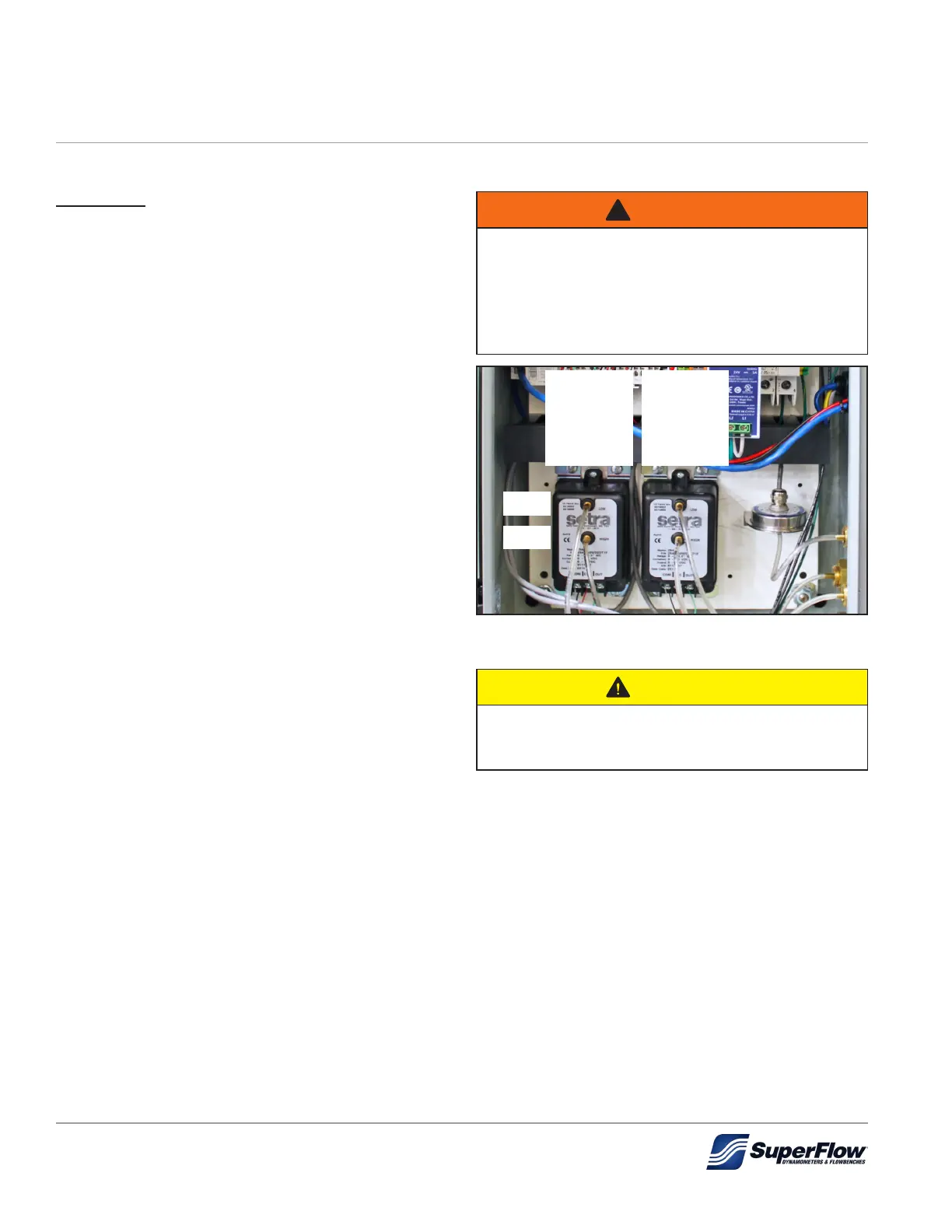
Figure 5.11: Pressure Transducers
Test Pressure
Transducer
0-100 inches of
water (inH2O)
Flow Pressure
Transducer
0-50 inches of
water (inH2O)
Low
High


 To Next Page