EasyManua.ls Logo

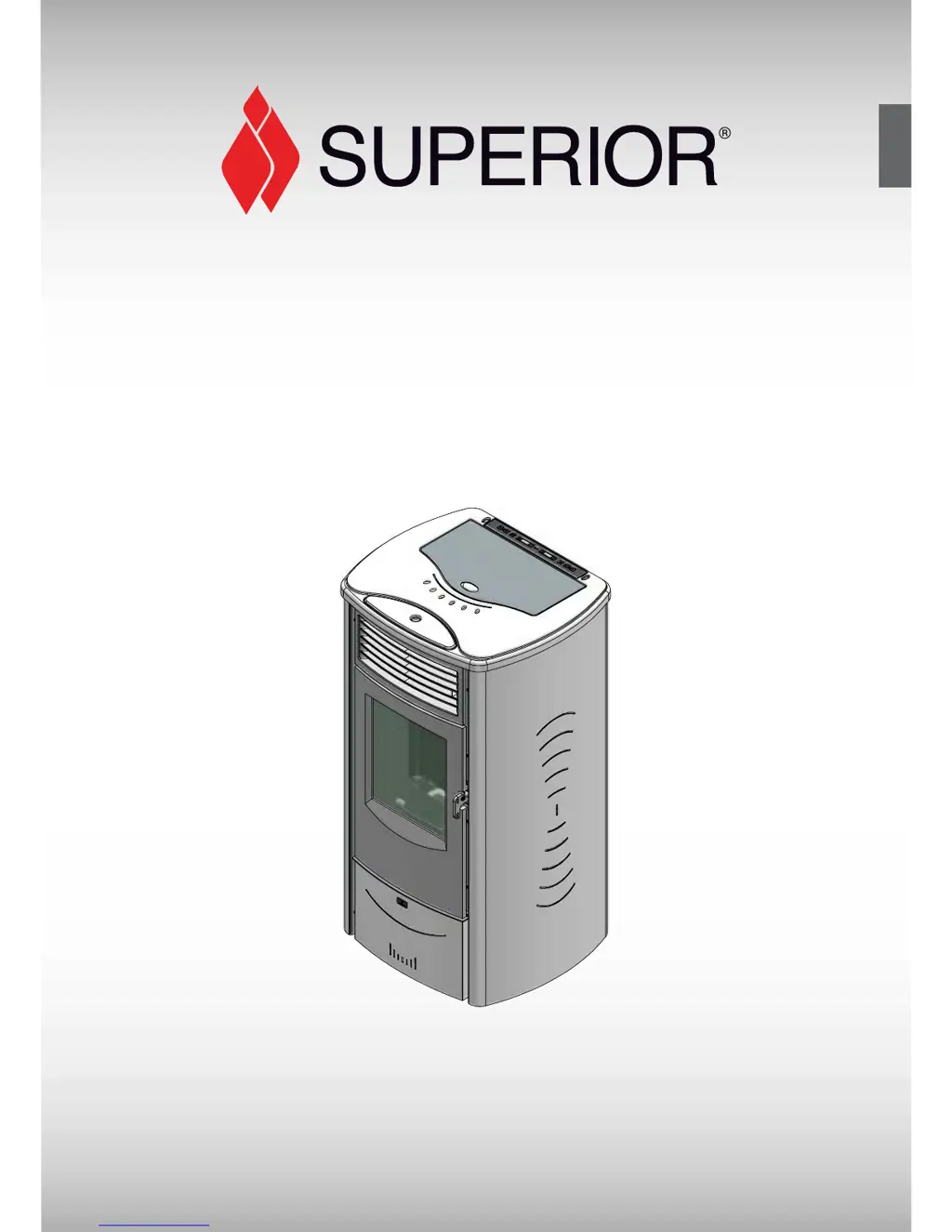
Superior MONIA - User Manual

Superior MONIA
44 pages
Print Icon
To Next Page IconTo Next Page
Loading...
H07023380 / DT2000477-03
English
Pellet stove
INSTRUCTION FOR INSTALLATION,
USE AND MAINTENANCE
Il manuale di istruzioni è parte integrante del prodotto.
MONIA

Questions and Answers

Summary

General Rules for Pellet Stove Installation and Operation

Single Chimney or Flueway Requirements

Details on the vertical flue pipe for combustion gas discharge, material, size, and configuration.

Soot Inspection Chamber

Recommendation for a chamber to collect solid matter and condensate in the flue.

Chimney Stack Design and Placement

Requirements for chimney stack section, insulation, and placement to aid dispersion.

Fresh Air Intake for Combustion

Ensuring adequate air supply for combustion through dedicated intakes or room ventilation.

Installation Environment Requirements

Specifies suitable locations for installation, avoiding hazardous areas and ensuring proper ventilation.

Floor Load-Bearing Capacity Check

Instructions to verify the floor can support the stove's weight and take countermeasures if needed.

Heating Capacity Calculation

Guidance on matching the appliance's heating output to the room's energy requirement.

Minimum Safety Distances

Mandatory clearances from heat-sensitive materials, walls, and furniture.

Connection to the Flue System

Guidelines for ensuring airtight flue connections and avoiding improper setups.

Connecting to a Conventional Chimney

Procedures for checking and adapting existing chimneys for the pellet stove.

Using an External Flue

Requirements for installing an external flue system, including materials and inspection openings.

Prevention of Domestic Fires

Recommendations for maintaining safe distances from combustible materials and regular checks.

Features and Technical Data of the Pellet Stove

Stove Features Overview

Details on cladding, interior components, grate, door, and control panel.

Optional Accessories and Equipment

List of available optional accessories for the pellet stove.

Technical Specifications

Key performance data including thermal power, consumption, efficiency, and electrical details.

Product Identification and Data Plates

Information on locating and using the product's rating and serial number plates.

Stove Dimensions and Measurements

Detailed measurements of the stove's physical size and clearances.

Wiring Diagram for Components

Schematic illustrating the electrical connections of various stove components.

Installation Procedures for the Pellet Stove

Preparation Before Installation

Safety recommendations for unpacking, handling, and preparing the stove for installation.

Stove Installation Overview

General guidance on the installation process, including compliance with regulations.

Electrical Connection and Controls

Instructions for connecting the power cable, room sensor, and other electrical components.

Installing an External Room Thermostat

Steps for connecting and installing an optional external room thermostat.

Removing and Refitting the Cladding

Procedure for safely removing stove panels for access during installation or maintenance.

Optional Side Flue Gas Outlet

Instructions for installing the optional side flue gas outlet kit.

Optional Remote Control Kit Installation

Steps for installing the optional remote control receiver and cable.

Fuel Loading and Usage Guidelines

Recommended Pellet Fuel Specifications

Characteristics of high-quality wood pellets recommended for optimal performance.

Loading Pellets into the Hopper

Instructions for safely and correctly loading pellets into the stove's hopper.

Using the Superior Pellet Stove

Stove Control Panel Functions

Explanation of the digital control panel, keys, and display indicators.

Setting the Display Language

Procedure for selecting the desired language for the stove's display.

Stove Programming Menu

Guide to accessing and navigating the stove's programming menus.

Programming the Clock Settings

Instructions for setting the current day, hour, and minutes for time-based functions.

Timer Functions for Automatic Operation

How to set daily, weekly, and weekend operating cycles for automatic start/stop.

Parameters Menu Access

Accessing the parameters menu for time meter storage and other settings.

Enabling;Disabling the Buzzer

Function to enable or disable warning signals for safety device activation.

Adjusting the Display Mode

Option to switch the display between room temperature and time.

First Time Lighting Procedure

Steps for initial stove lighting, including settling-in periods and paint evaporation.

Normal Lighting and Operation

How to start the stove for normal use and manage its operation.

Ignition Failure States

Troubleshooting steps when the stove fails to ignite.

Normal Operation Status

Description of the stove's state during normal operation, including power and temperature display.

Stove Shutdown Procedure

Steps for safely shutting down the stove, including cooling and cleaning phases.

External Thermostat Operation

How the stove operates when regulated by an external room thermostat.

Power Supply Cutoff Scenarios

Procedures for restart after power interruptions with or without timer settings.

Emergency Manual Lighting

Procedure for lighting the stove manually in emergency situations.

Optional Remote Control Functions

Details on using the remote control for startup, shutdown, power level, and temperature adjustments.

Safety Devices Overview

Explanation of built-in safety features designed to prevent hazards.

Smoke Chamber Pressure Monitoring

Function and troubleshooting for the smoke chamber pressure switch.

Pellet Hopper Temperature Safety

How the thermostat protects the hopper from overheating and initiates shutdown.

Flue Gas Temperature Sensor Function

Monitoring of flue gas temperature for safe operation and shutdown.

Room Temperature Sensor Function

Monitoring of room temperature and sensor status.

Stove Status Indicators

Displays and meanings of various stove operating statuses and alarms.

Opening the Stove Door Safely

Instructions for safely opening the door for maintenance when the stove is cool.

Optional Humidifier Usage

Guidance on refilling the optional humidifier without exceeding capacity.

Safe Disposal of Ashes

Recommendations for safely handling and disposing of stove ashes.

Maintenance of the Pellet Stove

Cleaning the Grate and Support

Periodic cleaning of the grate and its support for efficient operation.

Cleaning the Ash Tray

Instructions for checking and emptying the ash drawer.

Cleaning the Firebox

Procedure for cleaning the internal firebox, including baffles and ignition hole.

Cleaning the Smoke Chamber

Annual cleaning of the smoke chamber to remove ash and carbon deposits.

Cleaning the Flue System

Guidance on cleaning pipes and connections in the flue system.

Cleaning Ceramic Cladding

Methods for cleaning the ceramic outer parts without causing damage.

Cleaning Enamelled Metal Parts

How to clean the stove's metal surfaces using appropriate methods.

Daily Cleaning of the Glass

Recommended daily cleaning of the door glass to prevent tar build-up.

Replacing the Ceramic Glass

Procedure for replacing the stove's ceramic glass window if it breaks.

Replacing Remote Control Battery

Instructions for changing the battery in the optional remote control handset.

Cleaning the Stove Fans

Annual cleaning of fans to maintain balance and reduce noise.

Seasonal Shutdown Procedure

Steps for preparing the stove for periods of non-use, such as summer shutdown.

Annual Maintenance Programming

Recommended annual checks and cleaning for efficient and safe stove operation.

Troubleshooting Common Pellet Stove Issues

Control Panel Display Not Lit

Diagnosing and resolving issues where the control panel display is blank.

Safety Device ALL Status

Troubleshooting common causes for the 'ALL' safety device status.

Safety Device ALF 2 Status

Diagnosing and resolving issues related to the 'ALF 2' safety device status.

NO ACC Stove Status

Troubleshooting steps for when the stove shows 'NO ACC' status.

MASS TEMP Stove Status

Resolving issues related to the 'MASS TEMP' safety device status.

NO CONN Smoke Sensor Status

Diagnosing and fixing 'NO CONN' status related to the smoke sensor.

Appliance Runs Briefly then Stops

Troubleshooting why the appliance runs for a short period and then shuts off.

Replacing Fuses

Instructions for safely replacing fuses on the electronic board and power socket.

Summary

General Rules for Pellet Stove Installation and Operation

Single Chimney or Flueway Requirements

Details on the vertical flue pipe for combustion gas discharge, material, size, and configuration.

Soot Inspection Chamber

Recommendation for a chamber to collect solid matter and condensate in the flue.

Chimney Stack Design and Placement

Requirements for chimney stack section, insulation, and placement to aid dispersion.

Fresh Air Intake for Combustion

Ensuring adequate air supply for combustion through dedicated intakes or room ventilation.

Installation Environment Requirements

Specifies suitable locations for installation, avoiding hazardous areas and ensuring proper ventilation.

Floor Load-Bearing Capacity Check

Instructions to verify the floor can support the stove's weight and take countermeasures if needed.

Heating Capacity Calculation

Guidance on matching the appliance's heating output to the room's energy requirement.

Minimum Safety Distances

Mandatory clearances from heat-sensitive materials, walls, and furniture.

Connection to the Flue System

Guidelines for ensuring airtight flue connections and avoiding improper setups.

Connecting to a Conventional Chimney

Procedures for checking and adapting existing chimneys for the pellet stove.

Using an External Flue

Requirements for installing an external flue system, including materials and inspection openings.

Prevention of Domestic Fires

Recommendations for maintaining safe distances from combustible materials and regular checks.

Features and Technical Data of the Pellet Stove

Stove Features Overview

Details on cladding, interior components, grate, door, and control panel.

Optional Accessories and Equipment

List of available optional accessories for the pellet stove.

Technical Specifications

Key performance data including thermal power, consumption, efficiency, and electrical details.

Product Identification and Data Plates

Information on locating and using the product's rating and serial number plates.

Stove Dimensions and Measurements

Detailed measurements of the stove's physical size and clearances.

Wiring Diagram for Components

Schematic illustrating the electrical connections of various stove components.

Installation Procedures for the Pellet Stove

Preparation Before Installation

Safety recommendations for unpacking, handling, and preparing the stove for installation.

Stove Installation Overview

General guidance on the installation process, including compliance with regulations.

Electrical Connection and Controls

Instructions for connecting the power cable, room sensor, and other electrical components.

Installing an External Room Thermostat

Steps for connecting and installing an optional external room thermostat.

Removing and Refitting the Cladding

Procedure for safely removing stove panels for access during installation or maintenance.

Optional Side Flue Gas Outlet

Instructions for installing the optional side flue gas outlet kit.

Optional Remote Control Kit Installation

Steps for installing the optional remote control receiver and cable.

Fuel Loading and Usage Guidelines

Recommended Pellet Fuel Specifications

Characteristics of high-quality wood pellets recommended for optimal performance.

Loading Pellets into the Hopper

Instructions for safely and correctly loading pellets into the stove's hopper.

Using the Superior Pellet Stove

Stove Control Panel Functions

Explanation of the digital control panel, keys, and display indicators.

Setting the Display Language

Procedure for selecting the desired language for the stove's display.

Stove Programming Menu

Guide to accessing and navigating the stove's programming menus.

Programming the Clock Settings

Instructions for setting the current day, hour, and minutes for time-based functions.

Timer Functions for Automatic Operation

How to set daily, weekly, and weekend operating cycles for automatic start/stop.

Parameters Menu Access

Accessing the parameters menu for time meter storage and other settings.

Enabling;Disabling the Buzzer

Function to enable or disable warning signals for safety device activation.

Adjusting the Display Mode

Option to switch the display between room temperature and time.

First Time Lighting Procedure

Steps for initial stove lighting, including settling-in periods and paint evaporation.

Normal Lighting and Operation

How to start the stove for normal use and manage its operation.

Ignition Failure States

Troubleshooting steps when the stove fails to ignite.

Normal Operation Status

Description of the stove's state during normal operation, including power and temperature display.

Stove Shutdown Procedure

Steps for safely shutting down the stove, including cooling and cleaning phases.

External Thermostat Operation

How the stove operates when regulated by an external room thermostat.

Power Supply Cutoff Scenarios

Procedures for restart after power interruptions with or without timer settings.

Emergency Manual Lighting

Procedure for lighting the stove manually in emergency situations.

Optional Remote Control Functions

Details on using the remote control for startup, shutdown, power level, and temperature adjustments.

Safety Devices Overview

Explanation of built-in safety features designed to prevent hazards.

Smoke Chamber Pressure Monitoring

Function and troubleshooting for the smoke chamber pressure switch.

Pellet Hopper Temperature Safety

How the thermostat protects the hopper from overheating and initiates shutdown.

Flue Gas Temperature Sensor Function

Monitoring of flue gas temperature for safe operation and shutdown.

Room Temperature Sensor Function

Monitoring of room temperature and sensor status.

Stove Status Indicators

Displays and meanings of various stove operating statuses and alarms.

Opening the Stove Door Safely

Instructions for safely opening the door for maintenance when the stove is cool.

Optional Humidifier Usage

Guidance on refilling the optional humidifier without exceeding capacity.

Safe Disposal of Ashes

Recommendations for safely handling and disposing of stove ashes.

Maintenance of the Pellet Stove

Cleaning the Grate and Support

Periodic cleaning of the grate and its support for efficient operation.

Cleaning the Ash Tray

Instructions for checking and emptying the ash drawer.

Cleaning the Firebox

Procedure for cleaning the internal firebox, including baffles and ignition hole.

Cleaning the Smoke Chamber

Annual cleaning of the smoke chamber to remove ash and carbon deposits.

Cleaning the Flue System

Guidance on cleaning pipes and connections in the flue system.

Cleaning Ceramic Cladding

Methods for cleaning the ceramic outer parts without causing damage.

Cleaning Enamelled Metal Parts

How to clean the stove's metal surfaces using appropriate methods.

Daily Cleaning of the Glass

Recommended daily cleaning of the door glass to prevent tar build-up.

Replacing the Ceramic Glass

Procedure for replacing the stove's ceramic glass window if it breaks.

Replacing Remote Control Battery

Instructions for changing the battery in the optional remote control handset.

Cleaning the Stove Fans

Annual cleaning of fans to maintain balance and reduce noise.

Seasonal Shutdown Procedure

Steps for preparing the stove for periods of non-use, such as summer shutdown.

Annual Maintenance Programming

Recommended annual checks and cleaning for efficient and safe stove operation.

Troubleshooting Common Pellet Stove Issues

Control Panel Display Not Lit

Diagnosing and resolving issues where the control panel display is blank.

Safety Device ALL Status

Troubleshooting common causes for the 'ALL' safety device status.

Safety Device ALF 2 Status

Diagnosing and resolving issues related to the 'ALF 2' safety device status.

NO ACC Stove Status

Troubleshooting steps for when the stove shows 'NO ACC' status.

MASS TEMP Stove Status

Resolving issues related to the 'MASS TEMP' safety device status.

NO CONN Smoke Sensor Status

Diagnosing and fixing 'NO CONN' status related to the smoke sensor.

Appliance Runs Briefly then Stops

Troubleshooting why the appliance runs for a short period and then shuts off.

Replacing Fuses

Instructions for safely replacing fuses on the electronic board and power socket.

Superior MONIA Specifications

General IconGeneral
Ash drawerYes
Product colorBordeaux, Metallic
Hopper capacity16 kg
Exhaust locationRear
Housing materialCast iron, Steel
Appliance placementFreestanding
Power source-
Nominal thermal power2.6 - 8.5 kW
Power consumption (typical)100 W
Fuel typePellet
Efficiency89 %
Number of power levels4
Pellet consumption (max)1.9 kg/h
Pellet consumption (min)0.6 kg/h
Suitable for room volume up to245 m³
Hob includedNo
Weight and Dimensions IconWeight and Dimensions
Depth480 mm
Width540 mm
Height990 mm
Weight98000 g
Exhaust connection diameter80 mm