H07023380 / DT2000477-03
English
Description of activity
Display
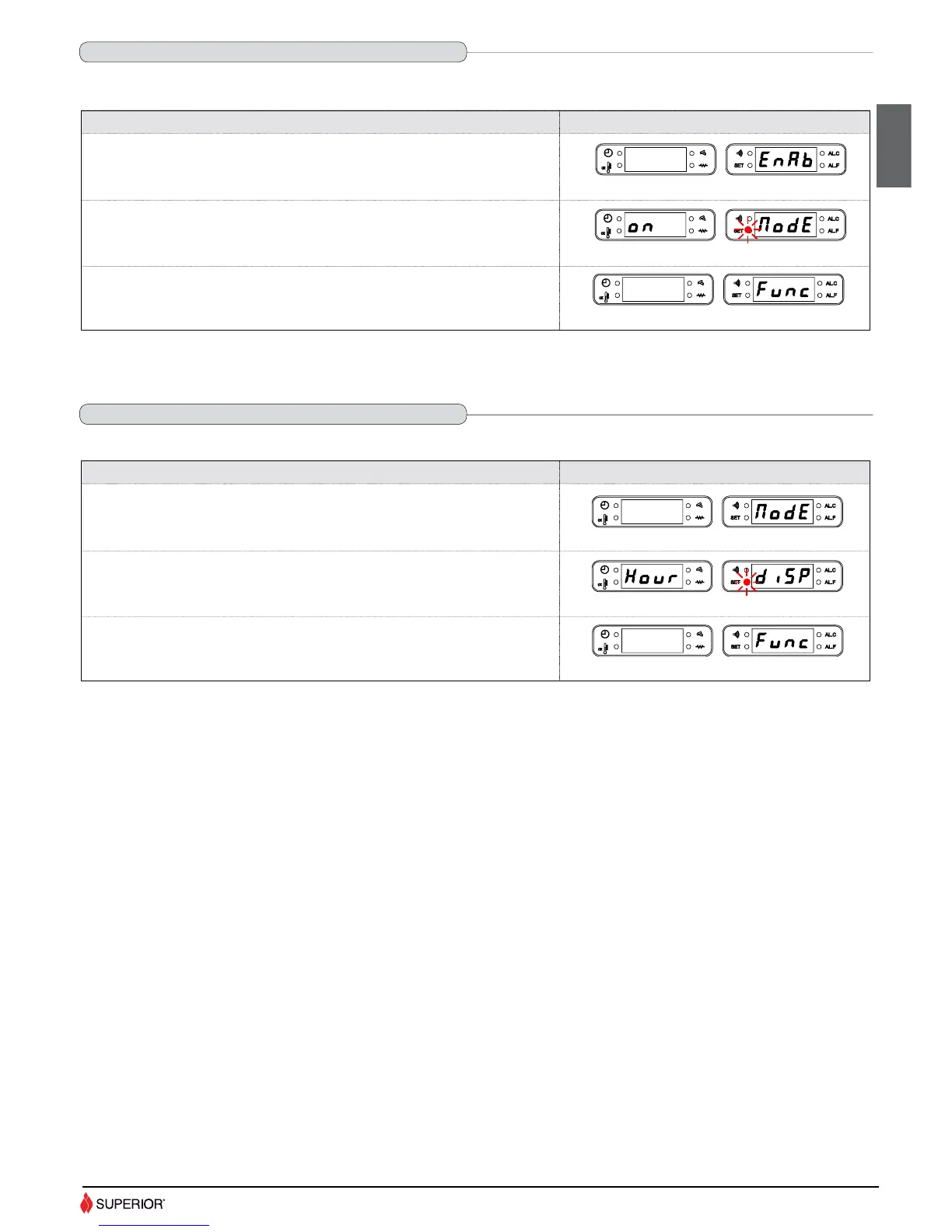
Press key 6 for a few seconds. Use key 5 or 6 to scroll the menu that appears on the right
display until the scrolling readout ENABLE BEEP appears.
Confi rm by pressing the SET key.
ENABLE BEEP
Use key 1 or 2 to select on the left display the option ON to enable the buzzer or OFF to
disable.
Confi rm by pressing the SET key.
MODE BEEP (scrolling readout)
After confi rmation the scrolling readout “FUNCTION ENABLED” appears on the right part of the
display and the display then returns to its original status.
FUNCTION ENABLED
6.7 BUZZER ENABLE
DT2011657-00
Description of activity
Display
Press key 6 for a few seconds. Use key 5 or 6 to scroll the menu that appears on the right
display until the scrolling readout MODE DISPLAY appears.
Confi rm by pressing the SET key.
Use key 1 or 2 to select on the left display the option TEMP (enabling room temperature
display) or HOURS (enabling timetable display).
Confi rm by pressing the SET key.
DISPLAY (scrolling readout)
After confi rmation, the scrolling readout “FUNCTION ENABLED” appears on the right part of
the display and the display automatically returns to its initial status.
FUNCTION ENABLED
6.8 DISPLAY MODE
DT2011658-00
MODE DISPLAY
This function is used to enable or disable the warning signal emitted if a safety device is activated.
This function is used to display the room temperature or the time on the left-hand display.
27


 To Next Page