CONVEYOR AND SPEED RATE
inch of sanding. Faster feed rates can be used as long as the machine is not over-stressed.
without changing the thickness setting and sand again.
NOTE: INTELLISAND will automatically adjust the conveyor feed rate if an excess load is detected. This prevents
excessive gouging, reduces the risk of burning and protects the machine from overload or stalling. The red light
by the adjustment knob will come on when INTELLISAND is operating. When the load is decreased, INTELLISAND
will automatically increase the feed rate to the pre-selected speed.
STOCK FEEDING OPERATION
To feed stock through the sander rest the stock and hold the stock to be sanded on the conveyor table. Allow the
conveyor to carry the stock into the drum. Once the stock is halfway through, reposition yourself to the outfeed
side of the machine to receive and control the stock as it exits the unit.
STOCK FEEDING MAXIMUM PERFORMANCE
The built-in versatility of the SuperMax Tools 19-38 drum sander allows it to be used for a wide range of tasks.
results no matter what the job. The best results come from experimenting with different machine adjustments
• Sanding stock wider than the drum
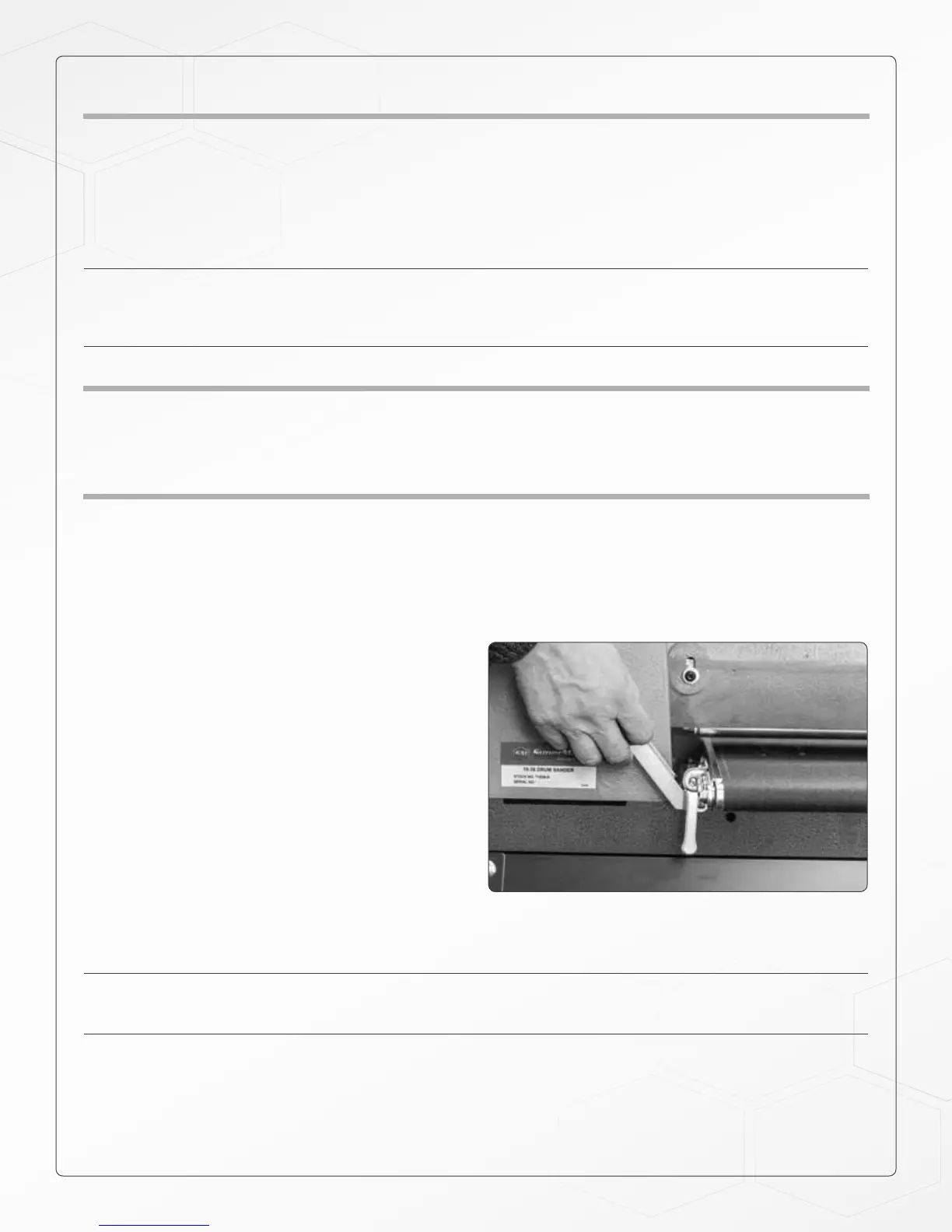
When dealing with stock that is wider than the drum
the fast lever will be very useful (see opposite pic-
ture). Wide stock may require extra space between
the drum and conveyor along the outboard (left) edge.
The extra space will help prevent and overlap line or
ridge from developing along the sanded part where it
extends beyond the sanding drum.
Adjusting the fast lever approximately half-way
between the full upright and full downright position
allows for easy alteration of the drum position in re-
lationship to the conveyor without changing the initial
after adjusting the fast lever additional adjustments can be made to the drum alignment. After sanding stock
wider than the drum the fast lever should be adjusted back to the original position. The fast lever should be put
into the up position.
NOTE: The fast lever raises the inboard (right) side of the table .003. Never tighten the bolts all the way down.
The fast lever should always be able to be moved back and forth between and up/down position. The bolts
should be tightened, but not so tight that the fast lever doesn’t move.
• Sanding multiple pieces simultaneously
When sanding multiple pieces at once, make sure to stagger or step the pieces across the width of the conveyor
the tension rollers and may slip on the conveyor belt
16


 To Next Page