2-20
Embedded BMC IPMI User's Guide
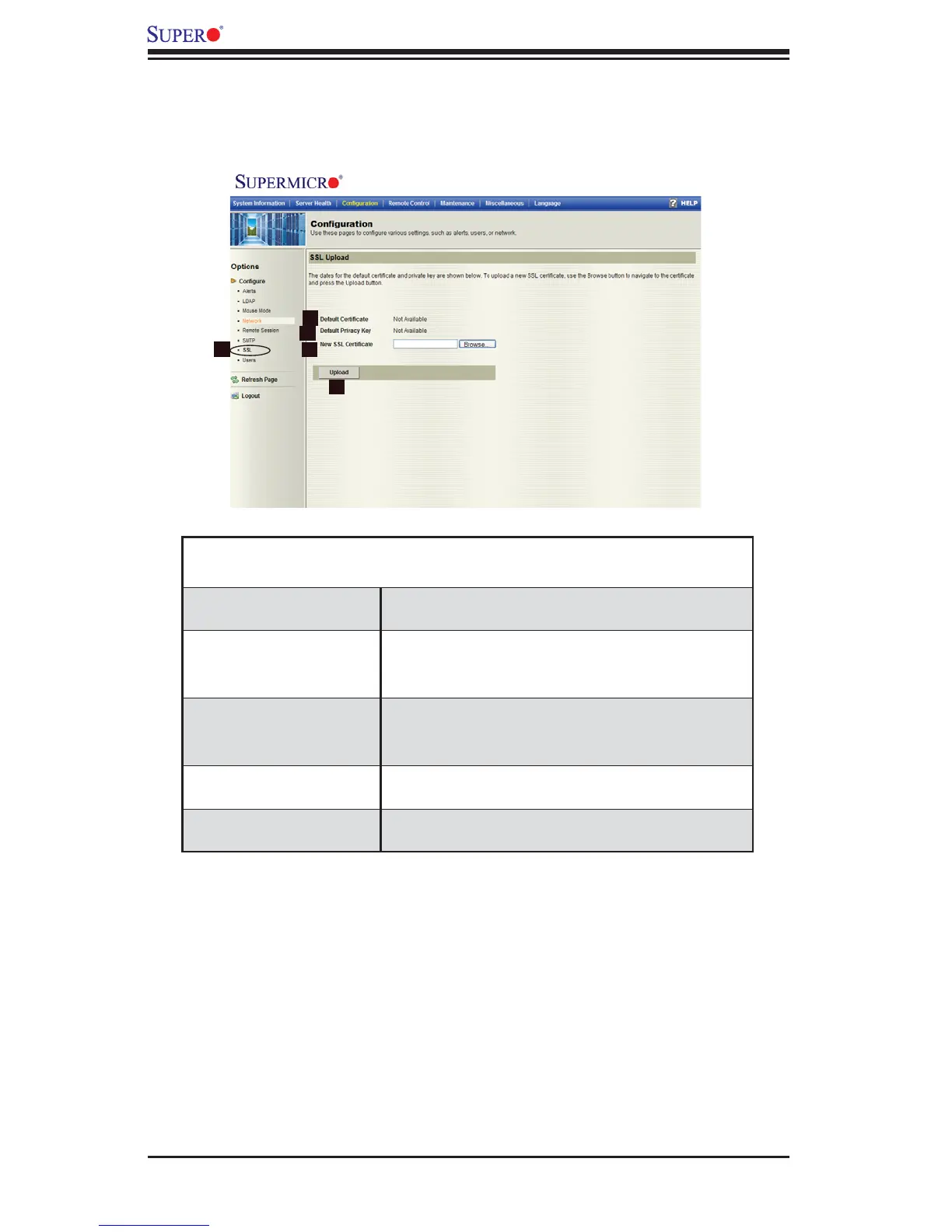
2.4.7 Confi guration - SSL Upload Settings
When you click on the SSL Upload icon in the Options window (1), the following
screen will display.
Confi guration -
SSL Upload Settings
1. SSL Check this item to confi gure SSL Upload set-
tings.
2. Default Certifi cate This item allows the user to enter the default cer-
tifi cate information. Once entered, it will display
the default certifi cate information.
3. Default Private Key This item allows the user to enter the default pri-
vate key information. Once entered, it will display
the default private key information.
6. New SSL Certifi cate This item allows the user to enter the new SSL
Certifi cate information.
8. Save Click on this icon to save any changes to the SSL
Upload settings.
2
1
3
4
5



 To Next Page