2-32
Embedded BMC IPMI User's Guide
1
2
3
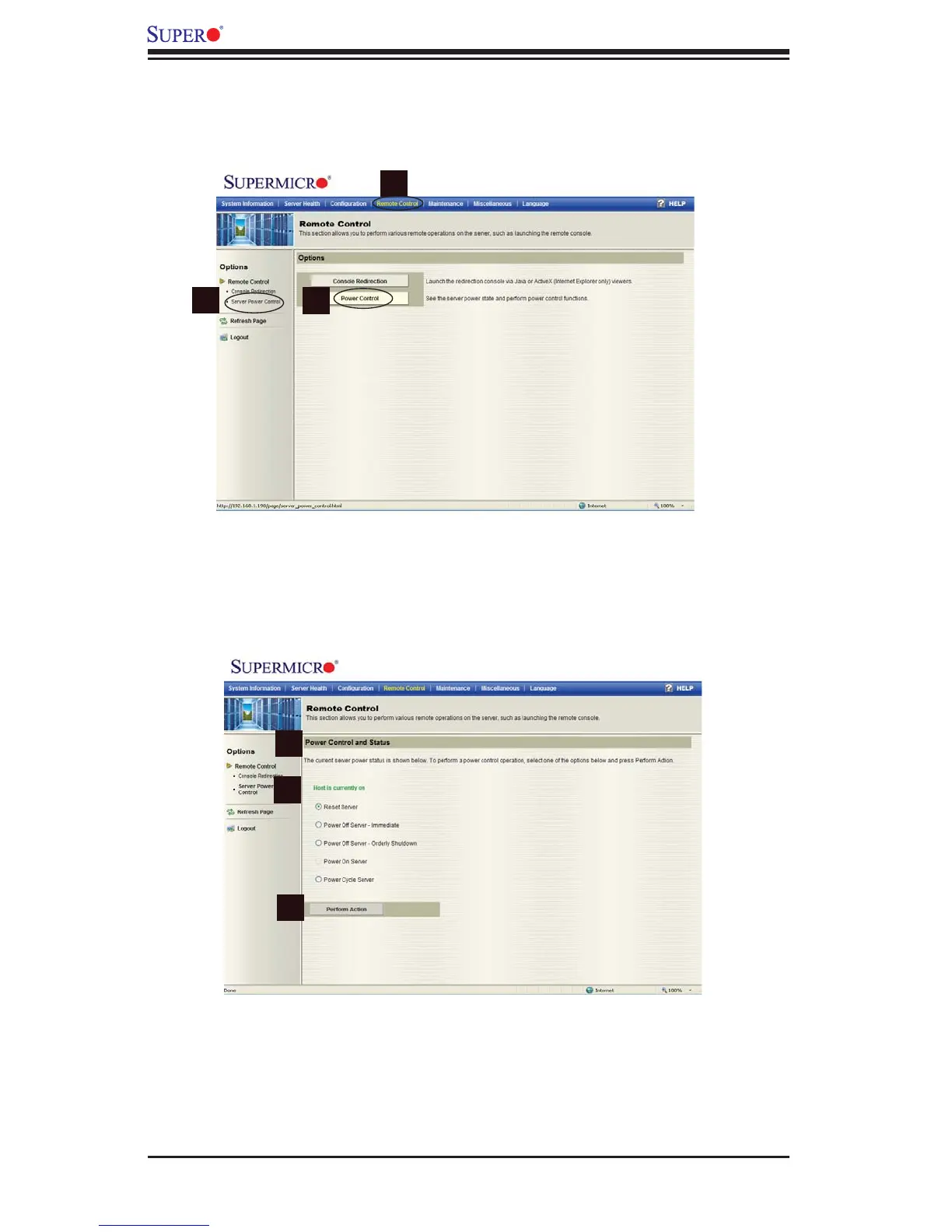
2.5.2 Server Power Control
When you click on the Remote Control icon in the Menu bar (1) to activate the
Remote Control settings, the Remote Control Main Page will display.
Click Server Power Control in the left Options Window (2) or Power Control in the
Main Display area (3) to display the Power Control submenu as shown below.
1
2
3



 To Next Page