2-38
Embedded BMC IPMI User's Guide
1
2
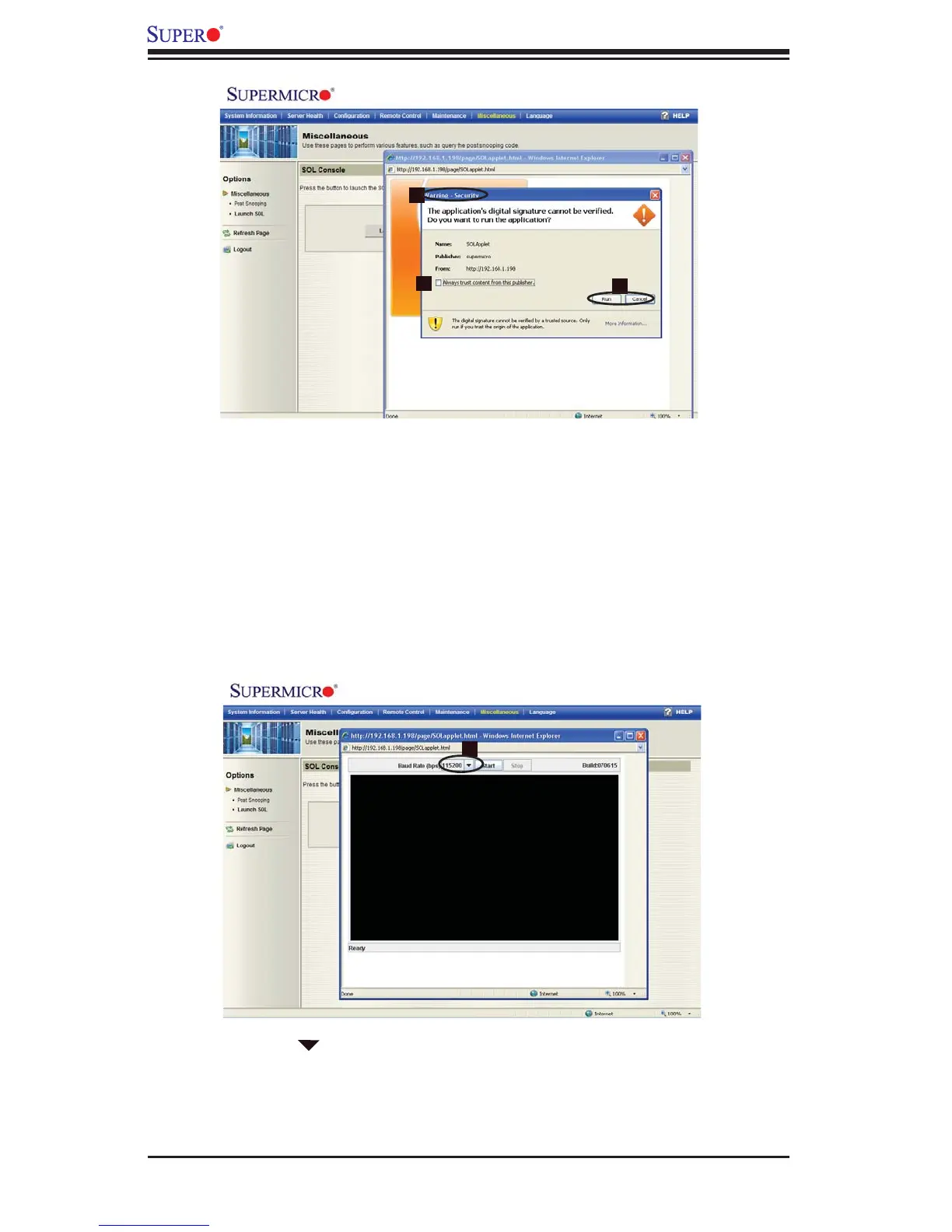
Launching SOL
Security Warning: 1. Once you've launched SOL, a security warning will ap-
pear, indicating that the application's digital signature cannot be verifi ed
Always trust content from this publisher:2. Click on this item to give full ac-
cess to this publisher, eliminating further security warnings.
Click Run to continue with SOL launching. Click Cancel to cancel SOL launch-3.
ing. If you continue with SOL launching, the following screen will appear.
3
4
Click on the to pull down the Baud Rate submenu, which will allow you to 4.
select the Baud Rate for serial line transfer.



 To Next Page