3.9
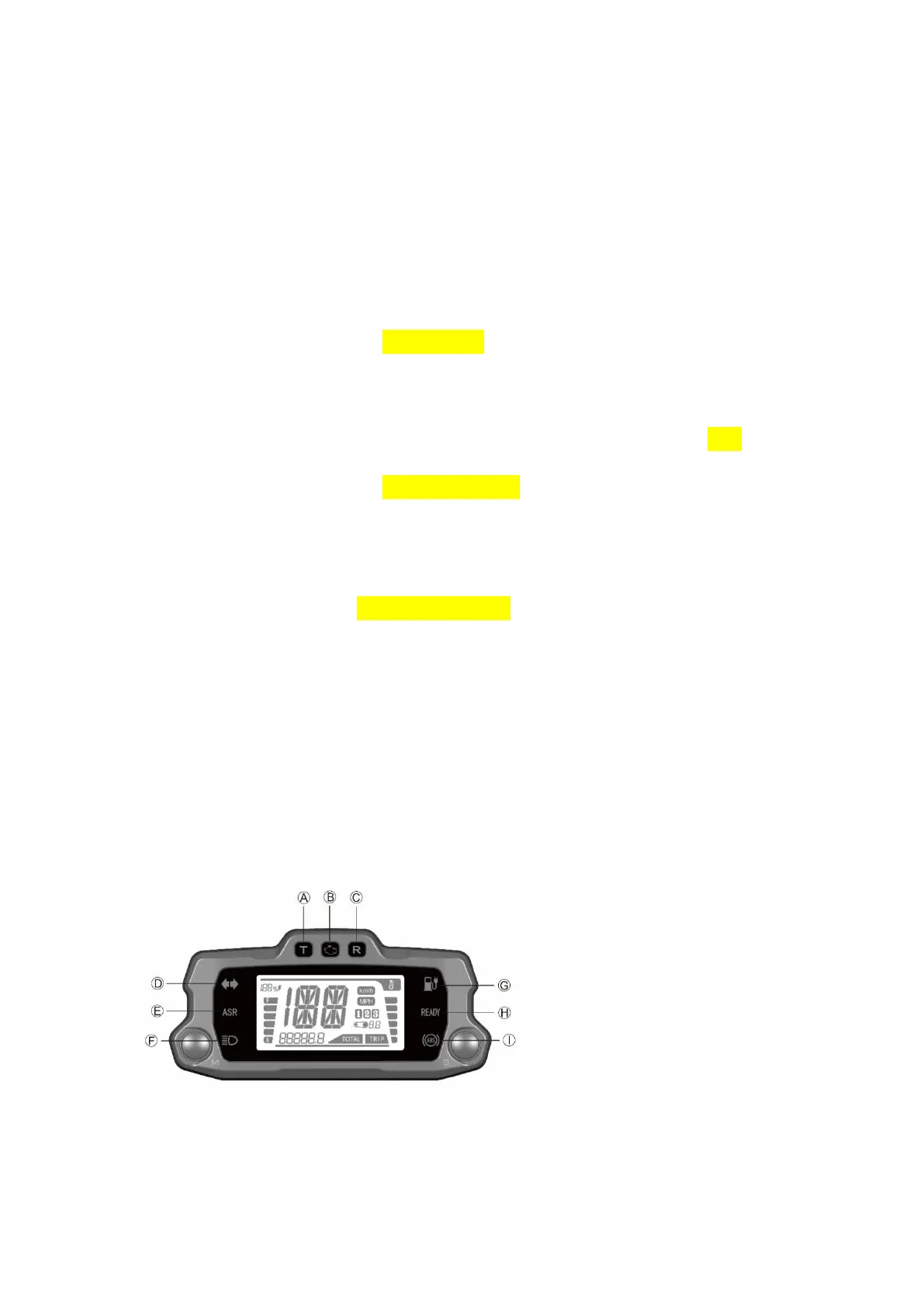
A. Charge Indicator
This indicator and readout display the amount of energy remaining in the battery pack similar
to the fuel gauge on a gasoline powered motorcycle.
B. Odometer
The odometer displays the total distance the motorcycle has been ridden in kilometers or miles.
C. Speedometer
The speedometer is a digital display in either kilometers per hour (km/h) or miles per hour
(mph).
For description and operation, see“Feature Setting”, on page 5.2.
D. Transmission ratio Display
It displays the current transmission ratio of STORM BEE electric motorcycle.
E. Riding mode
This area displays the riding mode (1,2,3) corresponding to the Riding mode of ECO, RAIN and
SPORT. The Riding mode button is located on the right handlebar assembly.
For description and operation, see“Feature Introduction”, on page 6.3.
F. Temperature Indicator
The temperature indicator is on the right side of the LCD dashboard display, indicating the
temperature of the motor, controller and battery pack. When the temperature of one of these
components exceeds the rated temperature limit, the temperature indicator will flash. For
description and operation, see“Starting and Operating”, on page 7.4.
G. Warning Code Display
When the motorcycle fails, the corresponding Warning Code will be displayed. For Warning
Code, see "Troubleshooting" on page 11.4
Display and Indicator
3.10
3.11



 To Next Page