Starting and Operating
4.9
Front fork adjustment
Compression damping——FASTACE、KKE
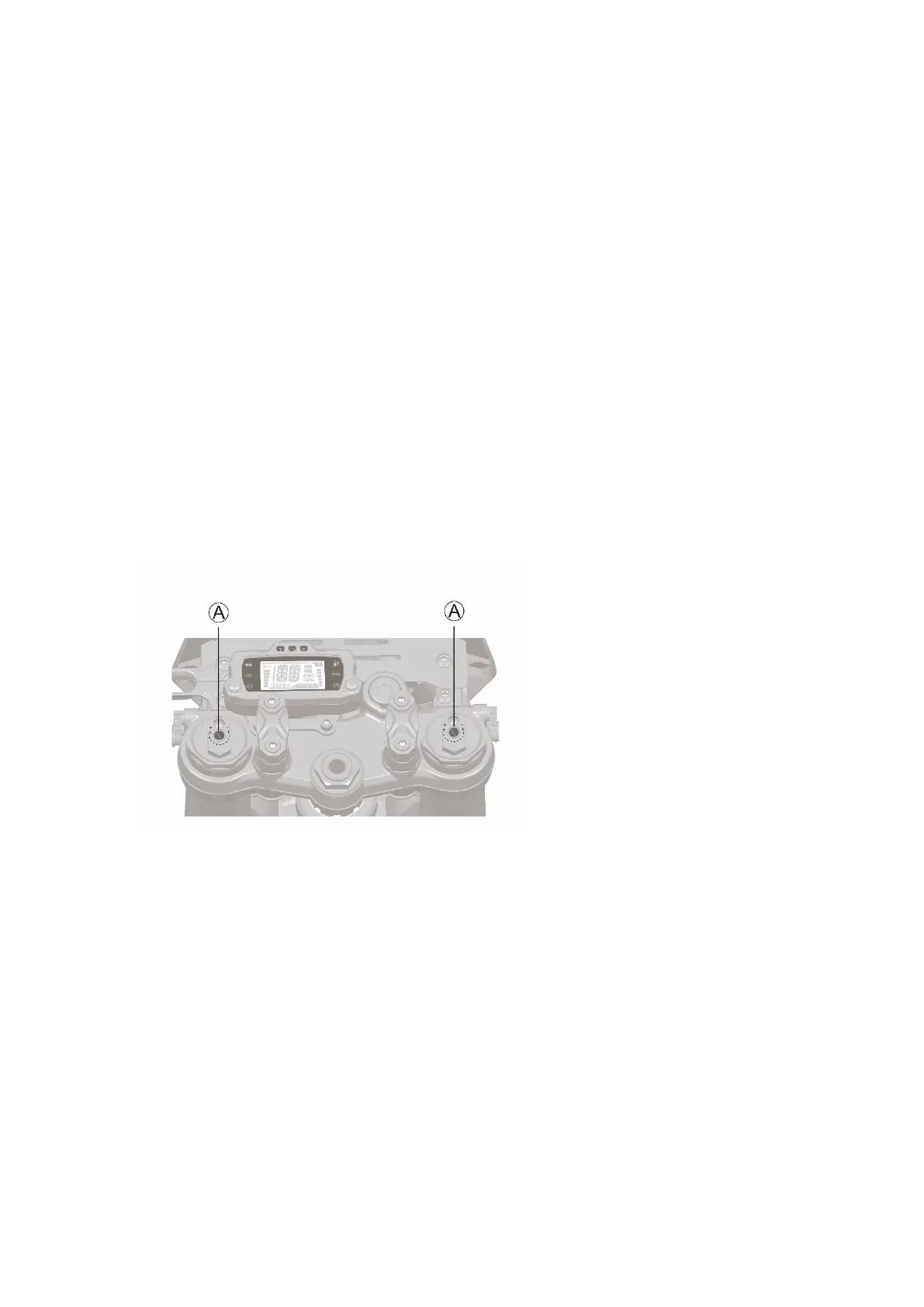
Use a flat-blade screwdriver to turn the screws ○A on the top of the left and right front fork to
adjust the compression damping. The symbol "+" means hard (large compression damping),
and the symbol "-" means soft (small compression damping).
• Turn the adjusting screw ○A clockwise in the "+" direction to increase the compression
damping.
•Turn the adjusting screw ○A counterclockwise in the "-" direction to reduce the compression
damping.
Caution: Try to keep the damping adjustment balanced.
Caution: The appearance of front fork in different brands may be different, please refer to the
actual product.
Rebound damping——FASTACE、KKE
Adjust the rebound damping by turning the screws ○B at the bottom of the left and right front
fork with a flat-blade screwdriver. The symbol "+" means hard (slower rebound), and the symbol
"-" means softer (faster rebound).
• Turn the rebound adjusting screw ○B clockwise in the "+" direction to reduce the rebound
speed.
•Turn the rebound adjusting screw ○B counterclockwise in the "-" direction to increase the
rebound speed.



 To Next Page