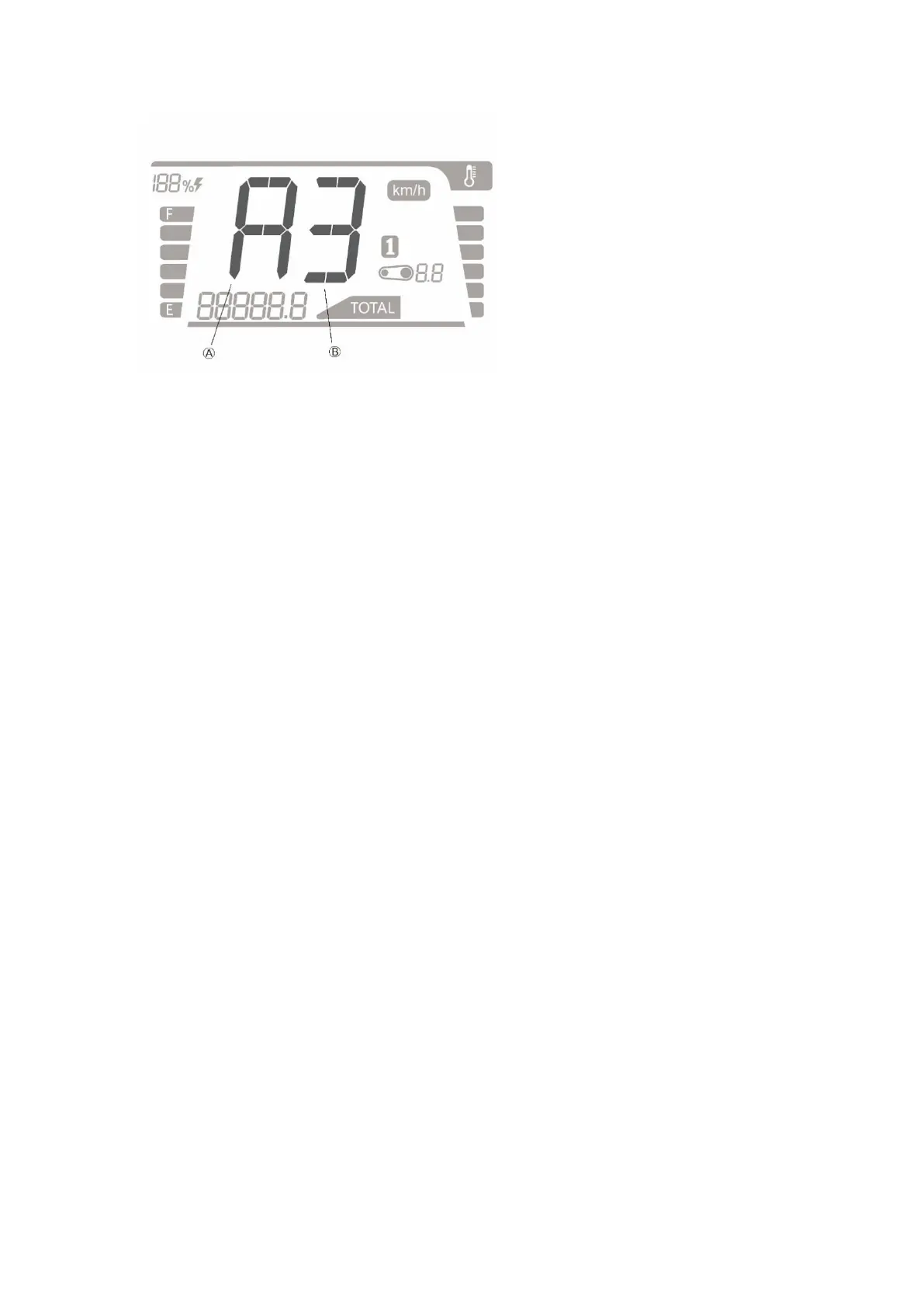
Note:
Display one of the English letters in field A (Different English letters are displayed according to
different feature modes)
Display one of the Numbers in field B (Different Numbers are displayed according to different
feature modes)
System Feature Mode Setting:
MODE button and SEL button in dashboard: Press the two buttons at the same time to enter
the system feature setting mode and the first feature (stay on) of the dashboard is displayed.
Press and hold the R/S button in Right Handlebar Control to select X in the feature menu to exit
the System Feature Mode, or exit automatically without any operation for 10 seconds.
Momentarily press R/S button in Right Handlebar Control: Cycle through the current menu
Press and hold R/S button in Right Handlebar Control: enter the setting menu of the currently
selected feature menu or select the current setting and return to the feature menu
feature menu display mode: always on (display the setting for the current feature, and initially
display BX when entering)
setting menu display mode: flashing (display the setting for the current feature when entering)
The features are listed as follows:
①Level setting of brake energy regenerative feature (B0 B1 B2 B3 B4 B5) Factory default at
B2 (feature is disabled in B0, and strengthens in turn from B1 to B5)
②Level setting of slide energy regenerative feature (E0 E1 E2 E3 E4 E5) Factory default at E3
(feature is disabled in E3, and strengthens in turn from E1 to E5)
③Level setting of ASR feature (A1 A2 A3) Factory default at A2 (feature strengthens in turn
from A1 to A3)
④Setting of e-brake feature (P0 P1) Factory default at P1(feature is disabled in P0, and Actived
in P1)
⑤Setting of tilt protection feature (C0 C1) Factory default C1(feature is disabled in C0, and



 To Next Page