Programming
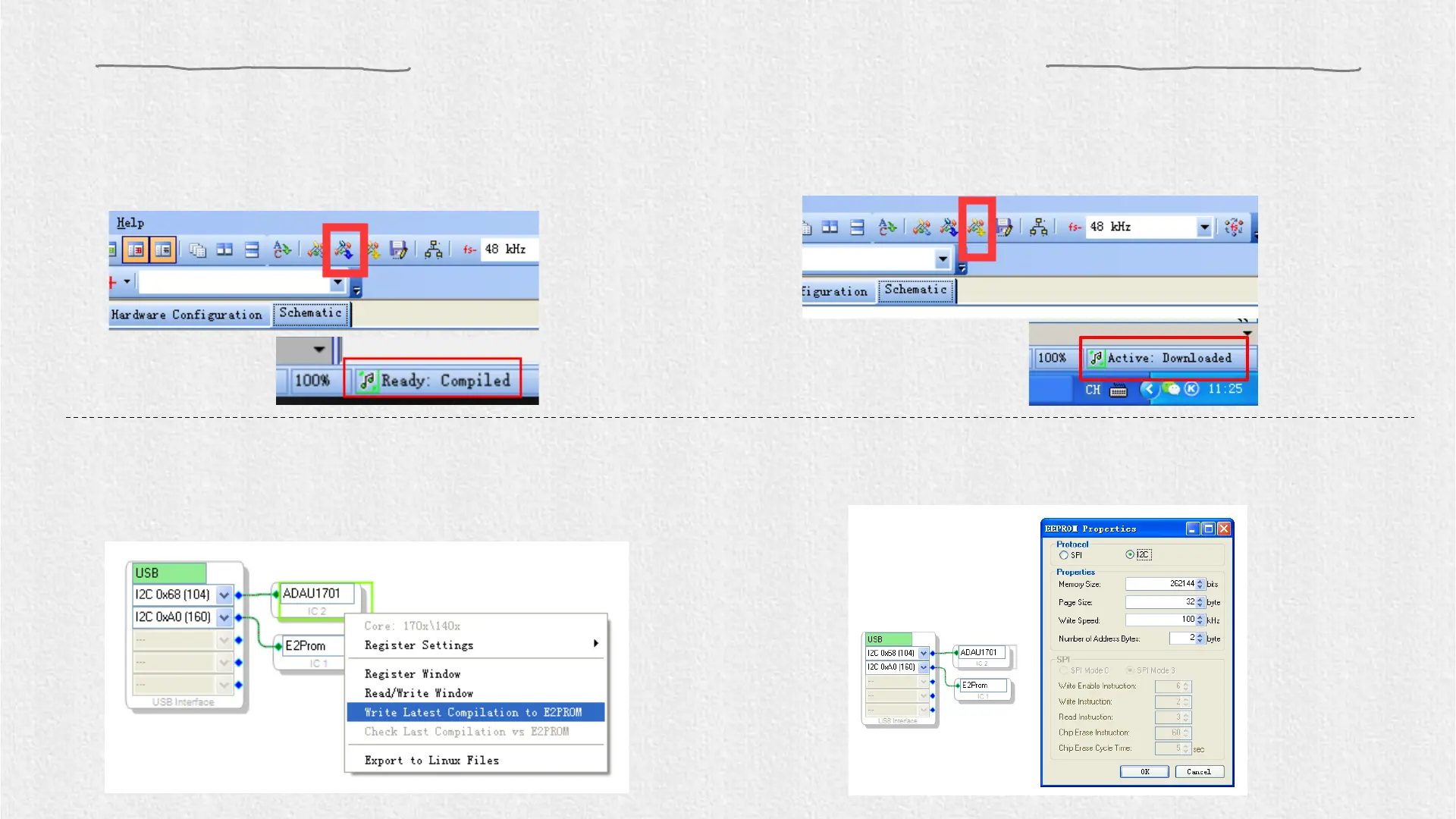
2.Click the “Link Compile Download” (see figure 3) and
you will find “Active: Compiled” in the lower right
corner of your computer.
3. Make sure the SW of ICP3 is at (PROGRAM) and the SW1 of APM2 is at (RUN), and right-click the “ADAU1701”
and select “Write Latest Compilation to E2PBOM” to download the program (see figure 4), then you will see a window,
choose the “I2C” on the right and click “OK” (see figure 5).
Figure 4
Figure 5
Figure 3
1.Click the “Link Compile Connect” (see figure 2)
and you will find “Ready: Compiled” in the
lower right corner of your computer.
Figure 2


 To Next Page