32
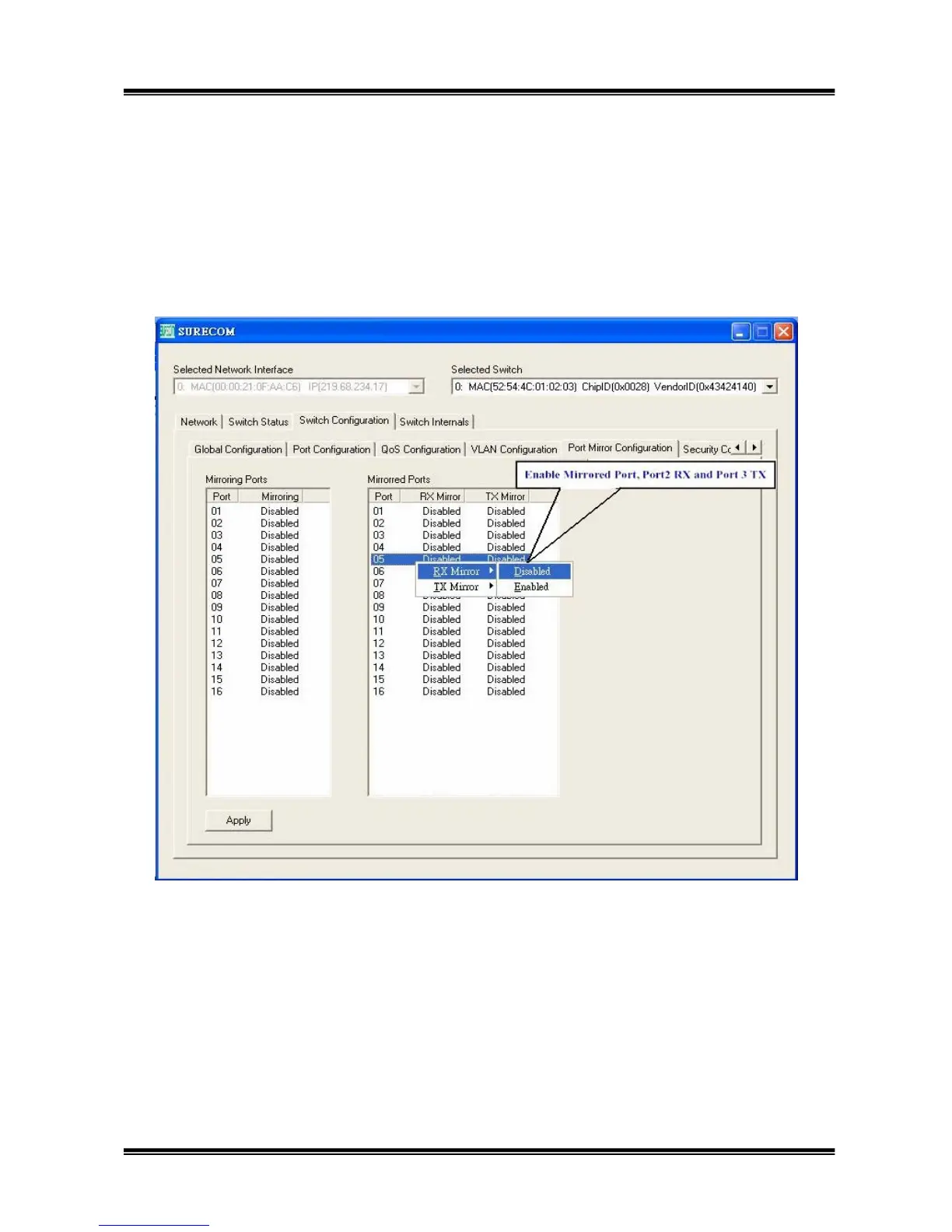
3.5.5 Port Mirror Configuration:
This function can enable the mirror function. Choose the mirroring port, for example, port 1, you
can just click the right button of mouse and enable the port’s mirroring function. Then, choose the
mirrored port, for example, port 2, you can follow the same action as you choose mirroring port, but
at the place of Mirrored port to select which port you want.


 To Next Page