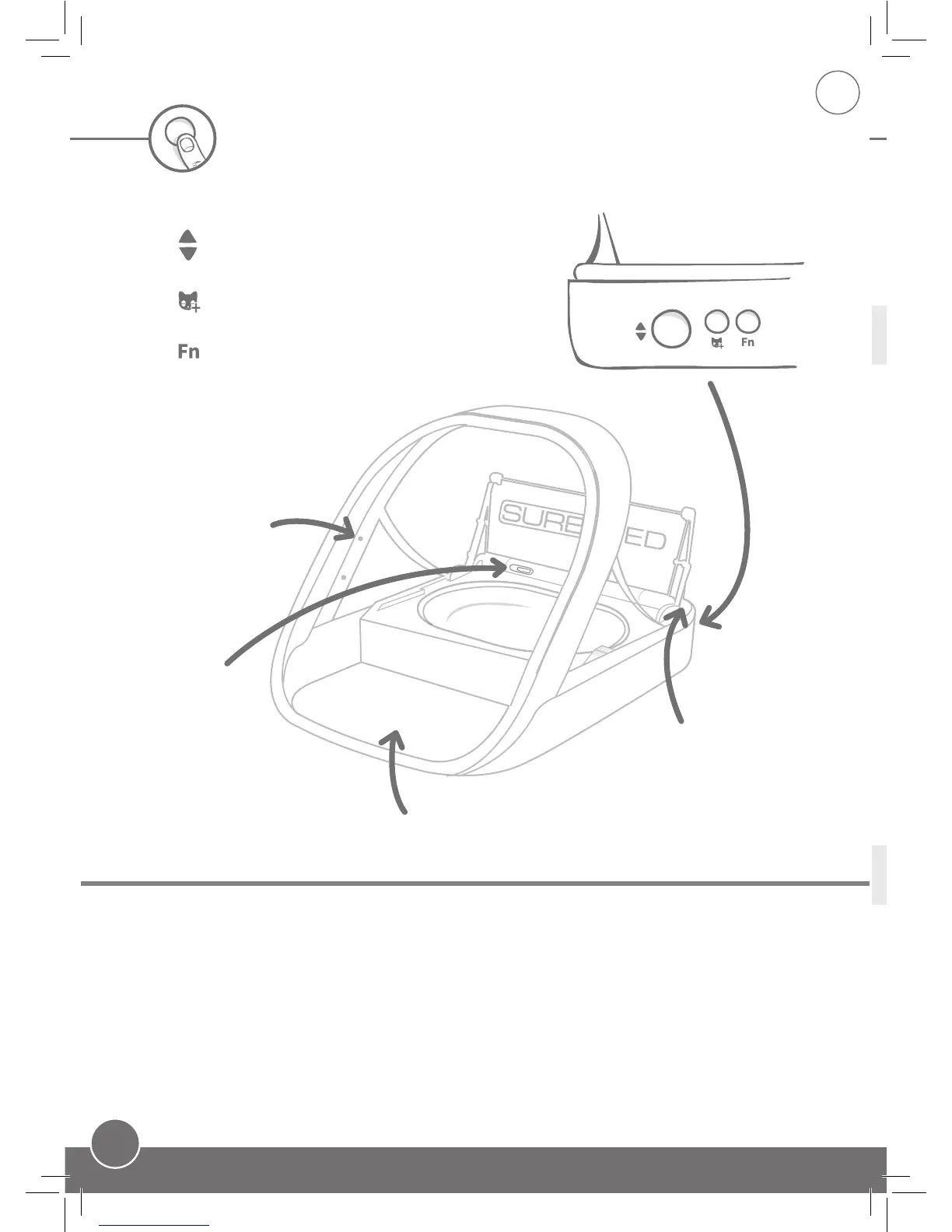
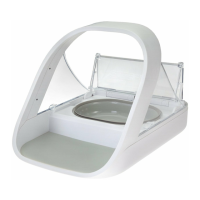
Slider unlocks/locks
lid to allow removal
for cleaning. See
page 15
Light - see below
for descriptions.
Flashing Green (once every second) - Learn mode
Green (constant) - Microchip has been successfully read (or learnt)
Flashing Orange - Feeder is in Training Mode
Flashing Red (every few seconds) - Low battery
Lights
Buttons & lights
Add a pet - used to learn your pet’s
microchip into the feeder. See page 8
Open / Close - allows access to
the bowl for refill or cleaning.
Training Function - used to teach your pet to use
the feeder. See page 9
There are 3 main controls found at the rear of the feeder:
Sensors used
to recognise
when your pet
approaches the
feeder.
Feeder Mat - used to
catch spilt food.


 To Next Page