•
Keeping the screen on through the whole exercise significantly decreases the
battery life.
•
As image persistence or screen burn-in is normal behaviour for OLED displays,
keeping your screen on for long periods of time aects the life span of your
display.
•
This feature is turned o after each exercise.
Enable keep screen on before exercise
1.
Press the top right button to open Suunto Wear app
.
2.
Swipe up the menu and go to Exercise options » Keep screen on.
3. Turn Keep screen on setting on or
o.
4. Swipe right to exit the menu and start your exercise.
Manage keep screen on during exercise
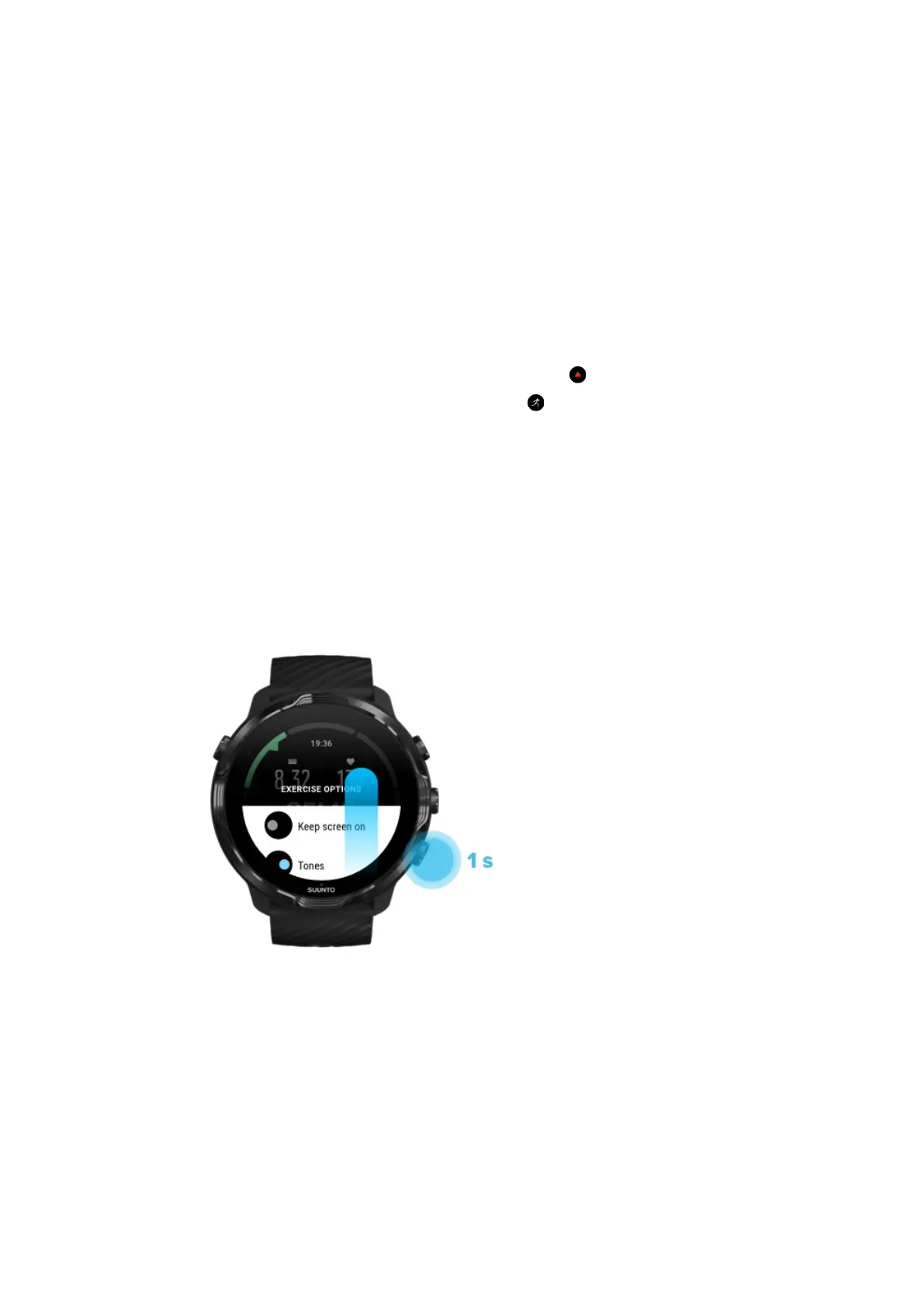
1. While in an exercise view, keep the bottom button pressed or swipe up from the
bottom of the screen to open the menu.
2. Turn Keep screen on setting on or o.
3. To exit the menu, press the top right button or swipe down.
Map options
Change map style
Suunto 7
127


 To Next Page