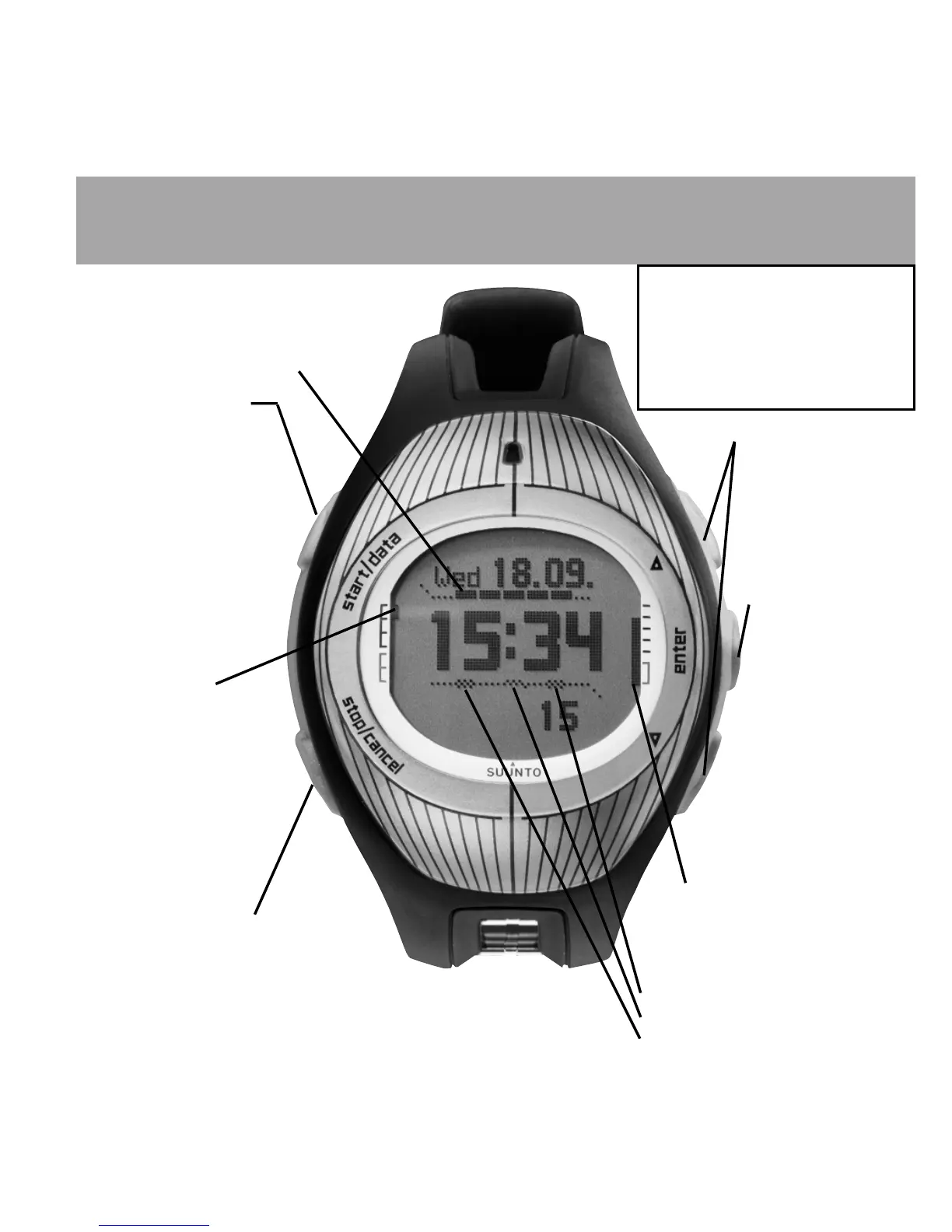
START/DATA button
Short press:
• Starts the stopwatch
or the compass
• Accesses the
information displays in
the Navigation, Sailing
and Racing modes and
the MOB function
Long press:
• Activates the
backlight
DISPLAY AND BUTTONS
UP and DOWN arrows:
• Switch between the
main modes
• Scroll up and down in
menus
• Increase/decrease
the selected value
ENTER button
Short press:
• Enters the
Function menu
• Enters submenus
• Accepts a
selection
Long press:
• Enters the Set
menu
• Accepts the
selection and
returns to the main
menu
BATTERY LEVEL
• Blinking short bar: Low battery
• Climbing bar: Charging
GPS SIGNAL STRENGTH
• One hollow box: GPS on but no fix
• Bar of filled boxes: GPS has a fix:
Long bar means good signal
STOP/CANCEL button
Short press:
• Toggles shortcuts in the main modes
• Returns to the previous menu/field
Long press:
• Returns to the mode’s main display
• Resets the stopwatch
INDICATORS
• Alarm or weather alarm is active
• Tracking is active
• Navigate is active
The Key Lock
Lock/unlock the keys by first
short pressing ENTER and
then START/DATA within 3
seconds.The black corners on
the display indicate that the
keys are locked.
Mode indicator:
TIME
WEATHER
COMPASS
SAILING
RACING (when
activated,both
the Racing and
Navigation mode
indicators are visible)
NAVIGATION













 To Next Page