31
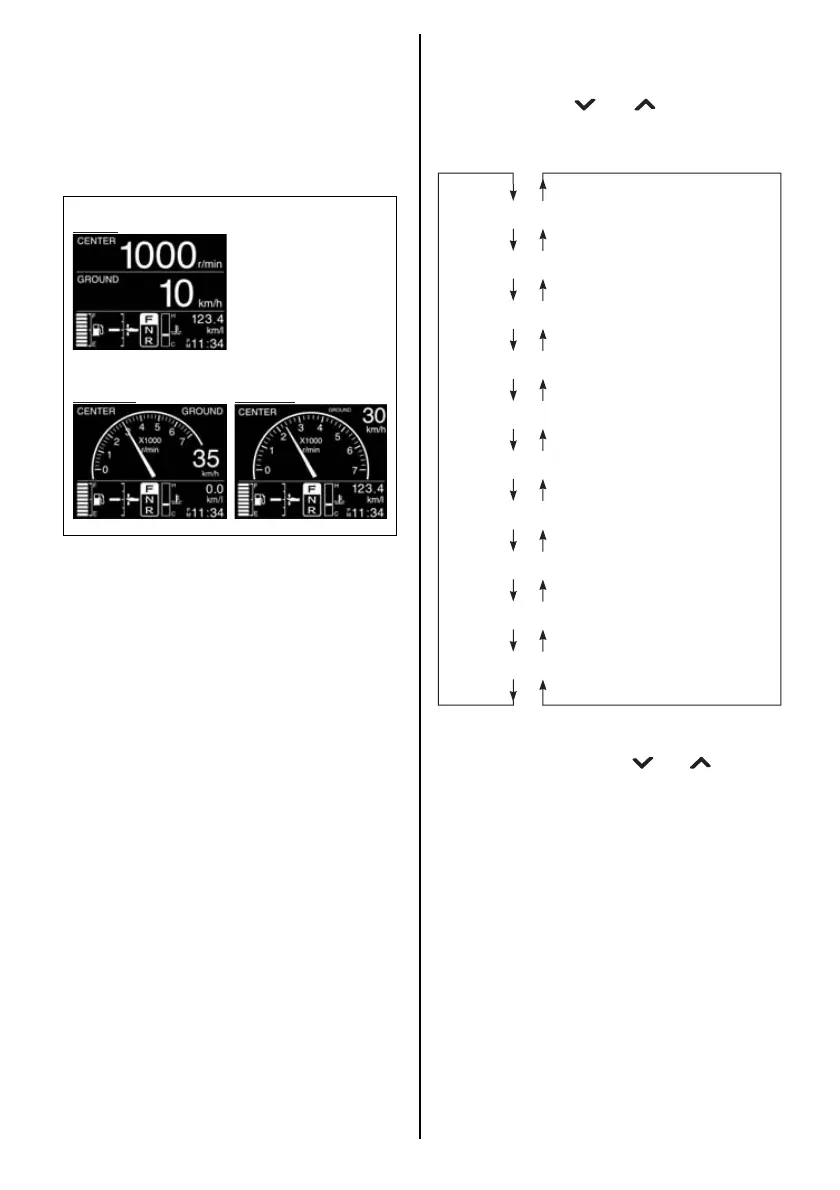
4. All Items Display Screen
This screen displays all the general indica-
tion items for this gauge.
This screen can be selected between digital,
analog1 and analog2 display. (Refer to the
MENU INFORMATION SELECTION sec-
tion)
SUB INFORMATION SELECTION
When the Engine Speed, Ground Speed/Fuel
Information or Fuel Information screen is dis-
played, press the [ ] or [ ] button to switch
the sub Information display in the following
sequence.
NOTE:
Press and hold either the [ ] or [ ] button to
reset the trip time, trip distance, average fuel
consumption, and total fuel consumption in the
sub information simultaneously. All other items
are also reset simultaneously, in addition to the
displayed item.
Total operating hours
Trip time
Trip distance
Battery voltage/Cooling water temperature
Instantaneous fuel flow
Instantaneous fuel economy
Average fuel economy
Total fuel used
Latitude/Longitude
Total Instantaneous fuel flow



 To Next Page