34
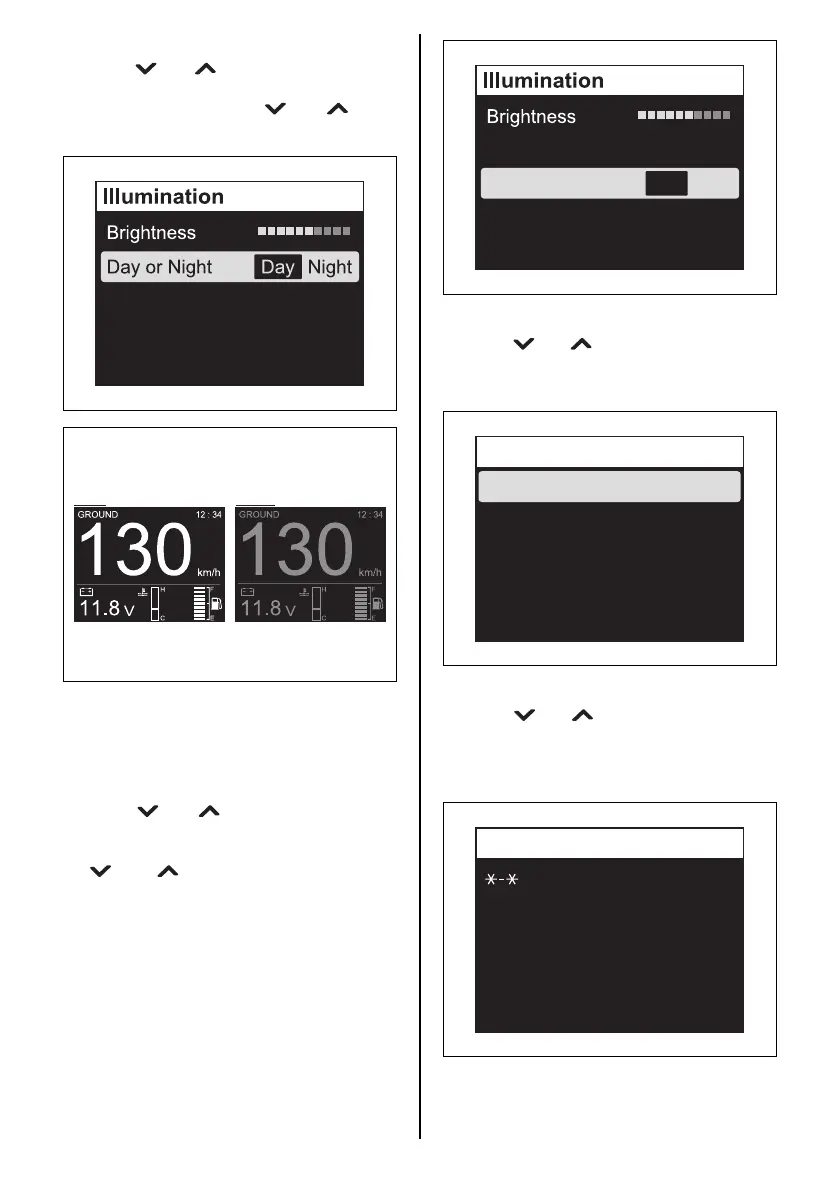
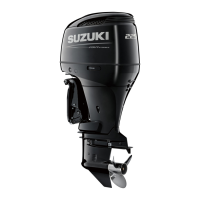
Day or Night
Press the [ ] or [ ] button to select “Day or
Night” and press the [SET] button. Next, select
“Day” or “Night” using the [ ] or [ ] button
and then press the [SET] button.
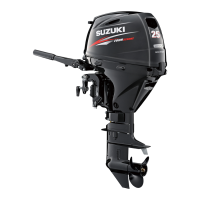
Sync
The “Brightness” setting is synchronized with
the “Day or Night” setting for the two or more
gauges where “ON” has been selected in the
“Sync” setting.
Press the [ ] or [ ] button to select “Sync”
and press the [SET] button. Next, select “ON”
(synchronous) or “OFF” (asynchronous) using
the [ ] or [ ] button and then press the
[SET] button.
Sync ON OFF
Day Night
P
M
P
M
2. Diagnosis
Press the [ ] or [ ] button to select “Diagno-
sis” and then press the [SET] button to display
the Diagnosis selection menu.
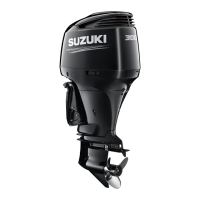
Current Code
Press the [ ] or [ ] button to select “Current
Code” and, then press the [SET] button to dis-
play the diagnostic code and/or caution mes-
sage that are currently activated.
(Refer to the CAUTION SYSTEM and DIAG-
NOSTIC SYSTEM section)
Sync ON OFF
Day or Night Day Night
Data Output
Current Code
Diagnosis



 To Next Page