37
SELECT CONTROLS
TOUCH - The piano offers four types of keyboard touch sensitivity settings, soft, normal,
hard, and off. These are also known as velocity or dynamic curves and are designed
to suit your style of playing. The normal setting is selected automatically when the
piano is turned on. The touch response can be changed in the Select Controls
menu.
Curve 1 (Hard) is a less sensitive keyboard response which requires a heavier touch to
obtain maximum sound levels.
Curve 2 (Normal) is an intermediate response suitable for most styles of music. Normal
is the default setting.
Curve 3 (Soft) is the most sensitive keyboard response which permits maximum sound
levels with a light touch.
Off does not offer any touch sensitivity. Each key plays at full volume no matter how hard
the piano key is hit. It is commonly used on Harpsichord and Organ voices.
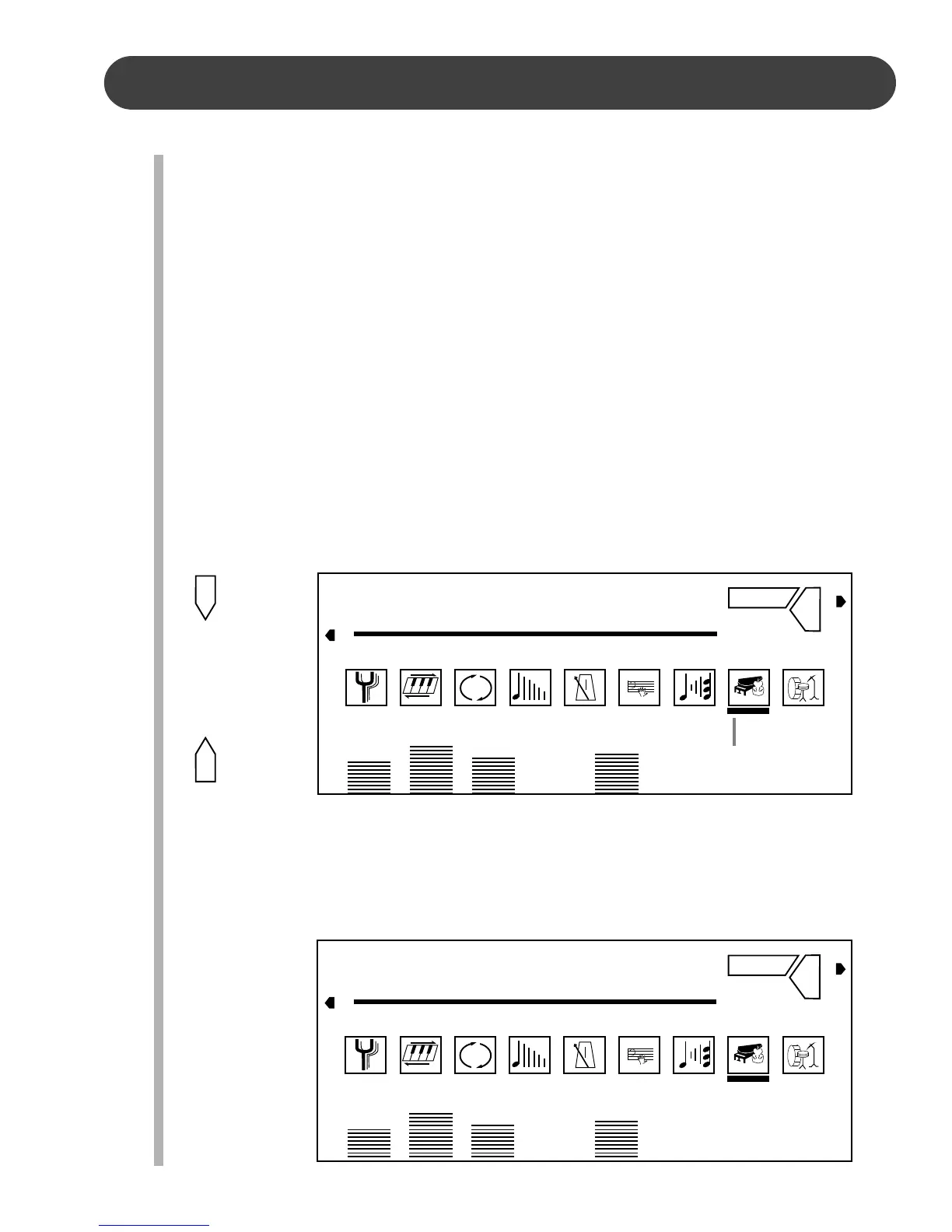
1. Press the SELECT button three times, the indicator on the display screen will be in
the TOUCH position. The current touch status followed by “Touch” will appear on the
display screen.
2. Use the + button to turn the touch feature on or the – button to turn the touch feature
off.
3. To change the touch sensitivity, press the MODE button. The current touch value
followed by “Curve”, will appear on the display screen.
4. Use the + button to increase the level or the – button to decrease the level from C-1
to C-3. The number pad can also be used to directly enter a value ranged from 1 to
3. Press the +, – buttons simultaneously to recover the default setting of C-2.
5. After five seconds the display screen will recover to the default voice screen.
TRANSPOSE
TUNING
TOUCH
PERCUSS
REVERB
CHORUS
HARMONY
AFTER TOUCH
VOCAL
SELECT
MODE
REVERB
on : Touch
3D
OTS 1 VOICE 01 STYLE 31 TEMPO 70 REG 1 PAGE 1
A.VOL RHY BASS CHD1 CHD2 PAD PHRS1 PHRS2
REVERB
C-1 : Curve
3D
OTS 1 VOICE 01 STYLE 31 TEMPO 70 REG 1 PAGE 1
A.VOL RHY BASS CHD1 CHD2 PAD PHRS1 PHRS2
TRANSPOSE
TUNING
TOUCH
PERCUSS
REVERB
CHORUS
HARMONY
AFTER TOUCH
VOCAL
Indicates that
touch is engaged.


 To Next Page