50
TRAINING
The SONG button will access a music teaching package that can be used to improve your
playing. There are 100 songs built into the piano as reference for your performing exer-
cises.
Please note, if you press the SONG button, and then press the START/STOP button, the
training songs will play back. You can change the song by pressing the +/YES , –/NO
buttons or use the number pads to input a song number directly. Press the START/STOP
button again to stop the song demonstration.
USING THE TRAINING FEATURE
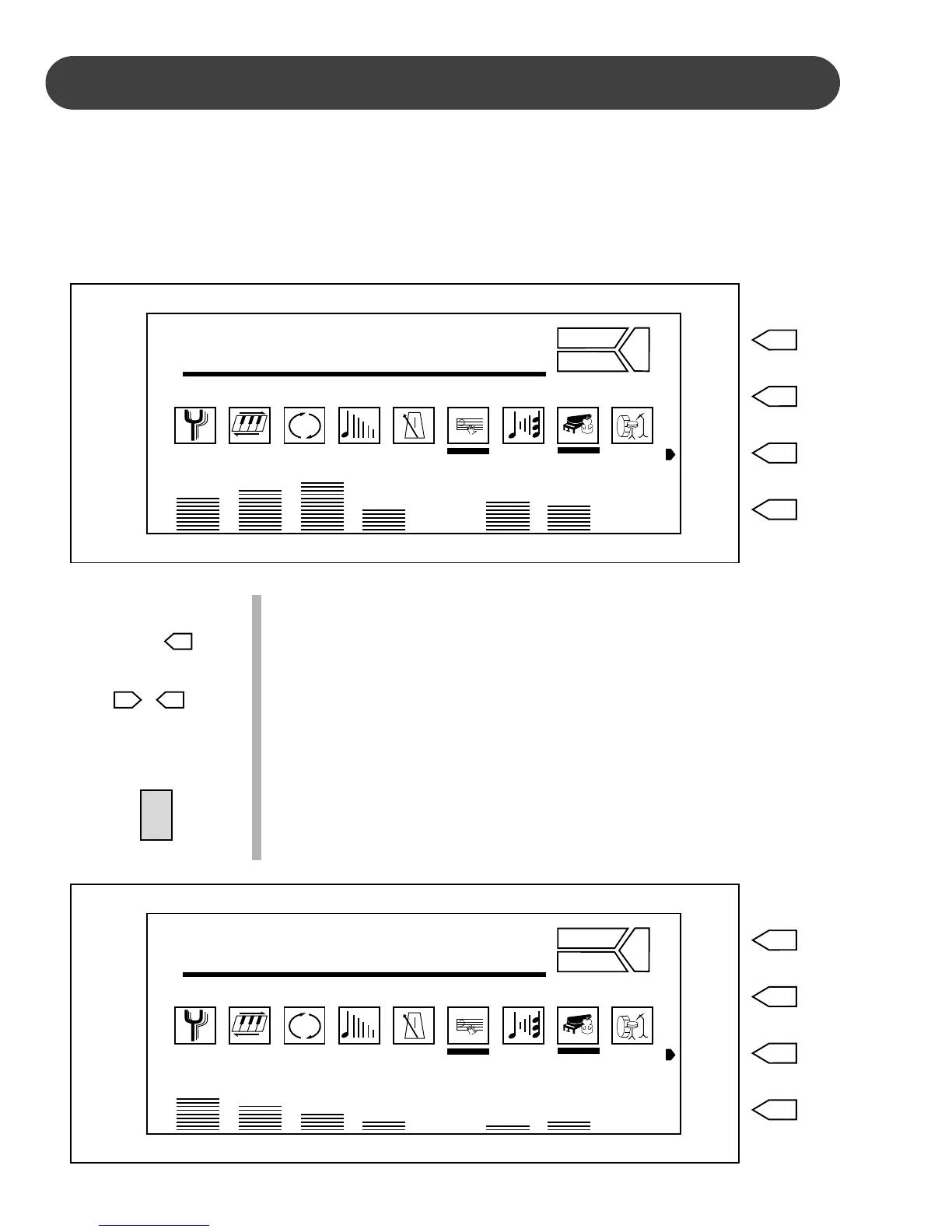
1. Engage the Training mode - Press the SONG button to engage
the performance training function. The first song number will
appear on the display. Use the +/YES, –/NO buttons or the num-
ber pads to select a song. The song number will appear on the
display.
Please note, the chord display and the fingered accompaniment
mode will be selected automatically when in the Song mode.
2. Listen to the demonstration - Press the START/STOP button to
listen to the song demonstration. The chord change of the auto
accompaniment will be shown on the display and the tempo lights
will flash in time to the selected songs rhythm.
REVERB
CHORUS
TRANSPOSE
TUNING
TOUCH
PERCUSS
REVERB
CHORUS
HARMONY
AFTER TOUCH
VOCAL
VOICE
STYLE
SONG
RESET
001 : Song
3D
OTS 1 VOICE 20 STYLE 10 TEMPO 145 REG 1 PAGE 1
A.VOL RHY BASS CHD1 CHD2 PAD PHRS1 PHRS2
SONG
–
NO
+
YES
REVERB
CHORUS
TRANSPOSE
TUNING
TOUCH
PERCUSS
REVERB
CHORUS
HARMONY
AFTER TOUCH
VOCAL
VOICE
STYLE
SONG
RESET
C M
3D
OTS 1 VOICE 20 STYLE 10 TEMPO 145 REG 1 PAGE 1
A.VOL RHY BASS CHD1 CHD2 PAD PHRS1 PHRS2
START/
STOP


 To Next Page