45
REGISTRATION MEMORY
A registration is a particular set up of style, voice, chord and other parameters or features
you are using. This piano has 24 registration memories, four banks each with six registra-
tions, for your favorite settings to be saved and recalled quickly by pressing a button.
The unit is equipped with a backup battery, so the data in the registration memory is non-
volatile and will not be lost when the power is turned off.
Please note, the registration memory uses the same numeric buttons as one touch.
SAVE YOUR SETTINGS IN THE REGISTRATION MEMORY
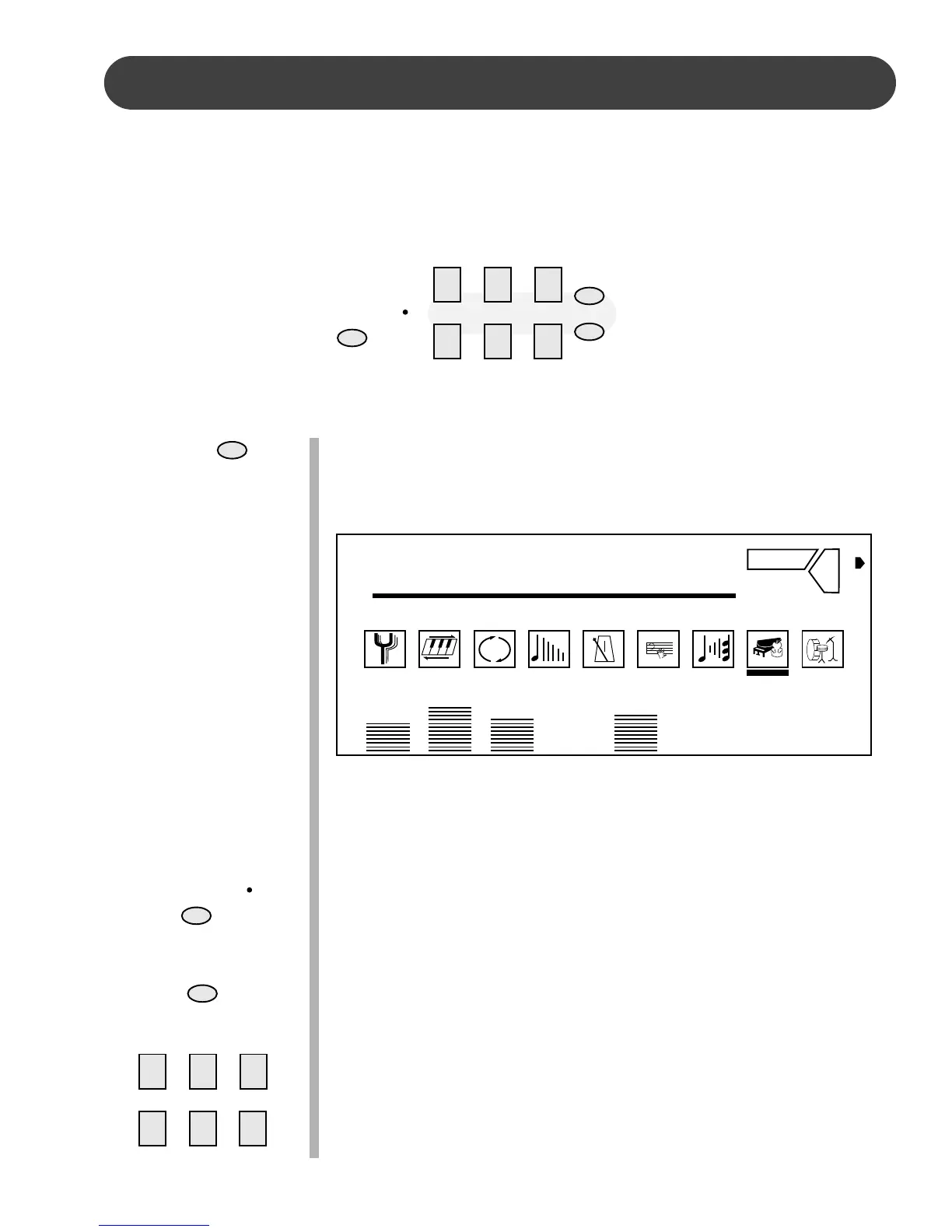
1. Select the bank in which you wish to save your settings by press-
ing the PAGE button. The PAGE button will cycle through the four
banks as you continue to press it. The display screen will show
the bank number followed by “Page”.
2. Set the voice, rhythm, tempo, accompaniment, reverb effect and
any other parameters that you wish to save.
3. If necessary press the REGISTRATION/OTS button so that the
indicator light is lit. When the indicator is lit the registration/one
touch buttons are in the registration mode.
4. Hold down the STORE button. The display screen will show the
selected bank number followed by “Store”.
5. While holding the STORE button, press one of the number but-
tons 1-6. The display will show the current bank and registration
memory number followed by “Store”. Your panel setting will be
saved into that registration memory button for instant recall.
PAIGE
STORE
123
456
REGISTER/OTS
REGISTER/OTS
123
456
STORE
PAGE
REVERB
1: Page
3D
OTS 1 VOICE 01 STYLE 31 TEMPO 70 REG 1 PAGE 1
A.VOL RHY BASS CHD1 CHD2 PAD PHRS1 PHRS2
1- : Store
1-1 : Store


 To Next Page