9
PANEL CONTROLS
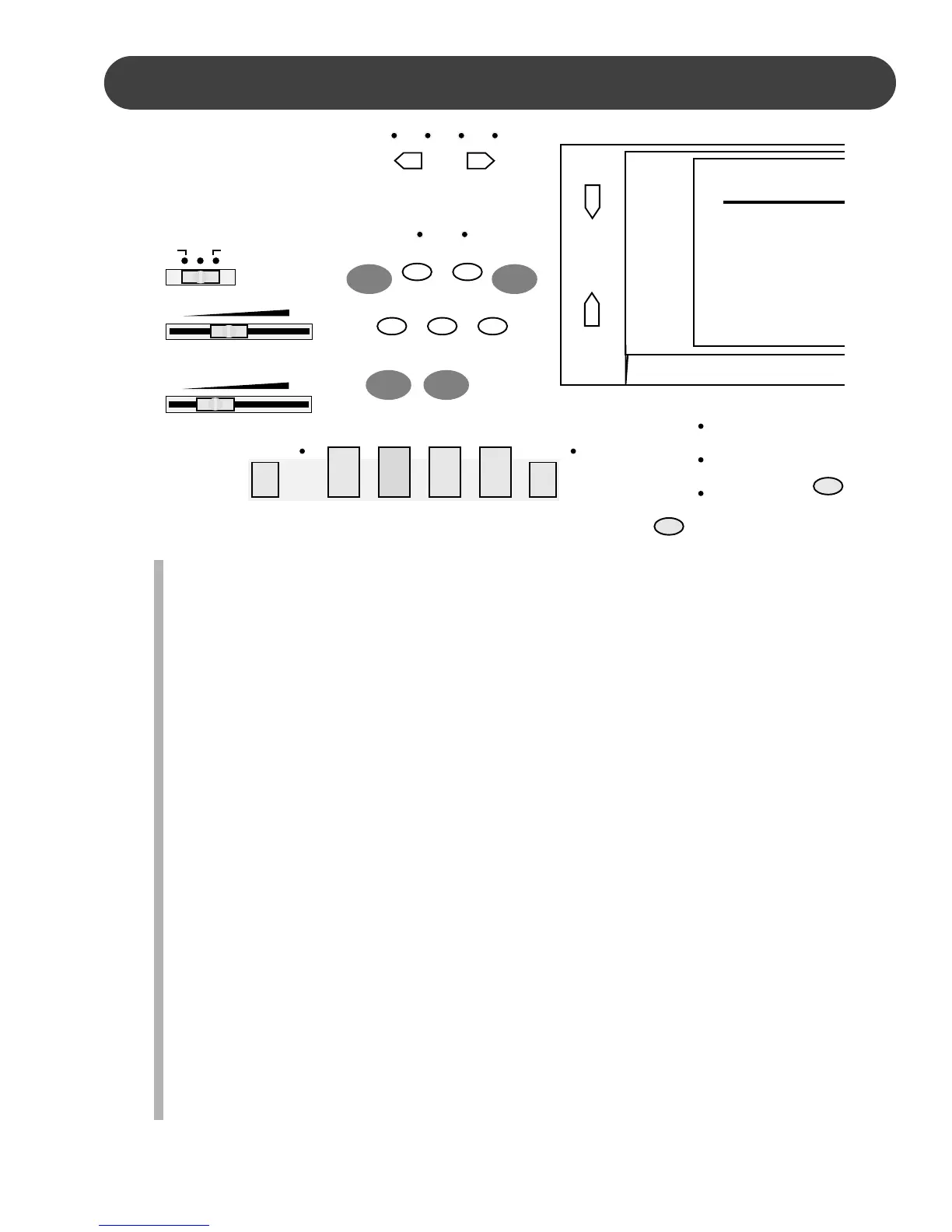
5. SPLIT - With the SPLIT button engaged the keyboard operates in the split mode. In
the split mode the keyboard is divided into two sections. In the right hand section
the master or the dual voice will sound, and in the left hand section a different voice
can be assigned to sound when the keys are played. Please see the Keyboard
Voices section for more information.
6. DUAL - Engaging the DUAL button will put the keyboard in the dual, or layer, mode.
Dual, or layer, refers to an additional voice that is tone mixed with the selected key-
board voice. The assigned layer voice will be heard with the master voice. Please
see the Keyboard Voices section of this manual for more information.
7. AFTER TOUCH - Use the AFTER TOUCH button to apply sustain to all engaged
keys. Press the AFTER TOUCH button, the icon on the display screen will be under-
lined, and the keyboard notes will sustain after you release the keys. To disengage
press the button again. There is also a sustain pedal jack on the piano back panel.
8. METRO (METRONOME) - The built in metronome is a timing device that ‘ticks’ at
a constant tempo to be used as a timing reference to aid with practice or perfor-
mance. When you press the METRO button, the metronome will be engaged, the
beat indicators above the TEMPO buttons will flash in sequence to the tempo of the
selected rhythm style, and the metronome sound will start immediately. If the auto
accompaniment is playing the metronome sound will replace the percussive rhythm
sound. Any change to the tempo will also affect the metronome. Press the START/
STOP button once to reduce the metronome sound volume, and again to stop it.
Press the METRO button again to disengage.
7
65
8
SUZUKI
SP-
67
OFF ON STANDBY
MIN MAX
MASTER VOLUME
MIN MAX
ACCOMP VOLUME
ACCOMP
SINGLE
FINGERED
PIANO
SYNC
STOP
SYNC
START
START/
STOP
INTRO/
ENDING
FILL IN VAR
– TEMPO +
SPLIT DUAL
CHORD
DISPLAY
METROAFTER
TOUCH
SELECT
MODE
REGISTER/OTS
TRANSPOSE
TUNING
TOUCH
PERCUSS
REVERB
CHORUS
HARMONY
AFTER TOUCH
VOICE


 To Next Page