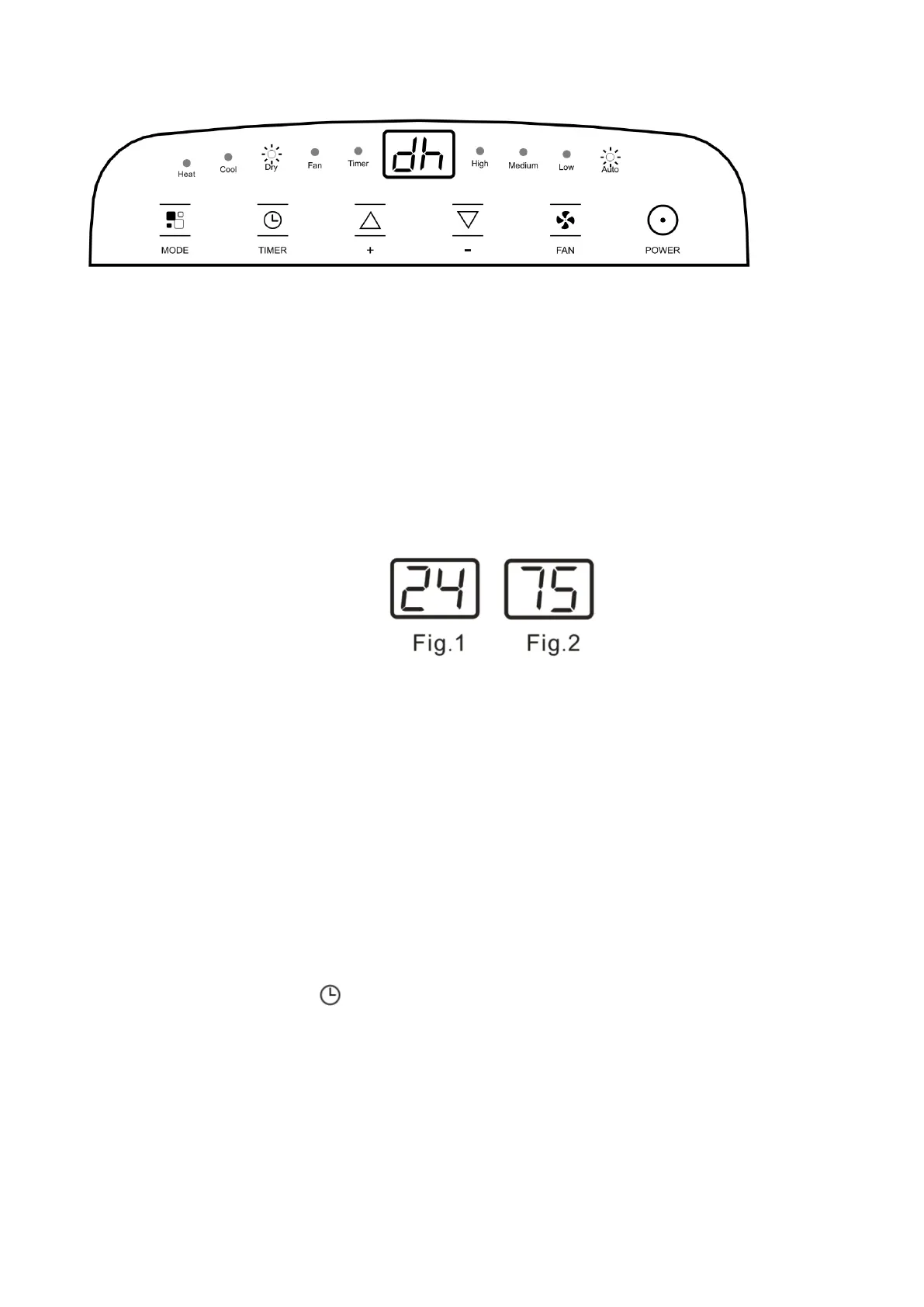
Switch the unit of temperature
When the appliance is running, hold on + and - button together 3 seconds by the same time, then you can
change the unit of temperature.
For example:
Before change, in cool mode, the screen display like fig1.
After change, in cool mode, the screen display like fig2.
SETTING THE TIMER
-This timer can be used to delay the appliance start-up or shutdown, this avoids wasting
electricity by optimizing operating periods.
Programming start up
● Turn on the appliance, choose the mode you want, for example cool, 24
℃
, high fan speed. Turn off
the appliance.
● Press the Timer button, the symbol and number of hours flash.
● Press several times until the corresponding time is displayed. Wait about 5 seconds, the timer will be
active, then “Timer” symbol is displayed on screen.
● A few second after set, the setting is memorized, the timer indicator is light and the display shows that
the appliance is in standby.


 To Next Page