j
k
l
m
n
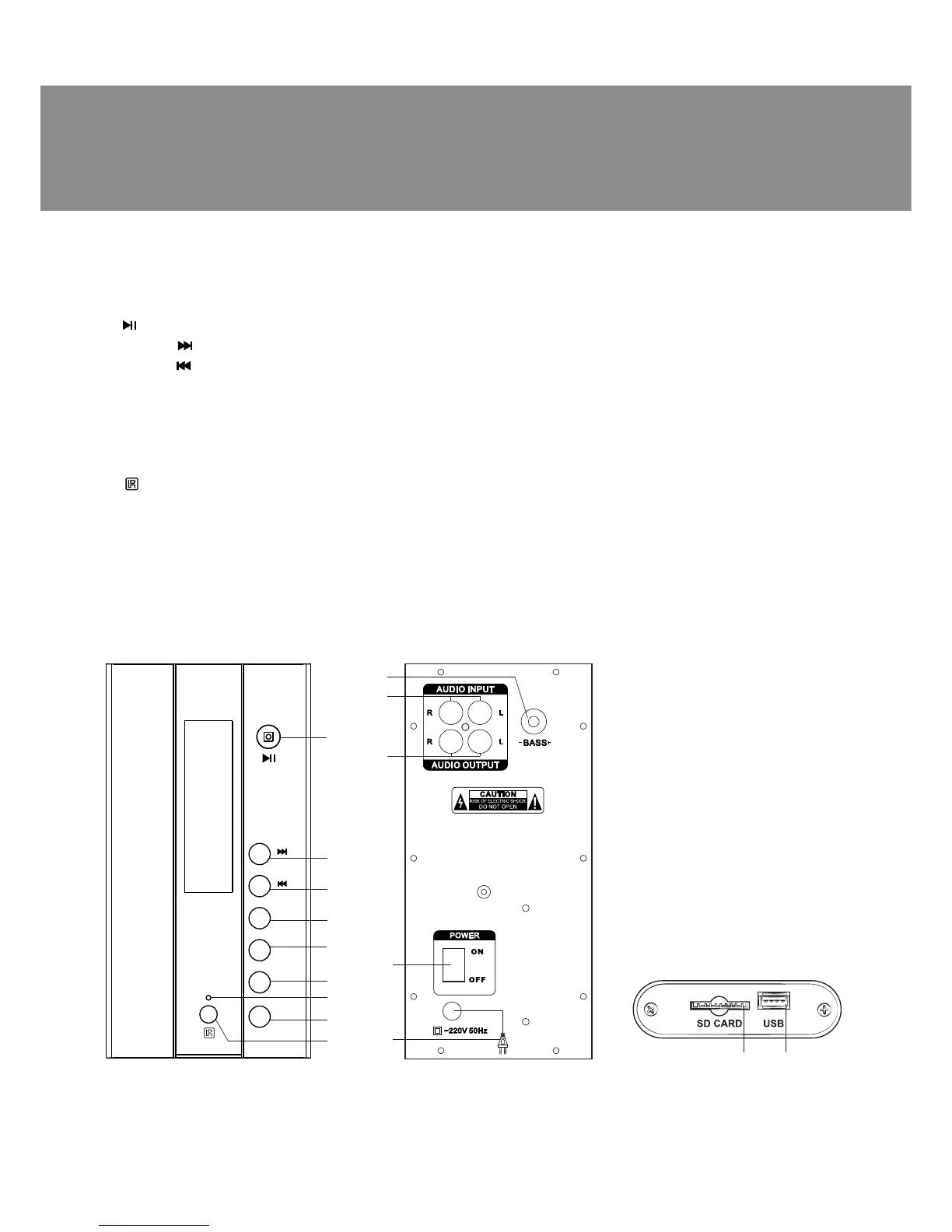
Fig. 2. Rear panel
• Magnetic shielding
• MDF cabinets of the subwoofer and satellites
Subwoofer panels
a : Play/Pause (Player mode)
b VOL+/ : next track (pressed short); volume up (held down more than 1 sec.)
c VOL-/ : previous track (pressed short); volume down (held down more than 1 sec.)
d MODE: AUDIO INPUT or USB/SD source selection
e USB/SD: selection between USB flash and SD card
f EQ: equalizer mode selection (playing MP3 files from a USB flash drive or an SD card only)
g LED indicator
h REPEAT: repeat the current track (pressed once); repeat all tracks (pressed twice)
i : IR receiver window
j BASS +/-: subwoofer volume control knob
k AUDIO INPUT L/R: audio source input jack
l AUDIO OUTPUT L/R: satellite output jack
m POWER ON/OF: power switch
n Power cord
o SD CARD: slot for connecting an SD card containing МР3 audio files
p USB: USB port for connecting a USB flash drive containing МР3 audio files
a
b
c
d
e
f
g
REPEAT
EQ
USB/SD
MODE
VOL+
VOL-
i
h
Fig. 1. Front panel
op
Fig. 3. Side panel
ENG
3
Operation Manual
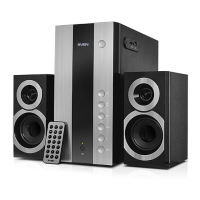
MS-1090


 To Next Page