ENG
6
2.1 Multimedia
Speaker System
k EQ: equalizer mode switch button (in the Player mode).
l
: next track (pressed short in the Player and Bluetooth mode); next station** (pressed
short in the Radio mode).
Battery Installation
• Open the battery compartment on the back of the remote control.
• Insert the included AAA batteries.
• Close the battery compartment.
Notes. Use the RC at an angle no more than 30° at a distance of no more than 7 meters. If there-
mote control does not operate, check the batteries or replace the discharged batteries with new
ones. Remove the batteries from the RC if you don’t intend to use it for a long time (more than
one week).
* The storage device must be formatted as FAT, FAT32. Memory cards SDHC class 10 or less can
be used. Connection of external hard disks other than USB ash drive is not recommended,
otherwise it can cause the MSS damage.
** The frequencies are switched if stations have been preset in the memory.
5. PREPARATION AND OPERATION
Speaker placement
• Place the speakers symmetrically to the listener at least one meter away. The subwoofer emits
non-directional sound, therefore it can be located in any place of the room where it sounds thebest.
• Place MSS as far away as possible from monitors and TV sets, to avoid insignicant image
distortion.
Installation and operation
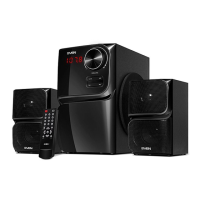
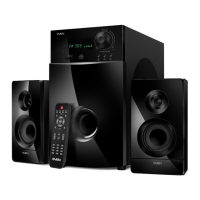
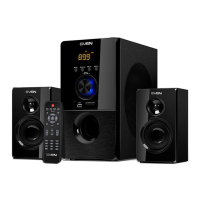
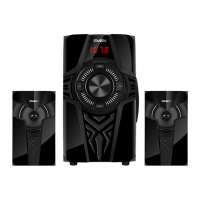
MS-304/MS-307 speaker system can be connected to virtually any audio devices: DVD/CD play-
ers, PCs, laptops, etc. (see connection diagram in Fig. 4).
• Before making any connections, make sure the MSS is o and unplugged. Then connect speak-
ers to the subwoofer AUDIO OUTPUT L/R l jacks using built-in audio cables. Connect theright
speaker to the subwoofer AUDIO OUTPUT R and the left speaker — to the AUDIO OUTPUT L (see
connection diagram in Fig. 4).
Note. Check the xation connectors.
• To connect the MSS to a PC, МР3/CD player, use 2RCA to mini-jack signal cable (included). Con-
nect the RCA jacks of the signal cable to the L and R jacks of the AUDIO INPUT k, and themini-jack
(Ø 3.5 mm) of the signal cable — to the LINE OUT port of your PC sound card or to theaudio out-
put (OUTPUT) of your МР3/CD player, as shown in Fig. 4.
• To connect the MSS to a TV set or DVD/CD player, use 2RCA to 2RCA signal cable (not included).
First connect the RCA jacks of the signal cable to the L and R jacks of AUDIO INPUT k and then
connect RCA jacks to your TV set or DVD/CD player audio output jacks, as shown in Fig. 4.
• Connect the subwoofer to the mains outlet with the power cord n.
• Turn on the MSS power supply using switch m (ON position) on the subwoofer rear panel.
• Turn on the MSS by pressing MODE button c on the front panel or a button on the remote
control.
• Select a desired signal source by pressing short MODE button c on the control panel or press-
ing corresponding button on the remote control.
• Adjust the master volume as desired with knob b on the control panel or with the VOL+/- but-
tons i on the remote control.
• Use BASS+/- knob i on the rear panel to adjust the subwoofer volume level.



 To Next Page