ENG
5
Operation Manual
PS-50
• Then switch on the device by long pressing of the button d.
• Switch on an audio signal source.
• Control the master volume level by long pressing of buttons e or f.
• Connect headphones to the jack i (see Fig. 2).
Battery charging
• Connect the device using USB cable (included) to DC IN port k, and then to a USB port of PC or
to 5V DC power unit with output USB jack.
• If the battery is discharged, the indicator a blinks, but if it is charged – the indicator is red.
Notes:
• After using the MSS, mind to unplug the USB cable from a USB port of PC, notebook or 5V
DC power unit.
• To improve sound quality, use the Line-Out output of the sound card.
6. OPERATION MODES
Player Mode
• The system will go to the player mode automatically, if one of carriers (USB flash or micro SD
card)* is inserted into an appropriate jack l or j. Press the button M c on the front panel to
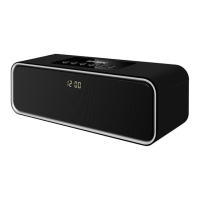
select a desired source, when the MSS is turned on. LED display b will show a selected source
“USB/CARD” and after that the playback time from the beginning. The playback will start auto-
matically. Press buttons f or e short on the front panel to select a track. LED will briefly show the
sequence number of a track and after that the playback time from the beginning.
* The operation can be incorrect, when using a micro SD card with the capacity less than 512 Mb.
The time for command processing can be increased, when using a USB flash with the capacity
more than 8 Gb.
Radio Mode
• Use the button М c on the front panel to enter the radio mode when the MSS is on. The display
b will show “FM” symbol and the frequency of a station received.
• Press and hold down the button М c not less than for 2 seconds for the automatic scan and to
store the found stations. The display b will show a frequency during scanning and will show its
sequence number for short time during storing.
AUX Mode
• Use the button М c on the front panel to enter the AUX mode, when the MSS is turned on. The
display b will show “AUX/LINE”.
ON/OFF Mode
• Press and hold down the button d on the front panel to turn on/off the MSS.



 To Next Page