EasyManua.ls Logo

Sven HT-210 - User Manual

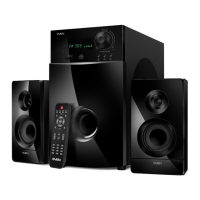
Sven HT-210
14 pages
Print Icon
To Next Page IconTo Next Page
Loading...
www.sven.fi
OPERATION
MANUAL
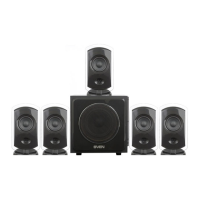
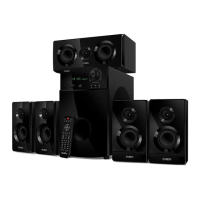
5.1 Active Home Theater
Speaker System With Bluetooth
HT-210

Other manuals for Sven HT-210

Questions and Answers

  • E
    Eric DoyleAug 5, 2025
    What to do if my Sven Speaker System has no sound?
    • C
      carpenterjenniferAug 5, 2025
      If your Sven Speaker System isn't producing any sound, there are a couple of things to check: * Ensure the volume isn't set to the minimum. Try adjusting the volume control knob. * Verify that your audio source is properly connected. Incorrect connections can prevent sound output; make sure all cables are securely plugged in.
  • M
    Marie GarciaAug 9, 2025
    Why is my Sven HT-210 Speaker System remote control not working?
    • J
      Jerry GarzaAug 10, 2025
      If the remote control for your Sven Speaker System isn't working, consider these potential causes: 1. The batteries might be discharged. Replace them with new ones. 2. Direct sunlight could be interfering with the remote's signal. Try changing the location of the subwoofer or the remote control. 3. There might be an obstacle blocking the signal between the remote control and the subwoofer receiver. Adjust the position of either the subwoofer or the remote control.
  • J
    Janice KempAug 15, 2025
    How to fix sound distortion on my Sven HT-210 Speaker System?
    • T
      Tyler CraigAug 15, 2025
      Sound distortion in your Sven Speaker System is often due to a large amplitude of the input signal. To resolve this, turn down the volume on both the audio source and the HTSS itself.
  • D
    Donald Meza IIAug 19, 2025
    What to do if my Sven HT-210 Speaker System does not turn on?
    • P
      petersonalexandraAug 19, 2025
      If your Sven Speaker System isn't turning on, there are a couple of things you can check. First, make sure the HTSS is properly connected to a mains outlet. If it is, then verify that the power switch is turned on.
  • L
    lisaayalaAug 26, 2025
    Why is the FM tuner not working on my Sven HT-210?
    • J
      joshua34Aug 26, 2025
      If the FM tuner on your Sven Speaker System isn't working, check if the FM antenna is connected. If it is, and you're still experiencing issues, the antenna reception might be poor. Try connecting an outdoor FM antenna to improve reception.
  • J
    James WelchAug 29, 2025
    What to do if Sven Speaker System sound is too quiet?
    • R
      robertsonerikaAug 30, 2025
      If the sound from your Sven speakers is too quiet, the volume level might be set to its minimum value. Try adjusting the volume control knob to increase the sound.

Summary

Buyer Recommendations

Package Contents

Safety Precautions

Technical Description

HTSS Design Overview

Provides a general overview of the HTSS system's design and features, including its components.

Subwoofer Control Panel

Details the layout and functions of buttons and ports on the subwoofer's front panel.

Subwoofer Rear Panel Connections

Identifies input/output ports and connectors on the rear of the subwoofer unit.

Remote Control Functions

Preparation and Operation

RC Battery Installation and Notes

Instructions for installing batteries in the remote control and important usage notes.

Speaker Placement Guidelines

Recommendations for optimal sound placement of speakers relative to the listener and walls.

Connecting Speakers to Subwoofer

Step-by-step guide on how to connect satellite speakers to the subwoofer's audio output terminals.

FM Antenna Installation and Connection

Instructions for connecting the FM antenna to the subwoofer for radio reception.

Audio Source Connection Guide

Details on connecting various audio sources like PCs, DVD players, and TVs using provided cables.

System Power On and Source Selection

Steps to power on the HTSS, select input sources, and initial setup.

Volume and Sound Control

Explains master volume adjustment and individual control of bass, treble, and speaker channel volumes.

Mode Switching Operations

How to switch between different input modes like PC, AUX, OPT, COX, Bluetooth, FM, and MP3.

Audio Mode Operations

Details on operating the system in 2.1/5.1 emulation, Player, Tuner, and Clock modes.

Player and Tuner Mode Functions

Guides for navigating music playback, FM radio tuning, station saving, and presets.

Clock Mode Settings

Instructions on how to view and set the current time on the HTSS display.

Bluetooth and Standby Mode

Steps for connecting via Bluetooth and entering/exiting the standby mode.

Audio Settings Reset and Maintenance Notes

How to reset audio settings and important notes for long-term storage and sound quality.

Troubleshooting Common Issues

Technical Specifications

Sven HT-210 Specifications

General IconGeneral
Product colorBlack
RMS rated power125 W
Housing materialMDF
Recommended usageHome theatre
Remotely operatedYes
Remote control typeIR
Audio output channels5.1 channels
Supported radio bandsFM
Power sourceAC
Amplification device included-
Number of satellite speakers5
Satellite speakers RMS power75 W
Satellite speaker frequency range200 - 20000 Hz
Satellite speaker dimensions (WxDxH)120 x 216 x 103 mm
Subwoofer frequency range40 - 200 Hz
Center speaker dimensions (WxDxH)120 x 105 x 282 mm
Connectivity technologyWired & Wireless
Digital audio coaxial in1
Weight and Dimensions IconWeight and Dimensions
Weight12400 g

Related product manuals