ENG
3
User’s Manual
RX-330
Wireless
d
e
c
a
b
e
f
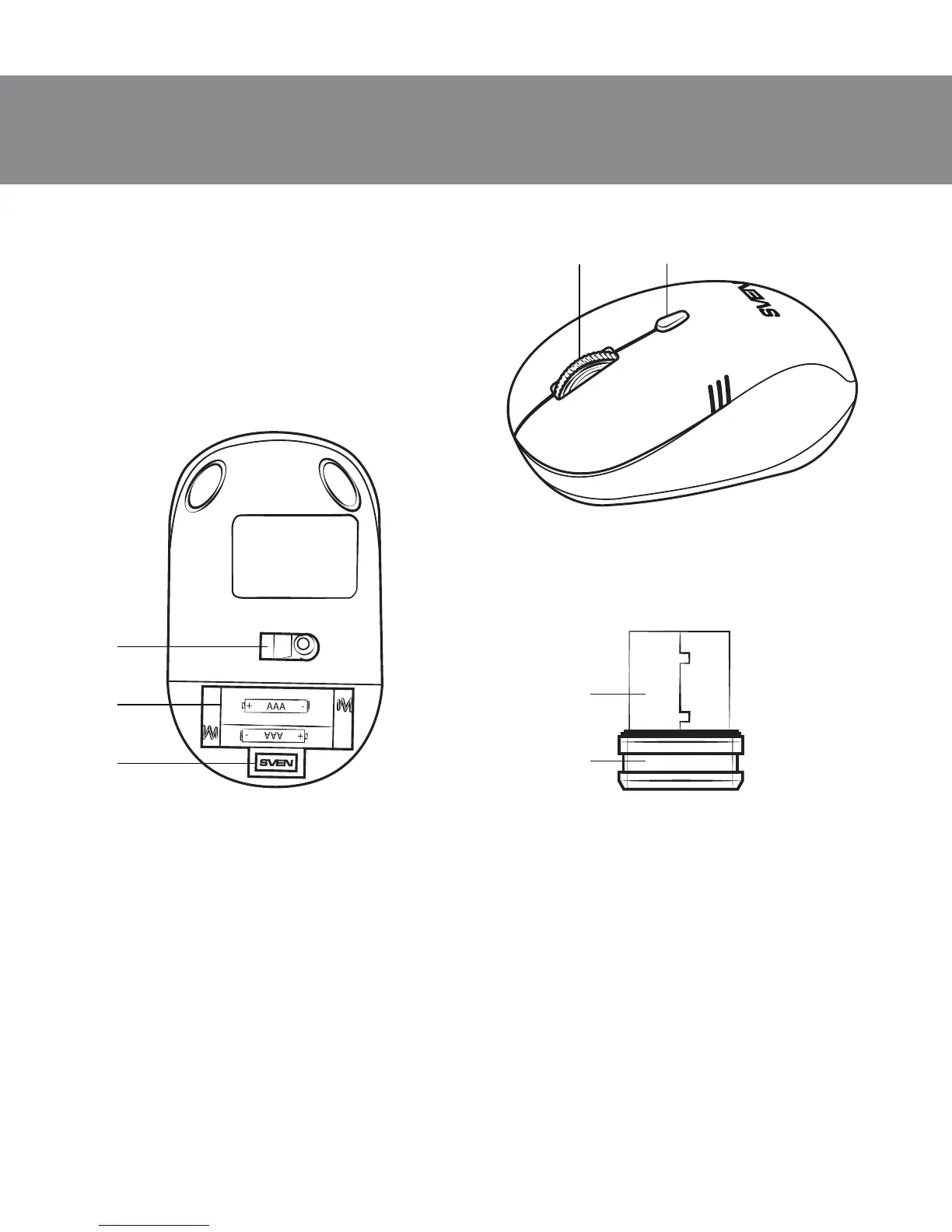
Fig. 1. Top view
Fig. 2. Bottom view
Fig. 3. Nano receiver
4. DESCRIPTION
a Scroll wheel
b Dpi resolution switch
c Battery compartment
d Optical sensor
e Nano receiver
f USB connector
5. INSTALLATION
• Open the cover of the mouse battery compartment d, insert 2 AAA
batteries into the battery compartment matching the polarity, and close the
cover of the battery compartment (see Fig. 4).
• Сonnect the included nano receiver e to a free PC USB port (Fig. 5).
• To activate the mouse, press any button of the mouse or turn the scroll
wheel. If the mouse has been connected correctly, it will turn on automa-
tically.


 To Next Page