ENG
5
User’s Manual
RX-330
Wireless
This device meets highest standards of energy conservation.
During long pauses in operation the mouse enters the economical
Sleep mode. To enter the working mode just press any button or
turn the scroll wheel.
Important
•
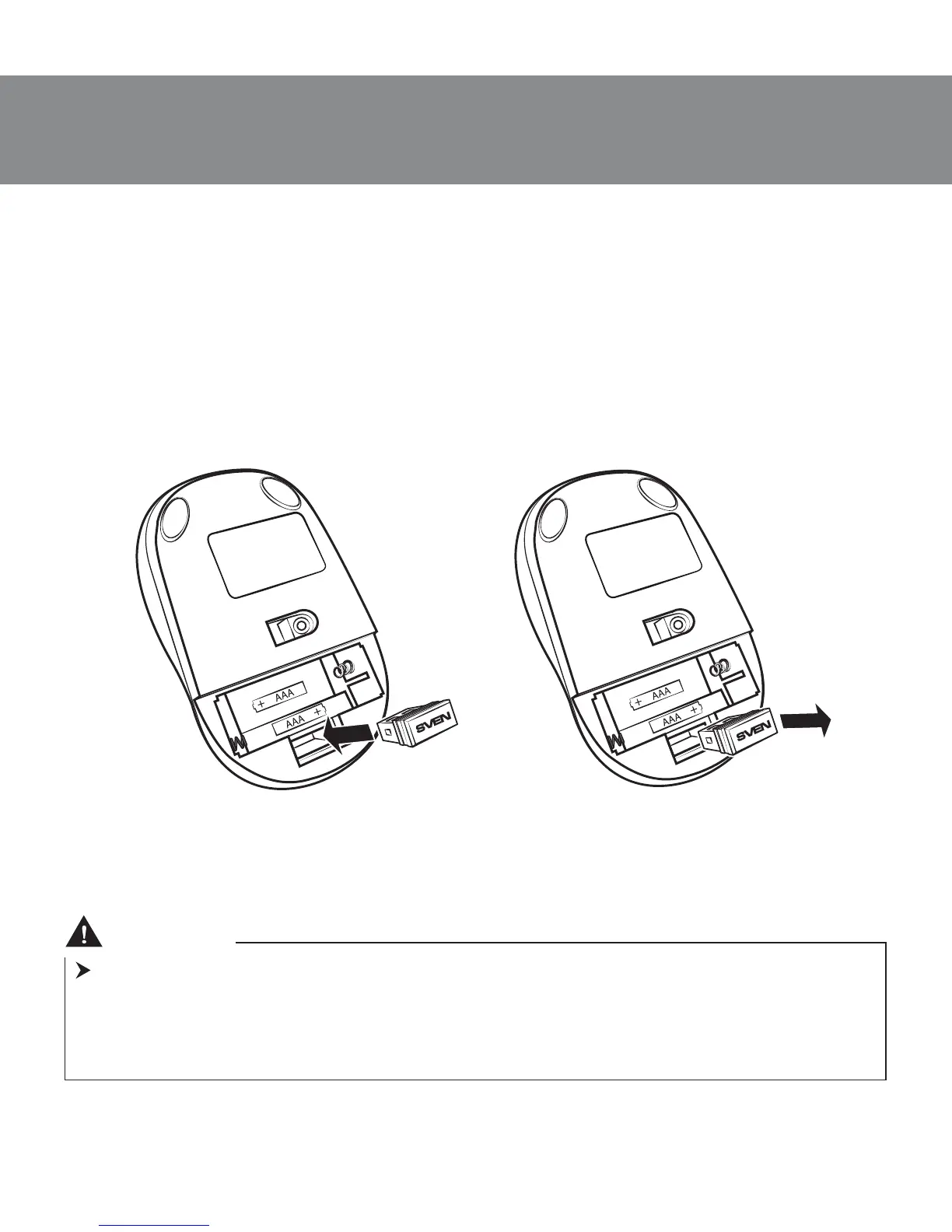
After finishing your work, you can pull out the receiver e from the PC USB
port and insert it into the mouse (Fig. 6).
When using the receiver e again,
pull it out from the mouse (Fig. 7) and connect it to the PC USB port again.
• Do not place the receiver into a confined metal space (table drawer, box,
safe), as a metal screen does not transmit radio signals.
• If the batteries run down, the mouse works in jerks. It means that the
batteries should be replaced with new ones, as it is shown in Fig. 4.
Fig. 6. Fitting the receiver
into the mouse case
Fig. 7. Extraction of the receiver
from the mouse case


 To Next Page