AS-EQ1 Operator Manual
© 2009 SV Sound, LLC
•
6420 Belmont Avenue, Girard, OHIO
•
703.845.1472
•
www.svsound.com
SV Sound, LLC
18
Calibrating the AS-EQ1 in Your Listening Environment
TASK
:
Channel Conguration
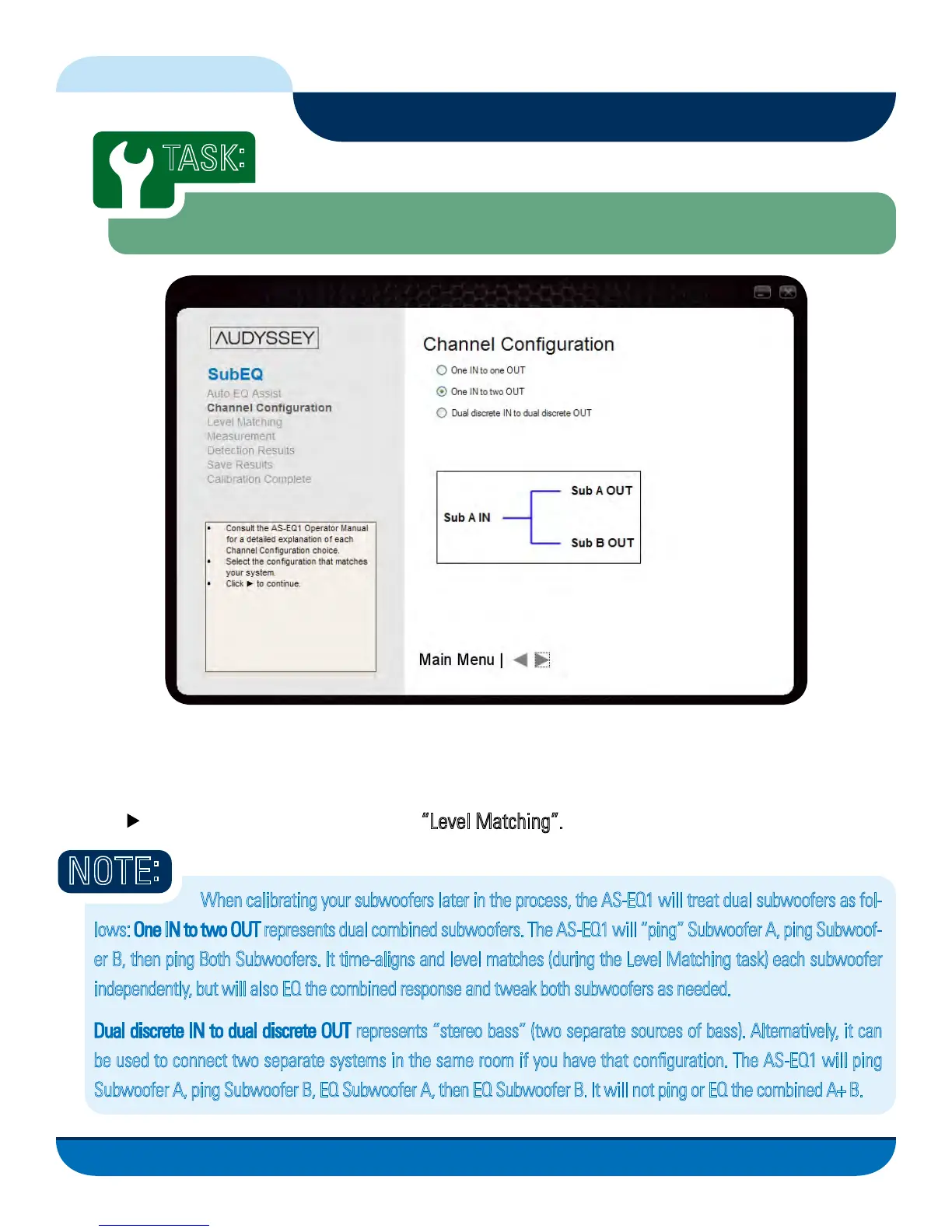
As mentioned earlier in this manual when discussing connecting the AS-EQ1 to your audio system, there
are three different subwoofer configurations the AS-EQ1 will support when EQing your listening environ-
ment. Depending on which configuration you have, click the associated Radio Button on this screen then
click the button to continue to the next task “Level Matching”.
NOTE
:
FIG. 13
When calibrating your subwoofers later in the process, the AS-EQ1 will treat dual subwoofers as fol-
lows: One IN to two OUT represents dual combined subwoofers. The AS-EQ1 will “ping” Subwoofer A, ping Subwoof-
er B, then ping Both Subwoofers. It time-aligns and level matches (during the Level Matching task) each subwoofer
independently, but will also EQ the combined response and tweak both subwoofers as needed.
Dual discrete IN to dual discrete OUT represents “stereo bass” (two separate sources of bass). Alternatively, it can
be used to connect two separate systems in the same room if you have that configuration. The AS-EQ1 will ping
Subwoofer A, ping Subwoofer B, EQ Subwoofer A, then EQ Subwoofer B. It will not ping or EQ the combined A+ B.



 To Next Page