AS-EQ1 Operator Manual
© 2009 SV Sound, LLC
•
6420 Belmont Avenue, Girard, OHIO
•
703.845.1472
•
www.svsound.com
SV Sound, LLC
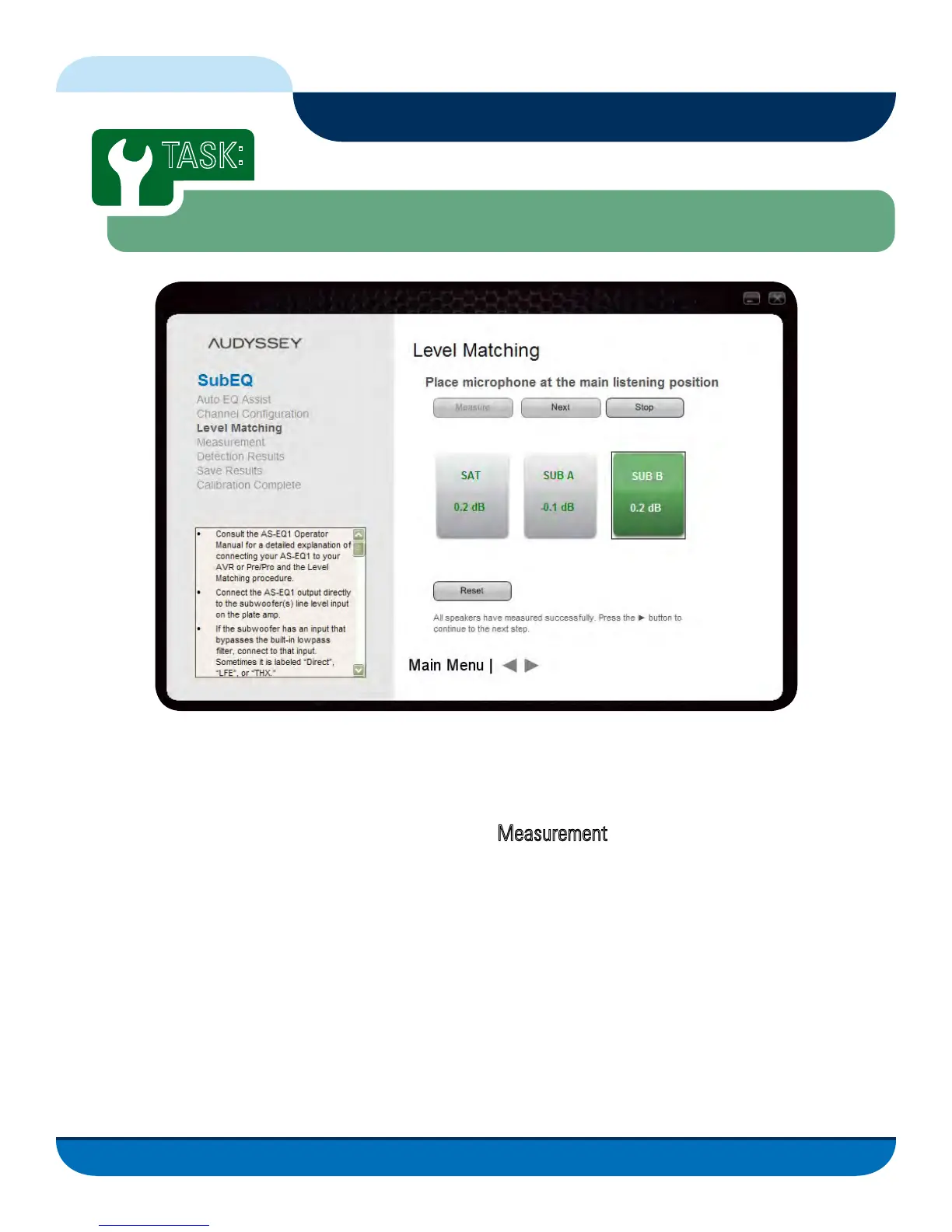
Before you can take measurements of your listening environment with the AS-EQ1, you need to ensure
that your AVR or Pre/Pro and subwoofer(s) are set up properly before the AS-EQ1 measures your room
and creates its correction filters. It is important that you read, understand, and follow these instructions
to ensure the best possible results during the upcoming
Measurement task.
1. Ensure the Gain on your subwoofer(s) plate amp is set to the middle of its range as a starting point.
2. Set the Phase control of your subwoofer(s) to 0 (the AS-EQ1 will adjust each subwoofer to ensure
proper phase alignment).
3. Bypass the subwoofer’s built-in low pass filter (often referred to as a ‘crossover’) with the defeat switch
or by connecting to an unfiltered input (typically labeled “Direct”, “LFE”, or “THX”). If it is not possible to
bypass the low pass filter, set the filter control to its highest frequency setting.
19
Calibrating the AS-EQ1 in Your Listening Environment
TASK
:
Level Matching
FIG. 14



 To Next Page