English version
20
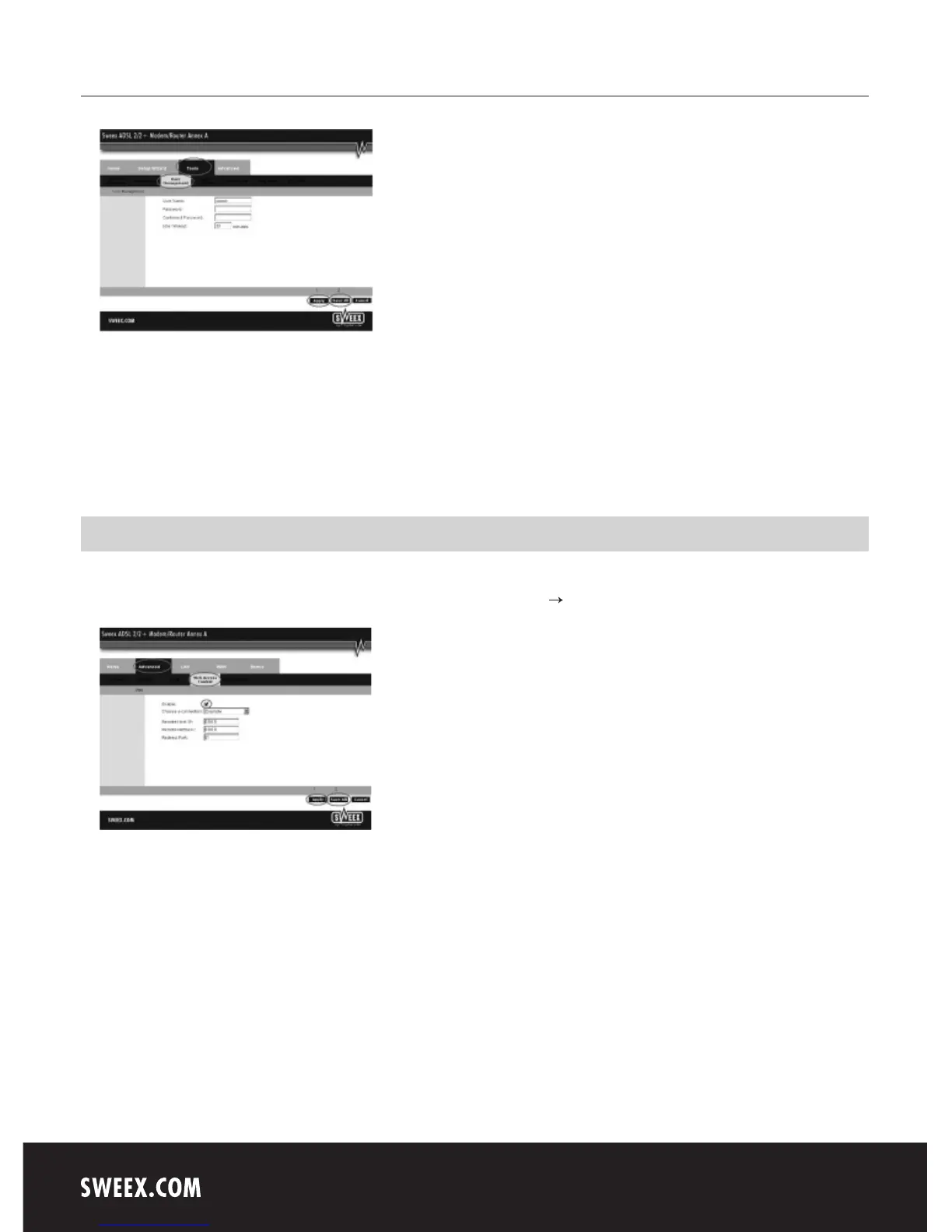
Here, under “User name”, you can choose a different login name and under “Password” the corresponding “Password”. Repeat this password under
“Confirmed Password”.
Note! If you want to reactive the standard login again, the modem must be reset to the standard factory settings.
In order to store the settings, click “Apply” and then “Save All”. Subsequently, in the next window, click “Apply” once more.
Remote modem management (Web Access Control)
The Sweex ADSL 2/2+ Modem/Router Annex A also offers a remote management feature. This means that the modem can be configured from
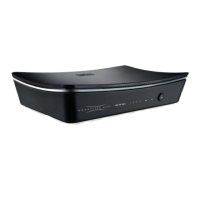
another location, via the Internet. In the menu, click “Advanced” and then click “more ”. Now click “Web Access Control”.
Activate this feature by ticking “Enable”. Now choose your Internet connection under “Choose a connection”. State the IP address (“Remote Host
IP:”) and subnet masker (“Remote Netmask:”) for the location from which you wish to configure the modem or leave this value as 0.0.0.0,
enabling any location (provided you know the password.) As “Redirect Port” we recommend value 81. Now access the modem by adding :81 at the
end of IP address (http://[your IP address]:81).
In order to store the settings click “Apply” and then “Save All”. Subsequently, in the next window, click “Apply” once more.
Note! When enabling “Web Access Control”, we recommend changing the standard user name and password (see: Changing the Password”) in
order to prevent unauthorised use of the modem.



 To Next Page