English version
14
Win98/Me: Click “Start” (Start) – “Run” (Run) – Type winipcfg – press ENTER. In the window, select your network adaptor. (Usually NOT the ppp
adaptor) and your IP address is displayed.
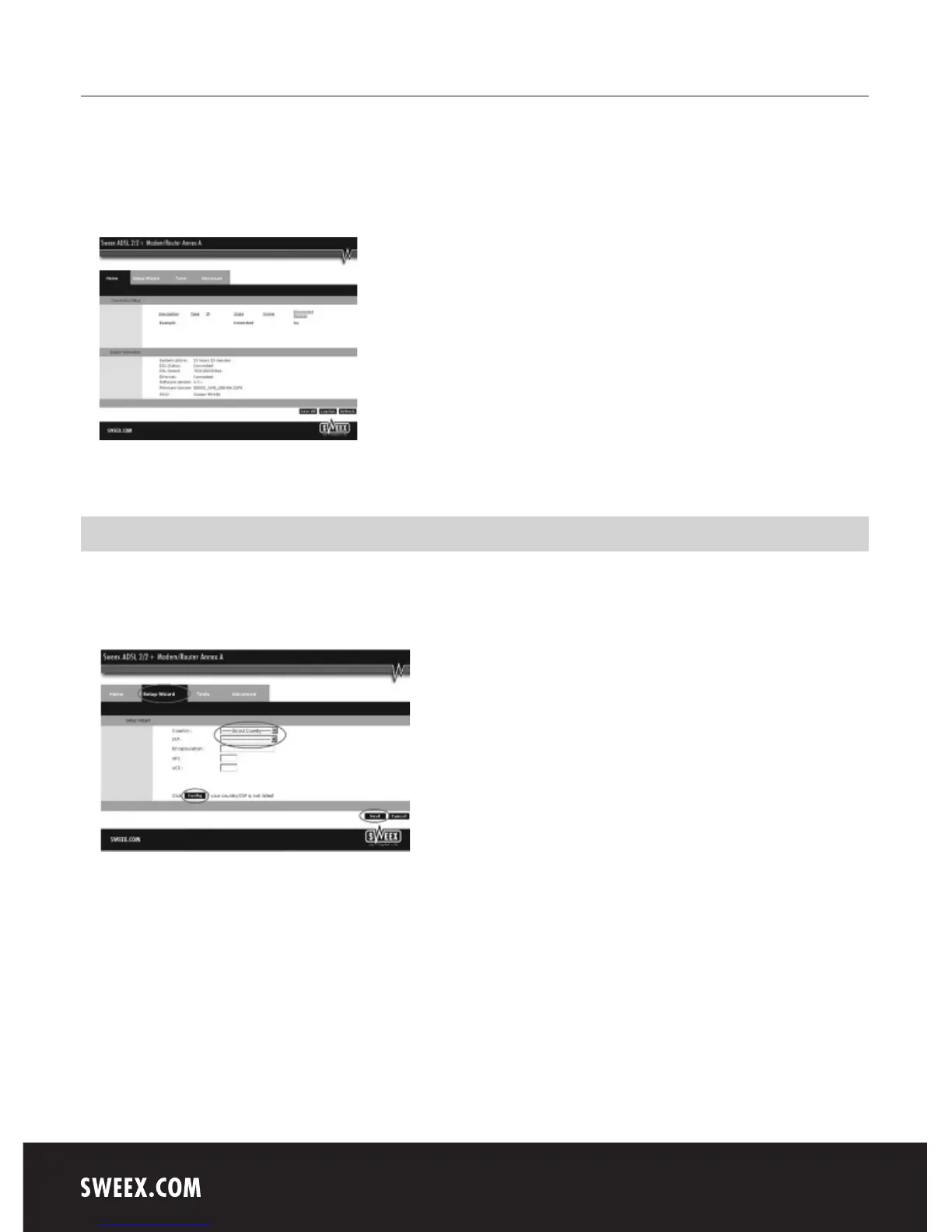
Once logged in, the main screen of the modem appears.
This screen displays the current Internet connection and a variety of system information.
Setting the Internet Provider (ISP)
In order to facilitate the installation process, the Sweex ADSL 2/2+ Modem/Router Annex A disposes of a pre-programmed list of provider settings.
To this end, go to the “Setup Wizard”. The following screen appears:
Under “Country” select the appropriate country and under “ISP”, select the corresponding Internet Provider. The modem will now automatically
complete the settings. Then click “Next”. After this, some Internet providers require a user name and password to be filled out. Check this with the
list of providers further down in this manual or with the details you received from your Internet provider. Alternatively, contact your Internet provider.
Click “Apply” to store and activate the settings.



 To Next Page