English version
7
ADSL Lit The connection with the ADSL line is ok
ADSL Regular blinking The modem is busy setting up a proper connection or no ADSL is connected
to the RJ11 port
ADSL Lit and blinking fast Indicates activity between the computer (1-4) computer and the Internet
PPP Lit Indicates the use of a PPP connection
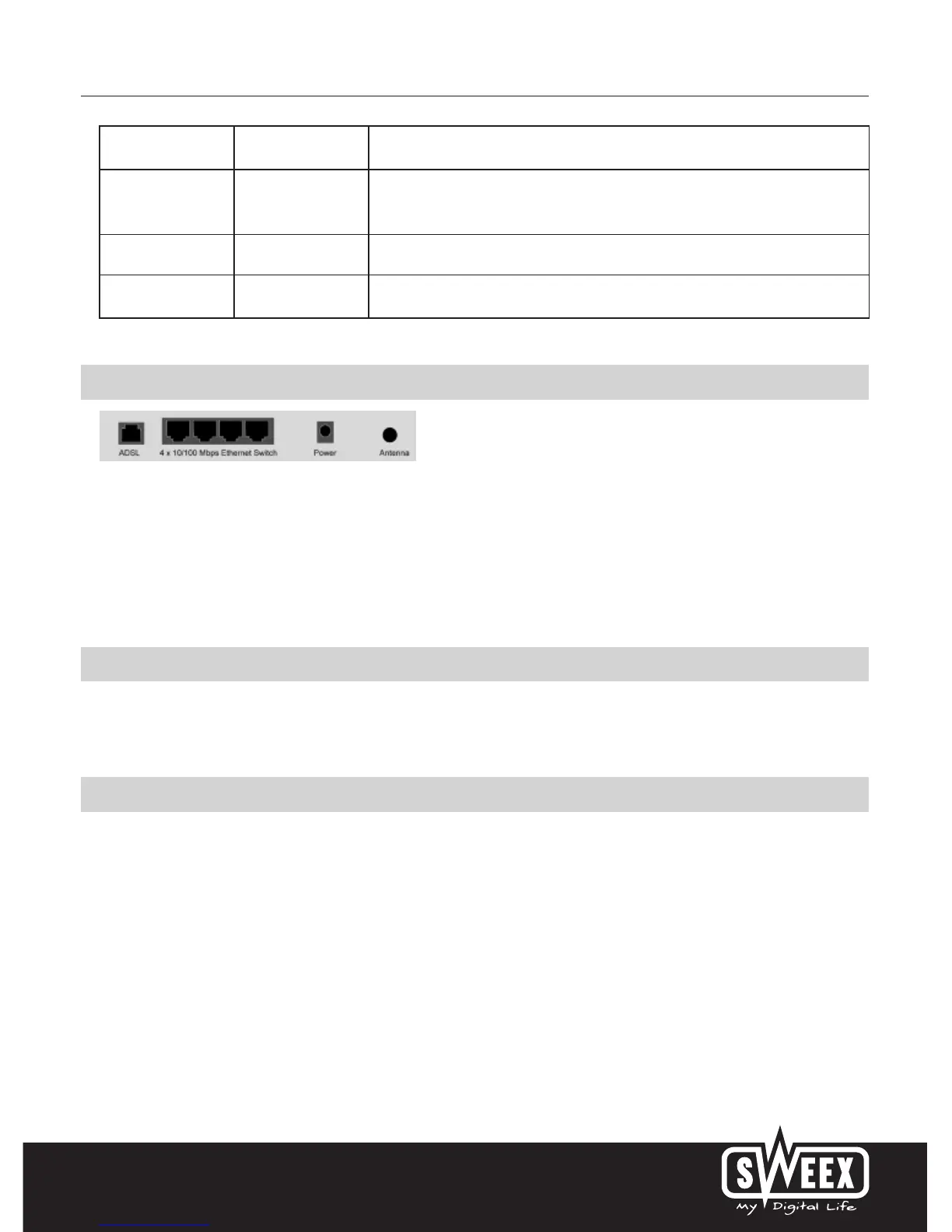
Rear view of the modem
Starting on the left, the following connections can be found at the rear of the modem:
• ADSL port for connecting the ADSL line with telephone cable RJ11.
• UTP Ethernet ports 1, 2, 3 and 4 for connecting computers with an Ethernet network cable RJ45.
• Power port for connecting the power adaptor.
• Antenna connector type SMA
Side view
The Reset button is located on the side of the modem. Use a thin item to press the button. Press and hold the button for 15 seconds. Note! After
this, all settings which apply to your connection and network need to be reconfigured.
The splitter
In order to separate the ADSL signal from the normal telephone signal, you need to use a splitter. This enables you to simultaneously make calls and
surf the Internet using the same telephone line. The signal comes from the wall socket or the meter cupboard and enters the splitter. Two telephone
cables are connected to the output of the splitter. One leads to the modem and the other to the telephone.
Note! The ADSL modem does not include a splitter. It can be obtained from various DIY stores.



 To Next Page