English version
17
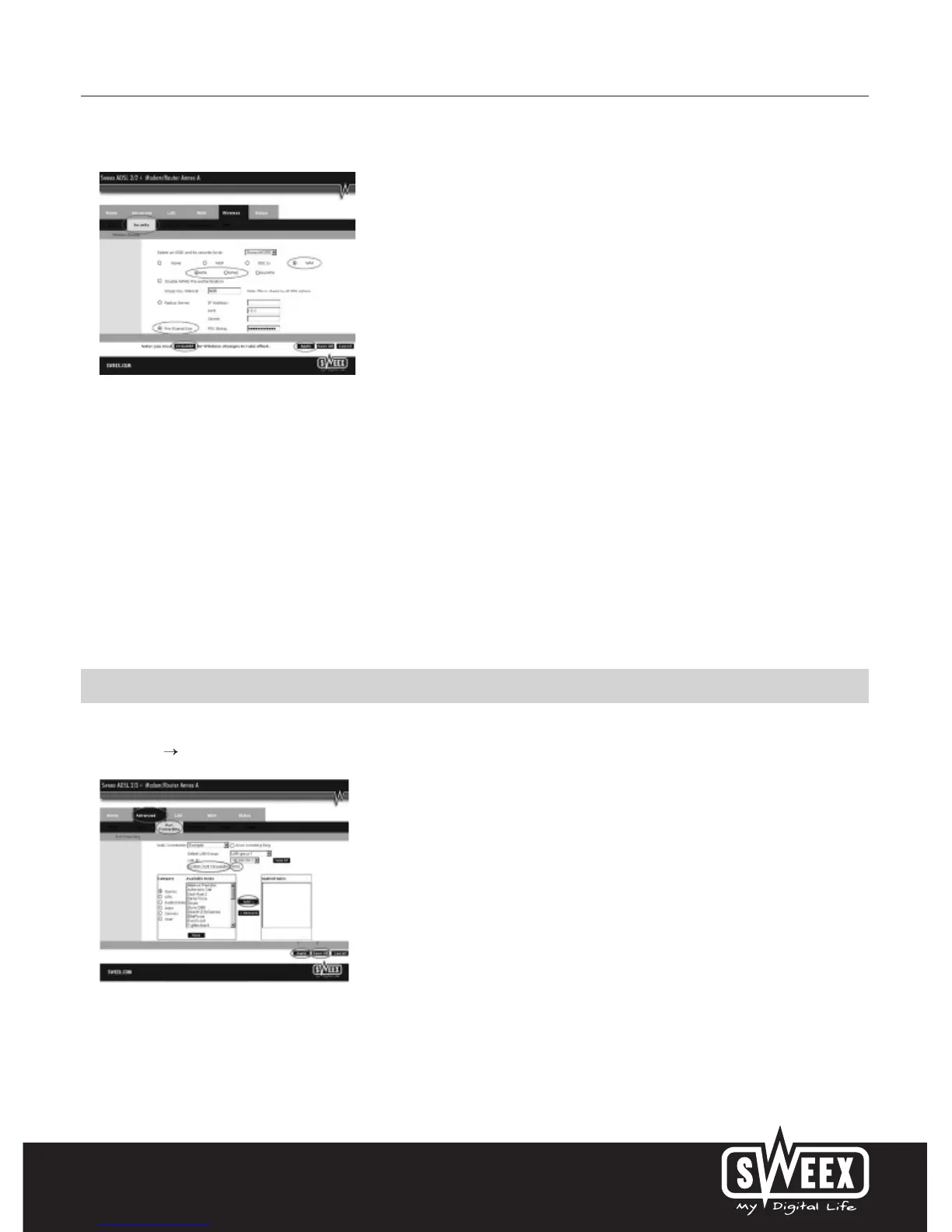
Complete the following steps for enabling WPA security:
1. You can now see only a single line with options. Select “WPA”.
2. Underneath, select “WPA” or “WPA2”. This depends on the type supported by the wireless card in your computer. Not all wireless adaptors
support WPA2.
3. Select “Pre-Shared Key”
4. Under “PSK String”, enter your network code. You can create your own network key which may contain 8 to 63 characters (numbers and
letters).
5. Click “Apply” to save the settings.
6. Click “restart AP” to activate the settings.
7. Click “Apply” to restart the modem.
The modem is now secured. Reconnect your wireless computer.
Opening ports in the modem (Port Forwarding and DMZ)
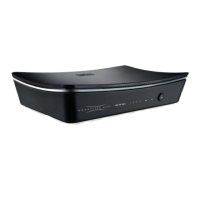
The built-in firewall in this modem cannot be disabled. However, ports can be opened for programmes and games which require this. Go to
“Advanced” “Port Forwarding” to change the port settings.
Here too the Sweex ADSL 2/2+ Modem/Router Annex A offers a pre-programmed list with common programmes and games.
Under “Category”, first select the type of programme. Now select the programme or the game from the list and click “Add >”.



 To Next Page