

 To Next Page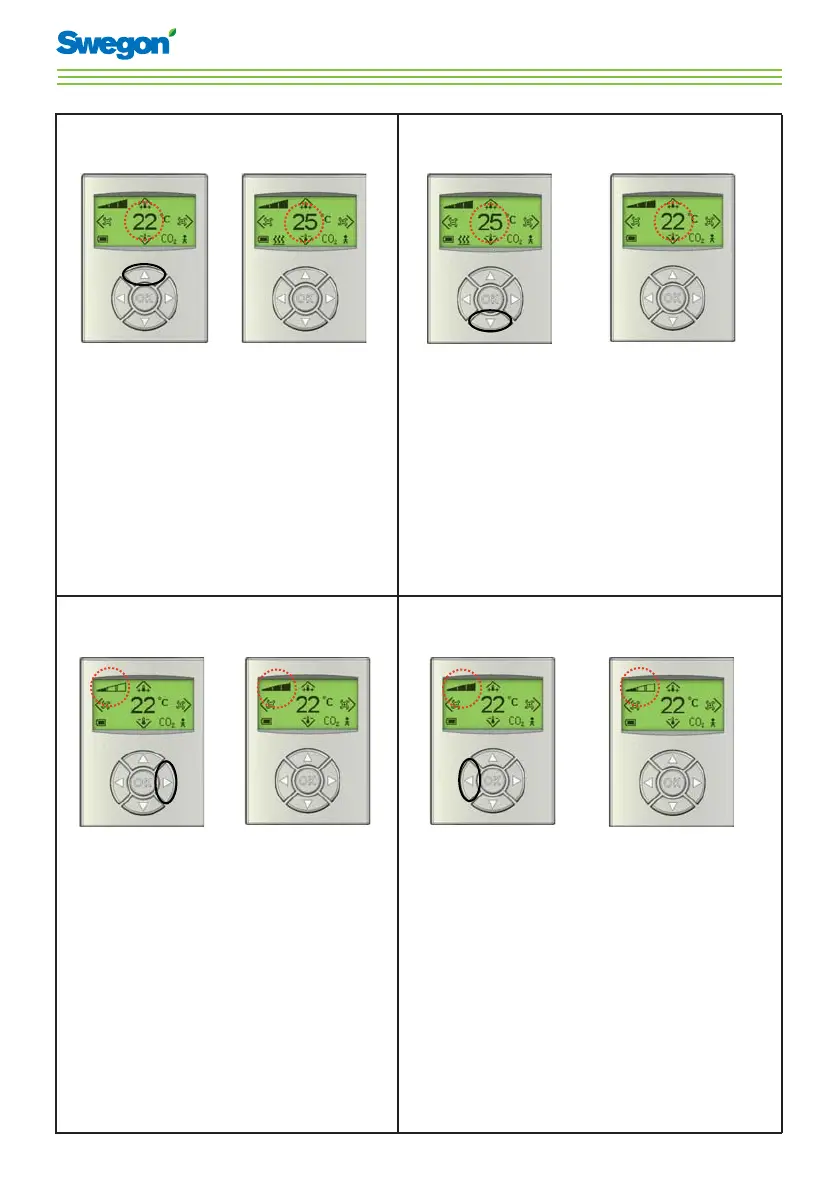

E
eochoaSep 4, 2025
How to fix parameter value error on Swegon Conductor W4 Controller?
- JJennifer ChangSep 4, 2025
If the Swegon Controller has a parameter value error because the parameter file is incorrect, update with a new parameter file.

How to fix parameter value error on Swegon Conductor W4 Controller?
If the Swegon Controller has a parameter value error because the parameter file is incorrect, update with a new parameter file.
What to do if a parameter is missing in Swegon Conductor W4 Controller?
If a parameter is missing in the Swegon Controller because the parameter file is incorrect, update with a new parameter file.
What to do if Swegon Conductor W4 shows no parameters?
If the Swegon Controller shows no parameters because the parameter file is incorrect, update with a new parameter file.
What to do if Swegon Controller shows no application?
If the Swegon Controller shows no application because the parameter file is incorrect, update with a new parameter file.
What to do if Swegon Conductor W4 shows no Modbus ID?
If the Swegon Controller shows no Modbus ID because the parameter file is incorrect, update with a new parameter file.
How to fix parameter file format on Swegon Controller?
If the Swegon Controller has a parameter file format issue because the parameter file is incorrect, update it with a new parameter file.
How to fix parameter file revision on Swegon Controller?
If the Swegon Controller has a parameter file revision issue because the parameter file is incorrect, update it with a new parameter file.
What to do if SPI flash is broken in Swegon Conductor W4 Controller?
If the SPI flash is broken in the Swegon Controller due to a component error, the suggested solution is to replace the controller.
What to do if Swegon Controller has a short circuit X14?
If the Swegon Controller has a short circuit X14 because a connected component is defective, troubleshoot to find the faulty component and exchange it.
What to do if Swegon Conductor W4 has a short circuit X13?
If the Swegon Controller has a short circuit X13 because a connected component is defective, troubleshoot to find the faulty component and exchange it.
Explanation of symbols for heating, cooling, and battery status.
Definitions for AUTO, ECON, STOP, and EMERGENCY operating modes.
Meaning of airflow indicators, occupancy, and CO2 limit alerts.
 General
| Brand | Swegon |
|---|---|
| Model | Conductor W4 |
| Category | Controller |
| Language | English |




