27
Operation and maintenance instructions
6.1 COMMISSIONING WITH TACtouch INTERFACE
The hand-held terminal consists of a .” touch screen with a , metre long cable for connection to the air handling
units control circuit board.
If the hand-held terminal is not used for minutes, it switches over to the sleep mode.
The Touchscreen controller can be used outdoors, but it must be kept at a weatherproof place.
Data:
Operating temperature: ... °C
Maximum length of the cable: metres
Protection class: IP
Dimensions [mm]: xx
Power consumption: , VA
IMAGE MANAGEMENT
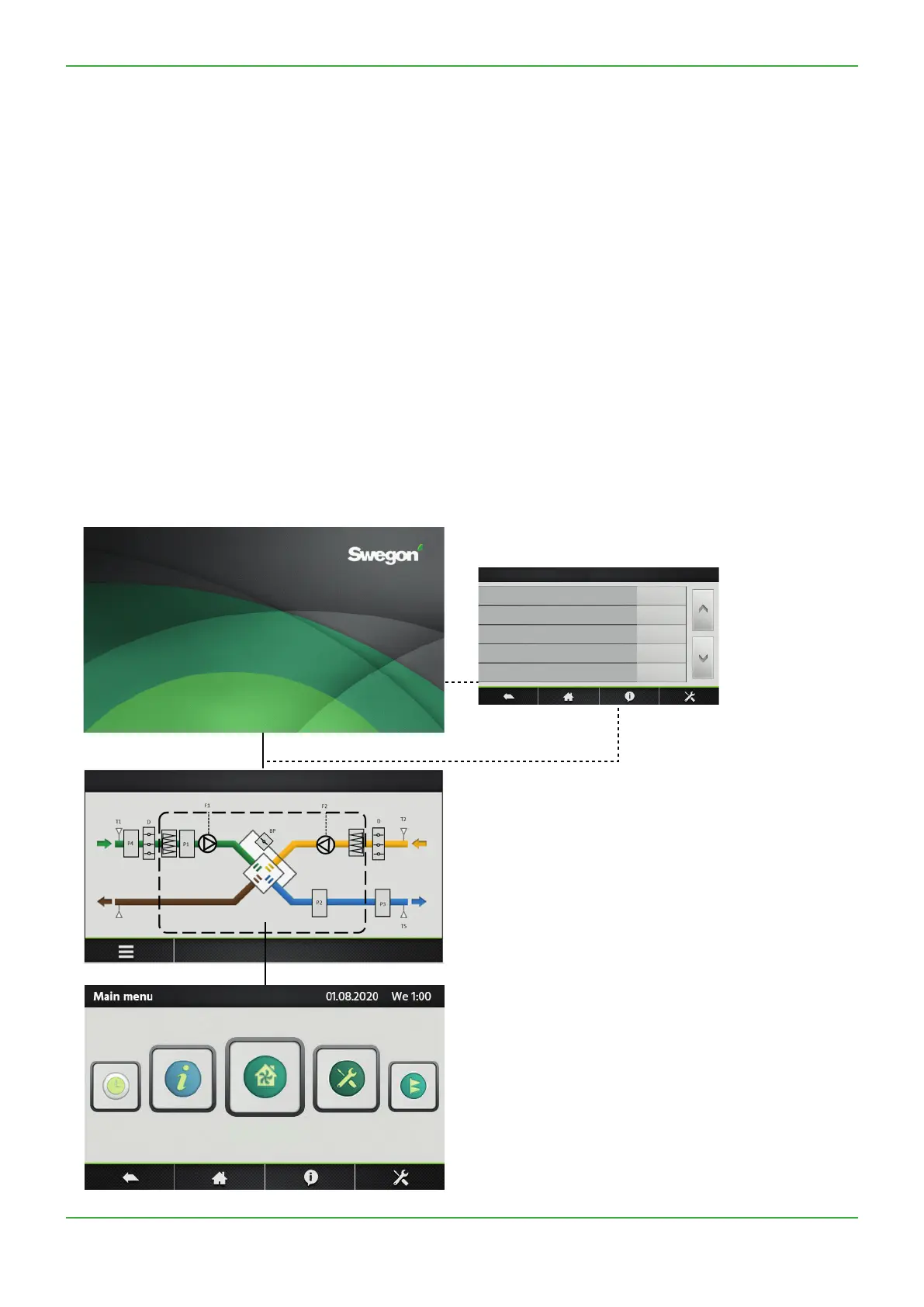
Start-up image
At the rst start up, the basic setup menu will be
activated automatically. See section ... With also
advanced parameter for master selection “contacts
K-K-K master” (see point ..): set no only if the
AHU is to be controlled with TACtouch control screen
rather than with electrical contacts (see point ..).
Aer the commissioning, a message box will propose to
set date and time and eventually switch automatically to
the corresponding screen (see section “Time and Date”
at point ..)
Main menu. See Section ...
The main menu is presented as a rotary menu. Aer
pressing the “menu”-button at the bottom le corner of
the Home Screen, the rotary menu will be shown.
Home Screen. See Section ...
By default, the home screen will be shown if no other
menu is opened by the user or if selected in the main
menu.
N.B.! The appearance of the image varies depending on
the type of air handling unit and functions selected.
LANGUAGE
UNIT
AIRFLOW REGULATION
TEMPERATURE
FIRE ALARM
BASIC SETUP


 To Next Page