EasyManua.ls Logo

Swift SW200DL - User Manual

Swift SW200DL
9 pages
Print Icon
To Next Page IconTo Next Page
Loading...
User Guide: SW200DL

Questions and Answers

  • T
    Timothy HansonAug 13, 2025
    Why is the light too dim on my Swift SW200DL?
    • D
      davisbernardAug 13, 2025
      If the light on your Swift Microscope is too dim, there could be a few reasons. First, the disc diaphragm hole selection might be too small; try rotating it to a larger hole. Second, the lamp setting might be too low; increase the intensity using the control knob. Finally, the voltage could be too low; ensure you are using the supplied power adapter.
  • D
    Donald MendezAug 17, 2025
    What to do if I have poor image quality on my Swift Microscope?
    • K
      kendra08Aug 17, 2025
      If you're experiencing poor image quality with your Swift Microscope, several factors could be the cause. Ensure that a glass cover slip is placed over the specimen. The slide may be too thick or thin, so try using a lab-quality slide. Also, check that the slide isn't upside down on the stage; the cover slip should face up. A dirty objective lens can also cause this, so wipe it with a soft cloth and glass cleaner. Finally, rotating the disc diaphragm to a larger hole can improve image quality if the current selection is too small.
  • M
    Morgan SalinasAug 21, 2025
    Why is the visual field uneven on my Swift Microscope?
    • B
      bmartinAug 21, 2025
      If the visual field of your Swift Microscope is uneven, or the image is dark at the edges, several factors could be responsible. The nosepiece might not be locked in place, preventing the objective lens from centering properly; turn the nosepiece until you hear a click. Alternatively, the slide might not be centered over the bulb, leaving part of the specimen unilluminated; make sure to center the slide. A dirty objective or eyepiece lens can also cause this; clean them with compressed air or a soft brush. Lastly, the disc diaphragm hole selection might be too small; try rotating it to a larger hole.
  • J
    Jason PattersonAug 25, 2025
    What to do if objective lens collides with slide on Swift SW200DL Microscope?
    • M
      Mr. Joshua Jennings MDAug 26, 2025
      If the objective lens collides with the slide on your Swift Microscope when switching to a higher power, it could be due to a few reasons. The slide might be upside down or too thick; use a lab-quality slide or flip the slide so the cover slip faces up. The stage might also be set too close to the objectives; lower the stage with the coarse focus knob. Lastly, the safety rack stop may need adjustment to stop the stage farther from the objectives; adjust the safety rack stop accordingly.
  • B
    Benjamin RollinsAug 28, 2025
    Why does the lamp flicker on my Swift SW200DL Microscope?
    • N
      Nicole DavisAug 28, 2025
      If the lamp on your Swift Microscope flickers while on, it could be due to a couple of reasons. First, the bulb might not be inserted into the socket correctly; check to make sure it's fully screwed in. Second, the power adapter might not be fully plugged in; ensure it's fully connected to both the wall socket and the microscope.
  • M
    Mitchell Buck Jr.Sep 1, 2025
    How to fix blurry visual field on Swift SW200DL?
    • P
      peter39Sep 1, 2025
      If the visual field appears blurry or dirty on your Swift Microscope, there are a few potential causes. The objective or eyepiece lens may be dirty; clean them with compressed air or a soft brush. The slide itself might be dirty; clean it with glass cleaner or a lens cloth. Additionally, the eyepiece or objective lens might not be fully screwed into place; tighten them to secure them.
  • R
    Rachel NguyenSep 4, 2025
    Why does the image move when focusing my Swift Microscope?
    • Y
      ykingSep 5, 2025
      If the image moves while adjusting the focus on your Swift Microscope, it's likely that the slide is shifting on the stage. Reposition the slide more securely in the clips.
  • F
    Frank LewisSep 9, 2025
    Why doesn't the lamp turn on on my Swift SW200DL?
    • L
      Lisa FernandezSep 9, 2025
      If the lamp on your Swift Microscope does not turn on, it could be due to a couple of reasons. First, check that the adapter is fully connected or that batteries are installed to ensure there's a power source. Second, the bulb may have burned out; in this case, you'll need to replace the bulb.

Summary

Specifications

Parts of the microscope

Assembly and set up

Instructions for unpacking, assembling, and initially setting up the microscope.

Using the microscope

Guidance on basic operation, focusing, and magnification adjustment for viewing specimens.

Caring for your microscope

Troubleshooting

Warranty and customer support

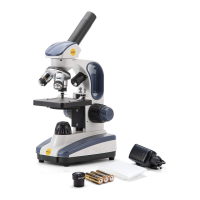
Swift SW200DL Specifications

General IconGeneral
Observation tubeMonocular, 360° rotatable
EyepieceWide-field 10X and 25X
NosepieceTriple revolving
Objectives4X, 10X, and 40X Achromatic
StagePlain stage with slide clips
CondenserSingle lens condenser with 6-hole disc diaphragm
Inclination30°
Magnifications40X, 100X, 250X, 400X, and 1000X
FocusingCoaxial coarse and fine focus knobs
IlluminationDimmable top and bottom LED lights
Power100-240V AC adapter or 3 AA batteries (included)
Weight and Dimensions IconWeight and Dimensions
Stage size90mmx90mm

Related product manuals