EasyManua.ls Logo

Swift SW380B - User Manual

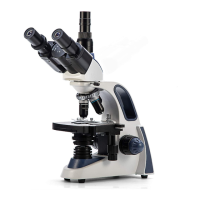
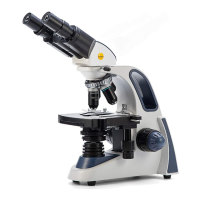
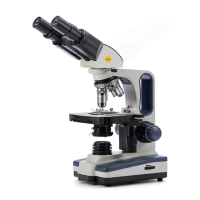
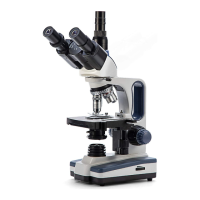
Swift SW380B
9 pages
Print Icon
To Next Page IconTo Next Page
Loading...
User Guide: SW380B

Questions and Answers

  • T
    Tiffany PriceAug 15, 2025
    What to do if the objective lens collides with the slide on my Swift Microscope?
    • M
      megan52Aug 15, 2025
      If the objective lens collides with the slide when switching to a higher power objective on your Swift Microscope, it could be due to a few reasons. Ensure you are using a lab-quality slide or flip the slide over so the cover slip is facing up if it's upside down or too thick. Also, lower the stage with the coarse focus knob if it is set too close to the objectives. If the issue persists, adjust the safety rack stop to stop the stage farther from the objectives.
  • M
    Mrs. Ellen WeissAug 18, 2025
    What to do if the lamp flickers on my Swift SW380B Microscope?
    • K
      Karina MezaAug 18, 2025
      If the lamp flickers on your Swift Microscope, it could be because the bulb is not inserted into the socket correctly. Check to make sure the bulb is fully screwed into the socket. Also, ensure the power adapter is fully plugged in, both into the wall socket and into the microscope.
  • C
    Christopher MartinAug 21, 2025
    Why is the image quality poor on my Swift SW380B Microscope?
    • C
      Christine MckinneyAug 22, 2025
      Poor image quality on your Swift Microscope can stem from several factors. Ensure a glass cover slip is placed over the specimen. The slide's thickness can impact image quality, so use a lab-quality slide. Also, check that the slide is not upside down on the stage, and if you're using oil, clean the objective lens with a soft cloth and glass cleaner. Finally, adjust the iris aperture, as an aperture that is too narrow or wide can affect image quality.
  • M
    mcdonaldjessicaAug 25, 2025
    What to do if the light is too dim on my Swift SW380B Microscope?
    • J
      Justin HoltAug 26, 2025
      If the light on your Swift Microscope is too dim, several factors could be responsible. First, check the iris aperture and open it wider if it's closed too far. Next, increase the intensity using the control wheel. Also, a dirty condenser lens can reduce light, so wipe it off with a soft cloth. Finally, ensure you're using the supplied power adapter, as low voltage can also cause dimness.
  • B
    Becky HamiltonAug 28, 2025
    Why is the visual field uneven on my Swift SW380B Microscope?
    • J
      James MyersAug 28, 2025
      An uneven visual field or a dark image at the edges on your Swift Microscope can occur for several reasons. Make sure the nosepiece is locked in place to center the objective lens by turning it until you hear a click. Ensure the slide is centered over the bulb using the X-Y translational control knobs so that the specimen is fully illuminated. A dirty objective or eyepiece lens can also cause this issue, so clean them with compressed air or a soft brush. Lastly, check the iris aperture and open it wider if it's closed too far.
  • T
    Tyler CastroAug 31, 2025
    Why does my Swift Microscope image move while adjusting focus?
    • B
      bridgetgentrySep 1, 2025
      If the image moves while you're adjusting the focus on your Swift Microscope, it's likely that the slide is shifting on the stage. Reposition the slide more securely in the slide holder to prevent movement.
  • A
    Andrea CurtisSep 3, 2025
    How to fix a blurry image on a Swift SW380B?
    • T
      Timothy AllenSep 4, 2025
      A blurry or dirty visual field on your Swift Microscope can be due to a few reasons. Start by cleaning the objective or eyepiece lens with compressed air or a soft brush. If the slide is dirty, clean it with glass cleaner. Also, make sure the eyepiece or objective lens is fully screwed into place; tighten them if they are loose.
  • C
    christopherwilkinsSep 7, 2025
    Why is the slide not moving on my Swift Microscope?
    • S
      stephanie55Sep 7, 2025
      If the slide is not moving when using the X-Y translational control knob on your Swift Microscope, it's likely that the slide has come unclipped from the holder. Reposition the slide in the holder and secure it with the clip.
  • R
    Robert ScottSep 12, 2025
    Why doesn't the lamp turn on in my Swift SW380B Microscope?
    • E
      Eddie OwensSep 12, 2025
      If the lamp does not turn on in your Swift Microscope, first check that the adapter is fully connected or that batteries are installed, as the issue could be a lack of power source. If power is not the issue, the bulb may have burned out and needs to be replaced.

Summary

Specifications

Parts of the Microscope

Assembly and Set Up

Using the Microscope

Caring for Your Microscope

Troubleshooting

Warranty Information and Customer Support

Swift SW380B Specifications

General IconGeneral
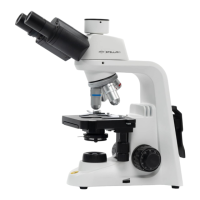
TypeCompound Microscope
CondenserNA1.25 Abbe Condenser with Iris Diaphragm
DiaphragmIris Diaphragm
IlluminationLED
Magnification40X to 1000X
Objectives4X, 10X, 40X(S), 100X(S, Oil)
Objectives SpecsAchromatic
EyepiecesWF10X
FocusCoaxial coarse and fine focus knobs
StageDouble Layer Mechanical Stage, Size: 130mm x 130mm
Power Supply100V-240V

Related product manuals