ELECTRONIC START SYSTEM / E-GUN & StartTime V
Version 1.2 3481.560.02 Page 9
2.2 Operation
Stand alone operation with TIMER (Quantum)
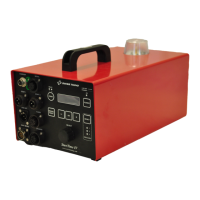
1. Connect or SMU to E-GUN/MICRO
2. Connect the cable from TIMER to START.
3. Turn the unit ON by pressing the key (5sec.).
SMU : LEDs are tested.
: LEDs are tested.
4. Select sport (Athletics, Swimming, Speed Skating or Custom).
After 5 seconds, the sport will be automatically selected based on the last use.
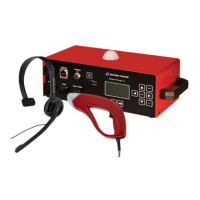
SMU : STV power ON status Green LED light up and red LED SPEAK in the microphone should be lit.
: STV power ON status Green LED light up.
5. Adjust the OUTPUT VOLUMES on the StartTime V to an appropriate level
Speaker Int.
Speaker Ext.
Headset
Line Out
6. Adjust the INPUT VOLUME on the StartTime V to an appropriate level
Microphone
7. Check if READY signal green LED on or SMU is ON.
8. Check if EXTERNAL READY is written on the StartTime V display.
9. Press the TRIGGER ( ) or START (SMU) button.
10. One signal should be emitted from the loudspeaker(s), and the TIMER should be activated.
If a false start is to be announced, press the TRIGGER ( ) or START (SMU) button again within time
selected in False Start Setup Timeout .
Timeout can be adjusted on the main unit in Setup False Start Setup Timeout .
Repeat can be adjusted on the main unit in Setup False Start Setup Repeat .
False Start Sound can be adjusted on the main unit in Setup False Start Sound .
The false start Timeout signal is only functional if
if false signal is not used.
The Repeat false start signal can be adjusted from
if false signal is not used.


 To Next Page