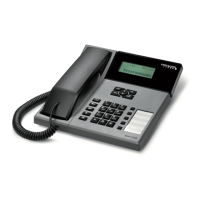
The telephone has got 5 memory keys and nine speed dialling keys (2 to 0). Each key can store num-
bers with up to 24 digits and names with up to 16 characters.
Memory keys (M01-M05)/voice portal key
Dialling a number on a memory key (M01-M05) / voice portal key
- While in idle mode or off-hook, press the desired memory key (M1 to M5 / voice portal key)
- If the handset is off hook, the number will be dialled after 2s.
Saving numbers to memory keys (M01-M05) / voice portal key
- While in idle mode press a memory key (M01 to M05/voice portal key) for longer than 2s
- Press OK (the first character will flash)
- Enter the number using the keypad and DEL key
- Press OK to save the number and go to the name line
- Enter the name and press OK to save the entry.
Deleting numbers on memory keys (M01-M05) / voice portal key
- While in idle mode press a memory key (M01 to M05/voice portal key)
- Press DEL
- Confirm the message “Delete?” with OK.
Speed dialling keys (2-0)
Dialling a number on a speed-dialling key (2-0)
- While in idle mode, press and hold down a speed-dialling key (2 to 0) for longer than 2s
(the unit shows the entry).
If the handset is off-hook, the number will be dialled immediately.
- Pick up the handset to dial the number. The number will be dialled 2s after the handset has been
taken off hook.
Saving a number to a speed-dialling key
- While in idle mode, press and hold down a speed-dialling key (2 to 0) for longer than 3s
(the unit shows the memory mode)
- Press OK to edit the memory
- Enter the desired number and press OK to go to the name line
- Enter the name via the keypad and press OK to save the data.
13
DIRECT MEMORIES


 To Next Page