Do's and Don'ts
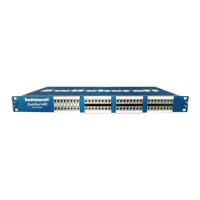
It is very important that your StudioPatch Series patchbay is well cared for. Listed below are a few
things to remember:
• Do not use a jack in the half-normalled position with a digital (AES/EBU) audio signal and insert a plug
into the source (top) jack (see AES/EBU section).
• It is highly recommended to use only genuine Switchcraft® patchcords. See page 17 for a listing of
available types for this patchbay unit. Improper patchcords can damage or stretch the contacts inside of
the patchbay making channels intermittent or inoperable.
• Over time, the StudioPatch Series patchbay may require cleaning. Scratchy or intermittent noise may be
an indication that the patchbay requires cleaning. Simply insert a patchcord plug into the jack a few times
and/or rotate the cam back and forth. The inner contacts are self-cleaned when the cam is rotated.
• Do not rotate the normalling screws in a full circle. The red arrow should only move clockwise between
the "F" position (12:00) and "H" (6:00) position.
• Do not use a burnishing tool. A burnishing tool will scratch the contact surfaces and will cause noise and
intermittent signal problems.
• Do not use solutions to clean the jacks. Solutions may negatively interact with the metal surfaces and
plastic housings.
• Do not plug in or unplug cables from the patchbay while signal is running through it. Power down all of
your gear before you disconnect it.
• If removing the jack modules or opening the unit for any reason, you are voiding the warranty.
• Tampering with the jacks or cover of the unit will void the warranty.
15


 To Next Page