DB25 Breakout Cable
As mentioned earlier, another way to connect the StudioPatch Series (6425 and 9625) is with DB25
breakout cable. In this example, your setup would have a DB25 connector on one end (let's say the analog
DAW I/O), and XLR's to the destination (the mixing console).
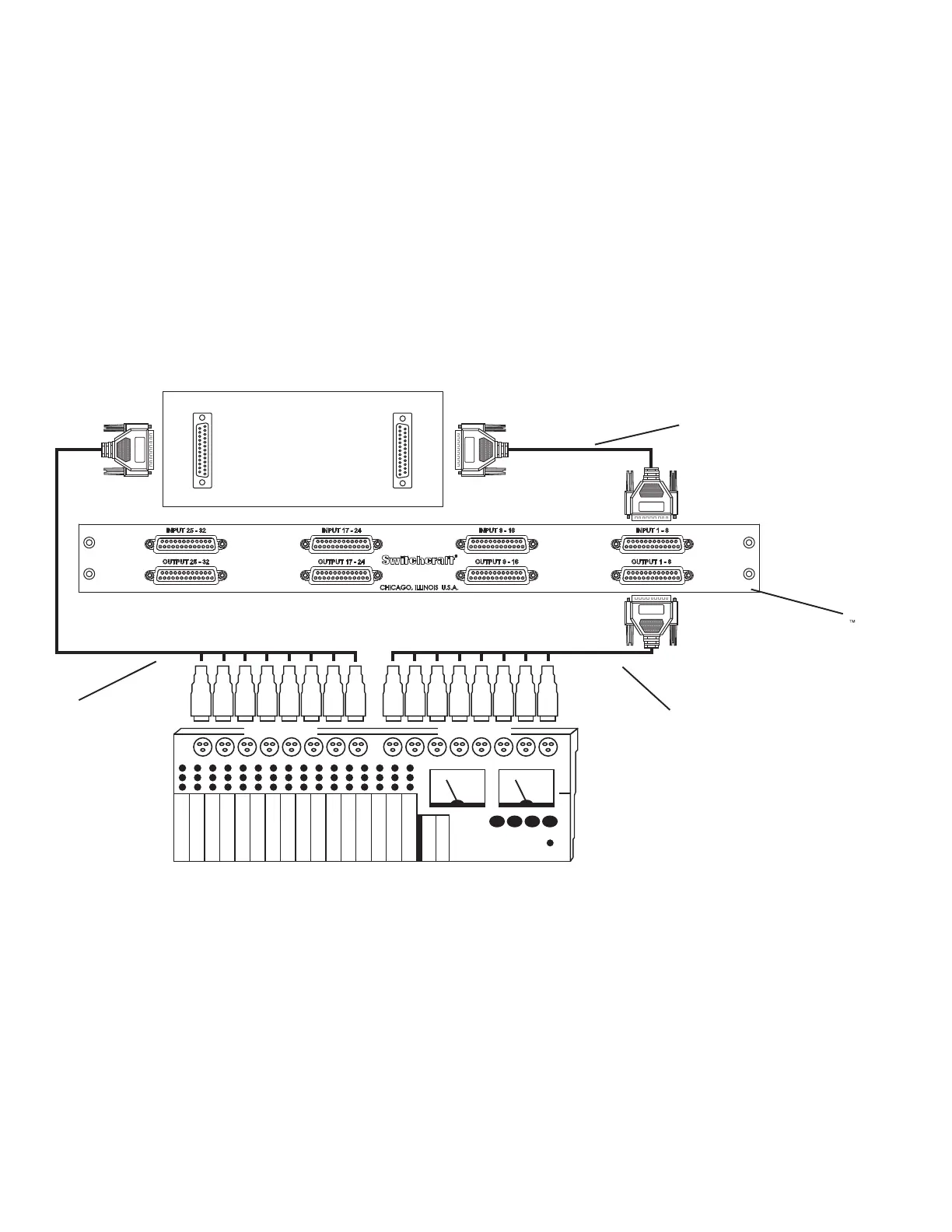
In this example, you would connect your mixing consoles eight XLR outputs 1 through 8 to the DAW’s
DB25 analog inputs 1 through 8. From the DAW’s DB25 analog outputs 1 through 8, you would connect
to the StudioPatch Series’ DB25 inputs 1 through 8. From there, you would connect the StudioPatch
Series’ DB25 outputs 1 through 8 to the mixing consoles XLR inputs 1 through 8 (See Example 2).
Depending on your particular studio setup, you may have a variety of combinations of cable connector
ends. In this case, you would need:
1– Eight channel XLR (female) to DB25 (male).
1- DB25 (male) to DB25 (male).
1- DB25 (male) to eight channel XLR (male).
Example 2
From Outputs 1-8
of StudioPatch
TM
to
Mixer Inputs 1-8
From DAW Analog Outputs 1-8 to StudioPatch
TM
Inputs 1-8
From Mixer Outputs
1-8 to DAW Analog
Inputs 1-8
8
1-8 XLR Outputs 1-8 XLR Inputs
1-8 Inputs
1-8 Outputs
StudioPatch 6425
DAW


 To Next Page