24
V1.97
G2 has a local Web HMI that can be accessed by common
mobile phones Web Browsers.
Once congured, an internet connection is established and
the G2 device will connect to a secured cloud service
(SX-PANEL) viewed and controlled by your phone.
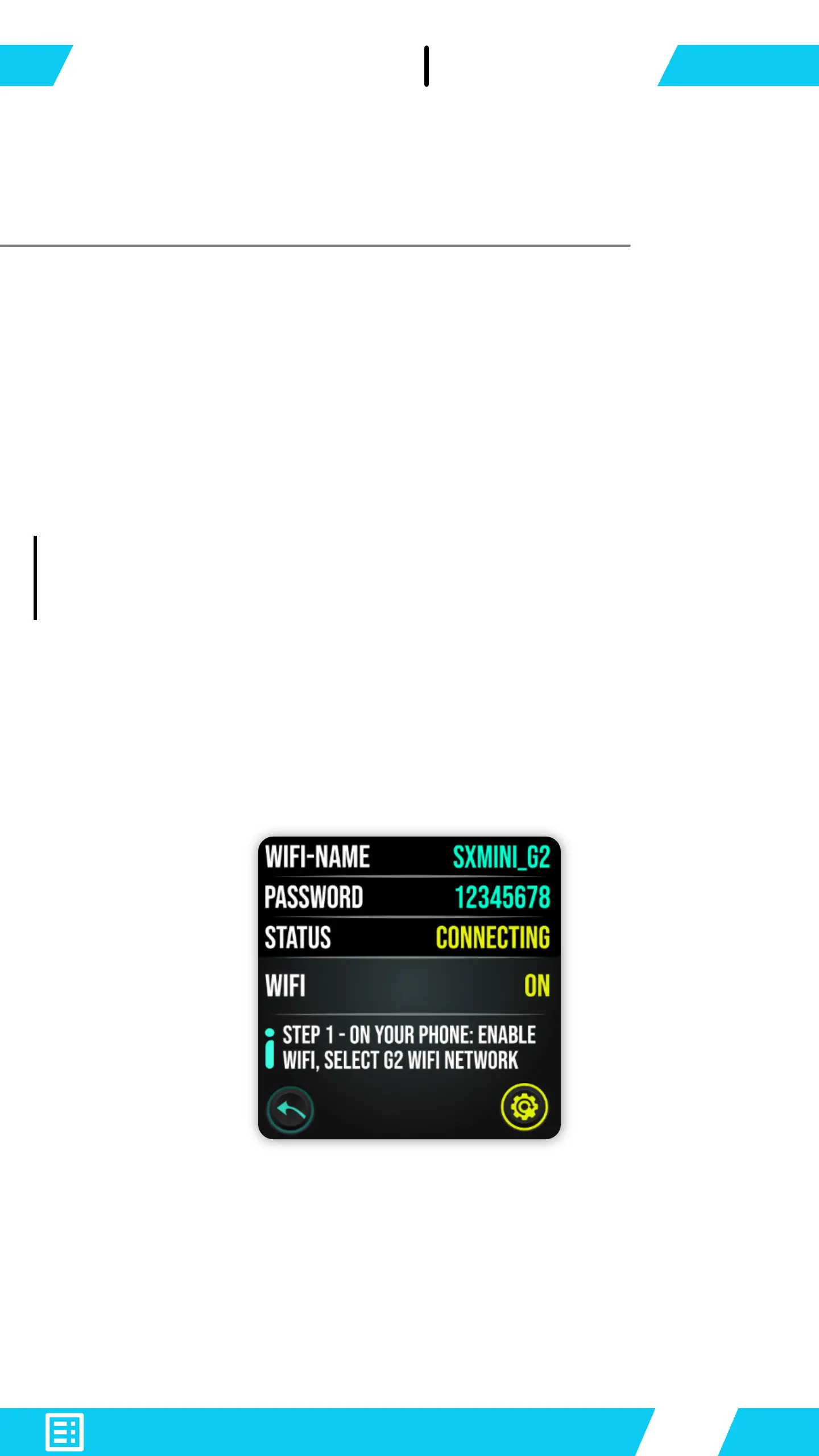
Open Main-Menu and enter WiFi.
The WiFi interface opens with the following details:
Switch WiFi ON to enable.
On your Smartphone - search G2's WiFi-NAME on your
list of available WiFi networks.
Click to connect and enter password: 12345678


 To Next Page