25
V1.97
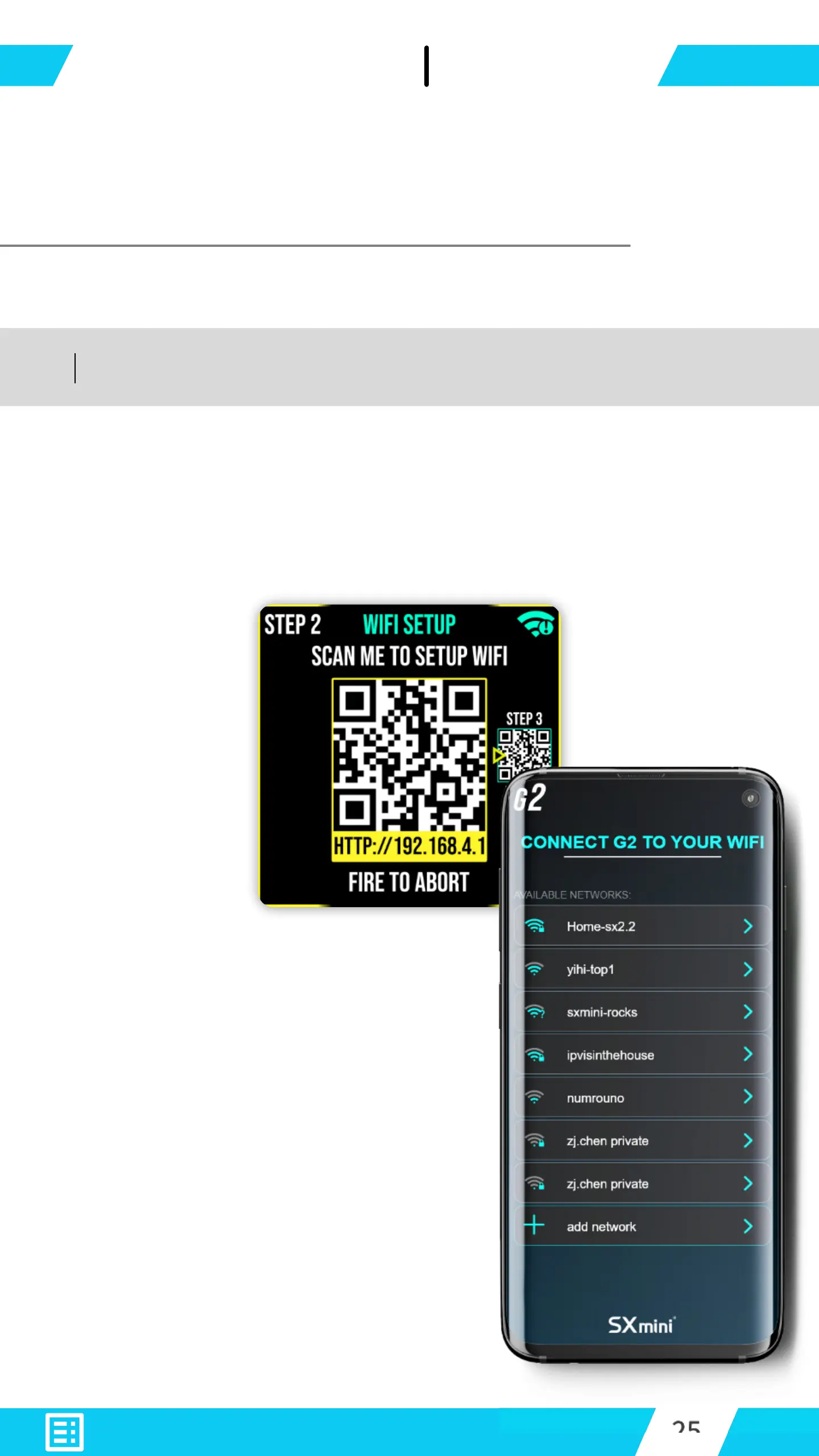
With your Smartphone - scan the QR-Code
displayed on G2 to initialize WiFi setup.
Your smartphone will open a
link to G2’s WEB HMI.
Select a router or a hotspot to
allow G2 to connect to, And
gain internet access from.
Your smartphone is now connected to G2 device.


 To Next Page