30
V1.97
When main menu does not load, you can load Wi Mode
manually:
Remove batteries
Quickly attach & remove a USB-Cable from the charge
port x 4 times (leave it attached on the 4
th
time)
In SX-Panel go to the SUPPORT page. Search for the
maintenance section. Press download to re-download the
whole rmware again. Make sure the connection is stable,
and the internet is available.
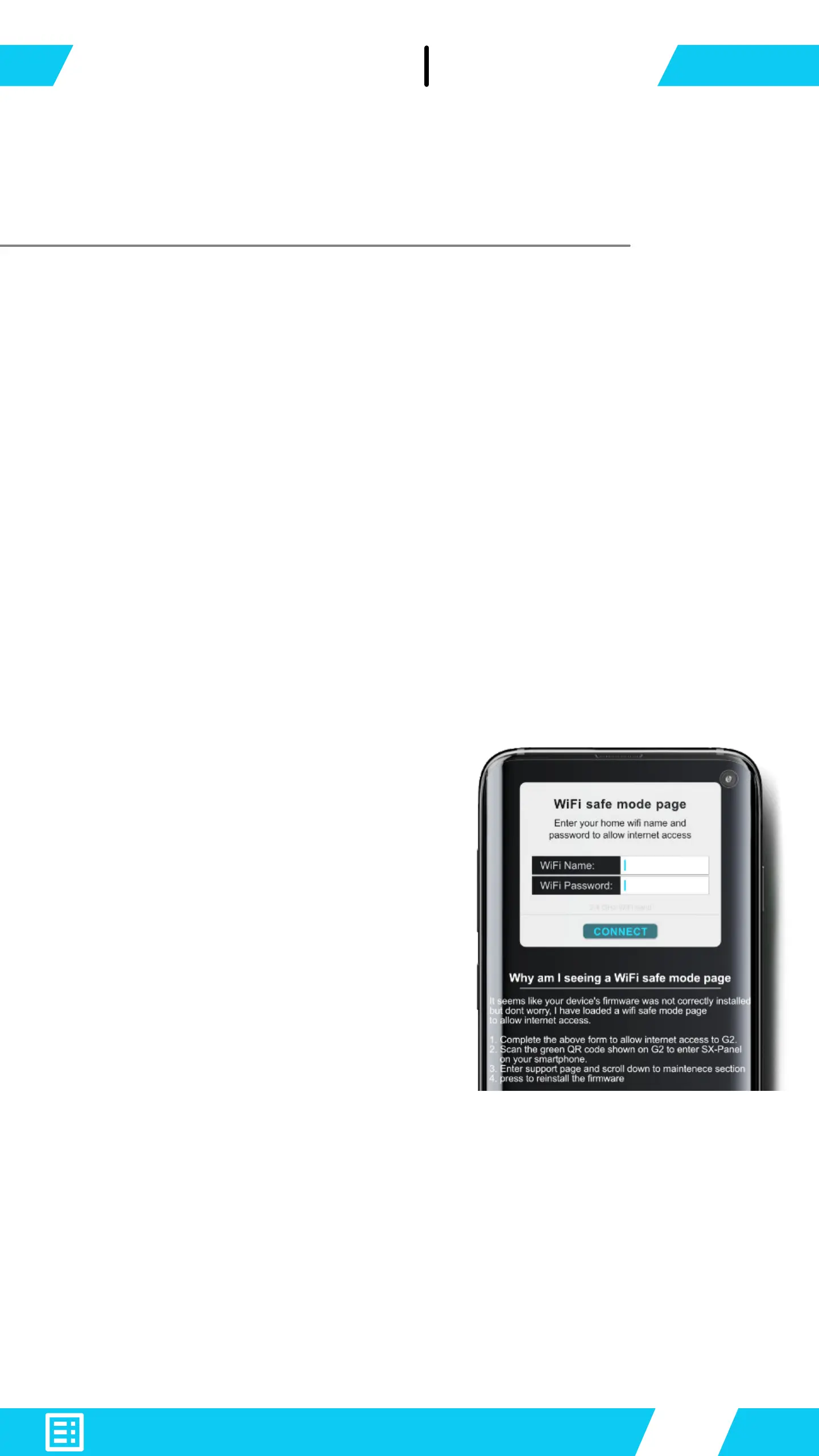
Even if the local Web HMI wi
settings page (Wi setup step 1)
is corrupted, G2 will revert the
phone to load a WIFI safe mode
page.
Manually ll in your home wi
access point and password to
allow internet connection for G2.
When done, go ahead and re-download the rmware on
SX-Panel → SUPPORT page.
*1 - From Firmware 1.05


 To Next Page