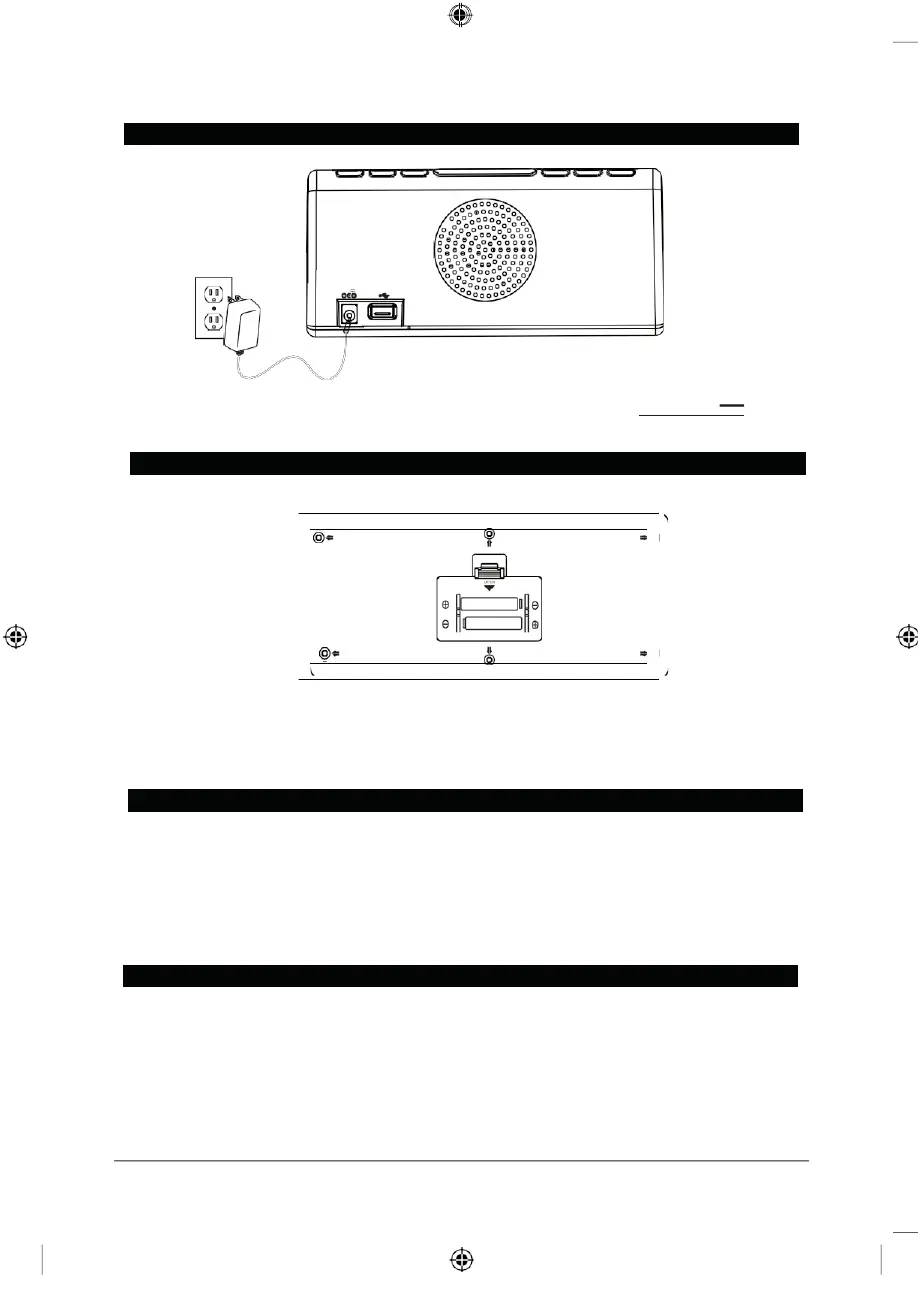
1.5V “AA” SIZE
1.5V “AA” SIZE
POWER SOURCE
DC IN 5V USB CHARGER
FM ANT.
Plug the included AC/DC adapter (Input:100-240V~ 50/60Hz, Output:5V 1000mA)
into the POWER JACK on the Clock Radio, and into an AC power outlet to power the unit.
BATTERY BACKUP
The battery backup is intended for short power outages only. The clock radio’s primary
functions cannot run off of the battery backup.
Requires 2 AA batteries (not included).
SETTING CLOCK
1. In standby mode, press and hold the MEMORY & CLOCK SET BUTTON.
2. The hours will blink. Press TUNING DOWN & HOUR BUTTON to set the current hour.
3. Press the TUNING UP & MINUTE BUTTON to set the current minute.
4. Press MEMORY & CLOCK SET BUTTON once and the current time is set.
NOTE: The PM indicator will light when the hour is set in the PM.
SETTING SLEEP TIMER
When listening to the radio, press SNOOZE, SLEEP & DIMMER BUTTON to enter sleep
mode. You can just adjust the sleep timer from 10 to 90 minutes by pressing the SNOOZE,
SLEEP & DIMMER BUTTON.
The unit will automatically turn off after the selected time expires.



 To Next Page